Puzzle
Turn messy processes and systems into clear diagrams with this visual mapping tool


When you can’t visualize your processes, it’s easy for growing teams to lose the full picture. (“Submitting a form here either kicks off a workflow or does absolutely nothing. It’s a surprise.”)
And trying to get organized with more Google Docs and spreadsheets just adds to the confusion.
You need an intuitive way to map processes, connect systems, and document responsibilities in one organized visual workspace.
Meet Puzzle.
TL;DR

At-a-glance
Overview
Puzzle is a visual platform that helps teams transform complex processes into clear diagrams to stay aligned.
%(puzzle25-vid)
Optimize your time and budget
Puzzle lets you visualize where your time and money are going, so you only prioritize the highest ROI work.
- Uncover real numbers behind every step in your workflow, like hours spent, labor cost, software fees, and rework rates
- Learn which tasks drive value and which tasks drain resources at a glance
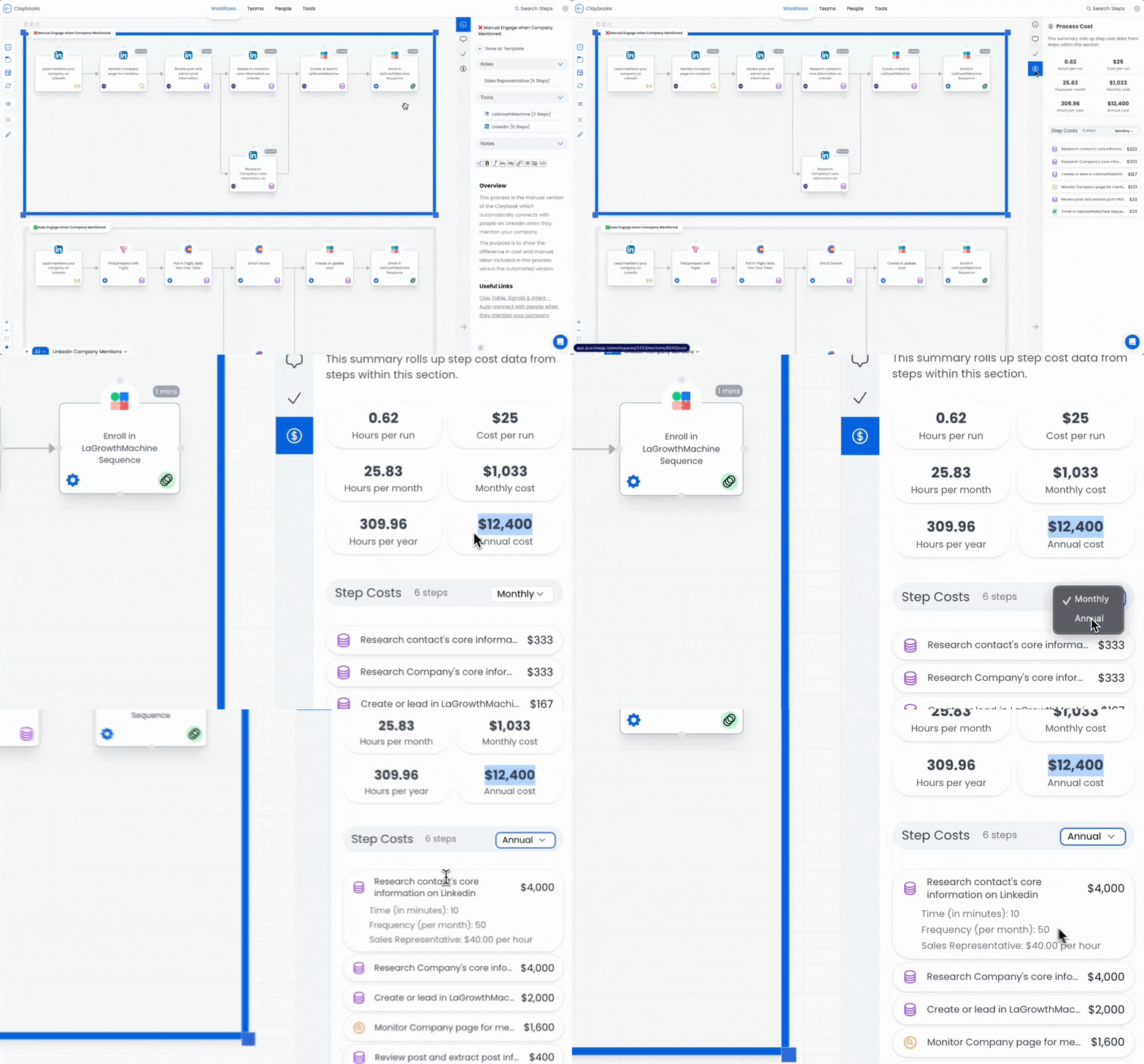
See where time and money are being spent at each step, so you can make high-ROI fixes.
Sync information in real time
Unlike static flowcharts, Puzzle’s relational database treats information as a living thing that updates in real time.
- Click any object to see its dependency, owner, downstream impact, and related tasks, all linked across canvases
- Automatically sync updates to documentation everywhere, keeping records consistent across your org
- Make onboarding easier by giving your team clear visibility into every process change
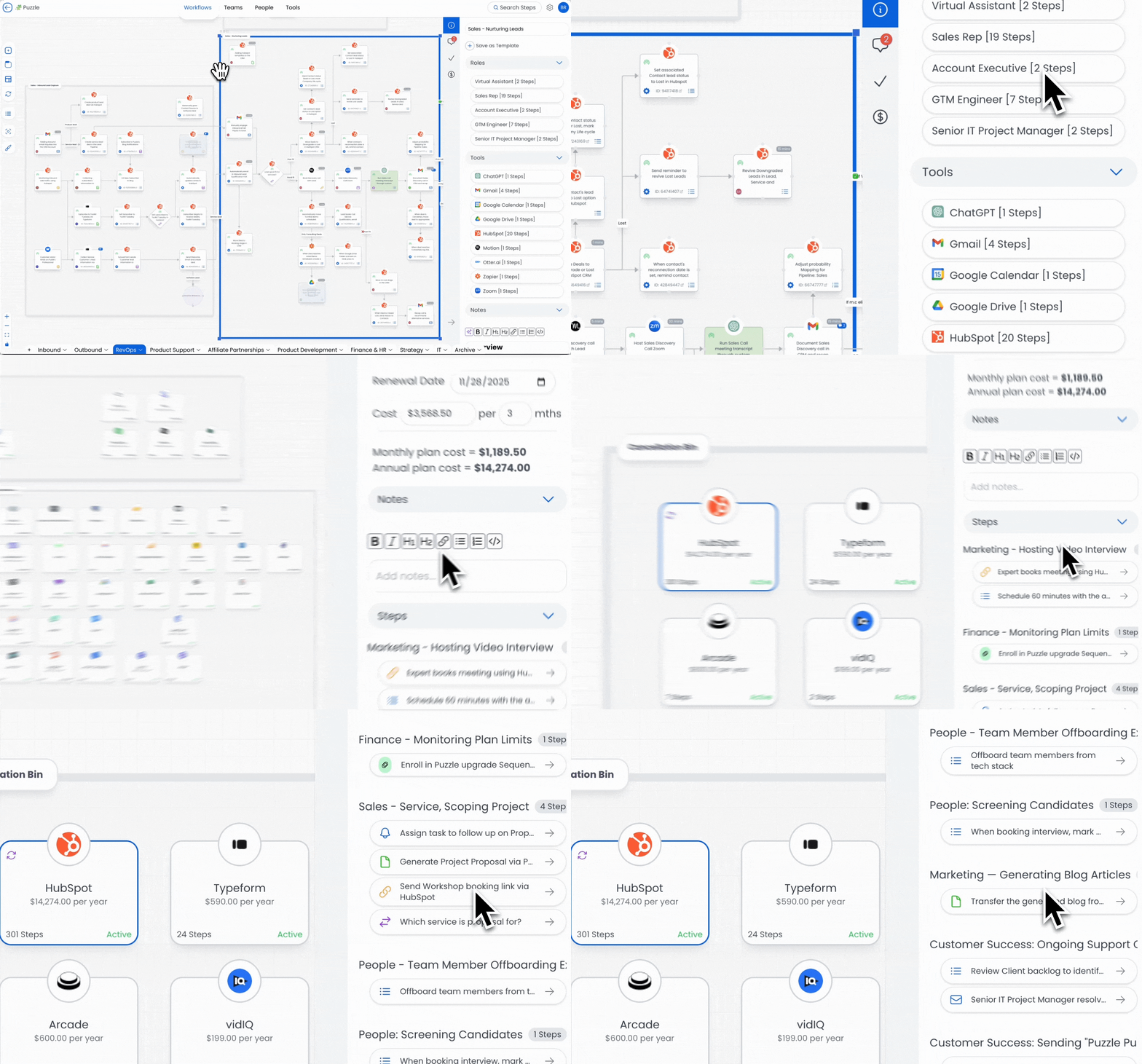
Trace dependencies, owners, and downstream impact with information linked across canvases.
Integrate with HubSpot, Zapier, and Make
No more manually digging for workflows. You’ll get live lists of HubSpot, Zapier, and Make automations pulled into one sidebar for syncing.
- Identify what isn’t mapped yet and drag any missing elements to the canvas in one click
- Resync whenever tools change and fetch the latest workflows to keep your diagrams up to date
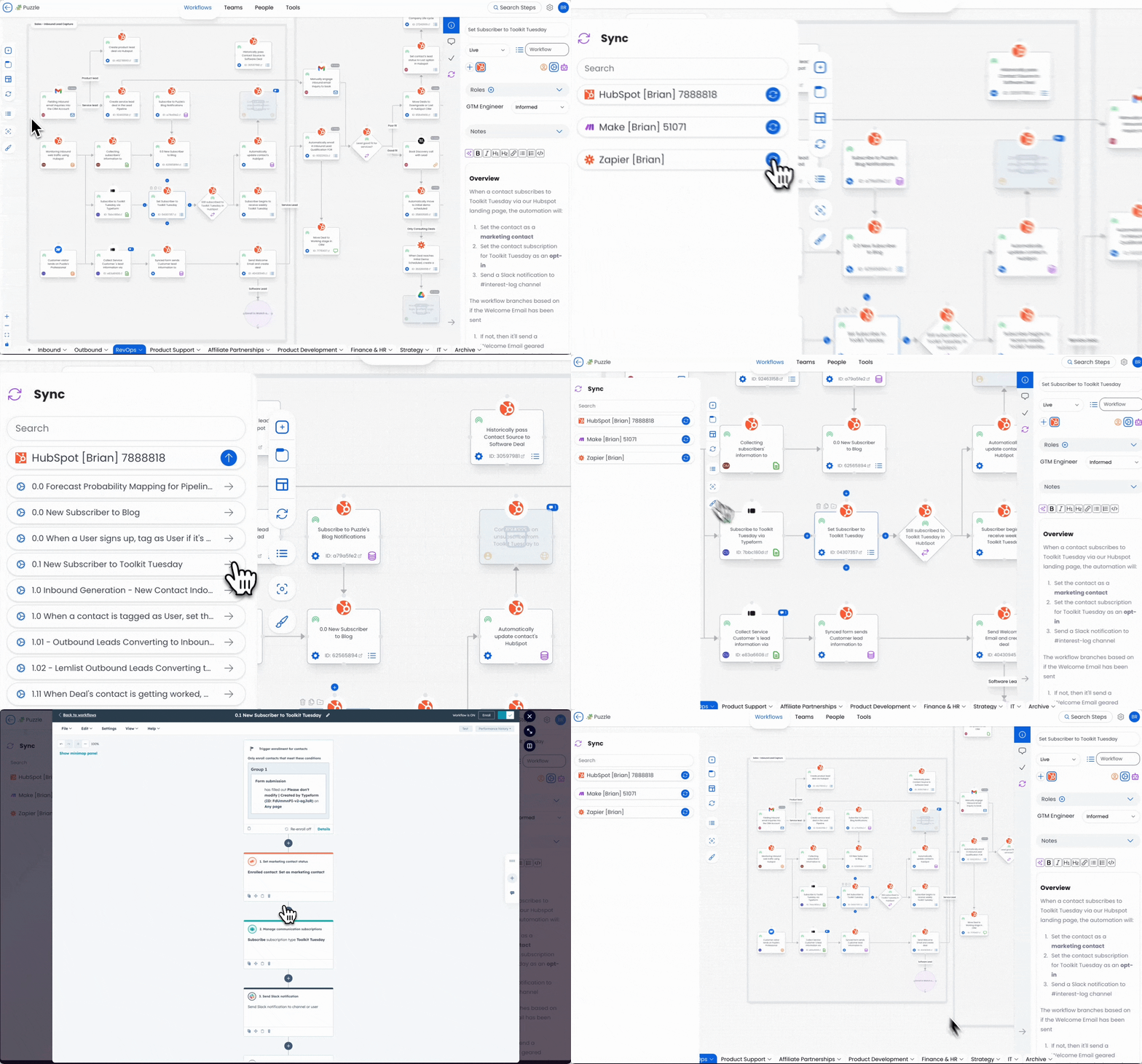
Get a live list of HubSpot workflows, Zapier Zaps, and Make scenarios in one sidebar for syncing.
Slash hidden SaaS bloat
Best of all, Puzzle helps you understand which SaaS tools you actually depend on and which are just taking up space.
- Uncover which tasks each tool supports, spot overlaps, and trace breakpoints before they cause downtime
- Cut hidden SaaS bloat from unused tools and plan migrations with confidence
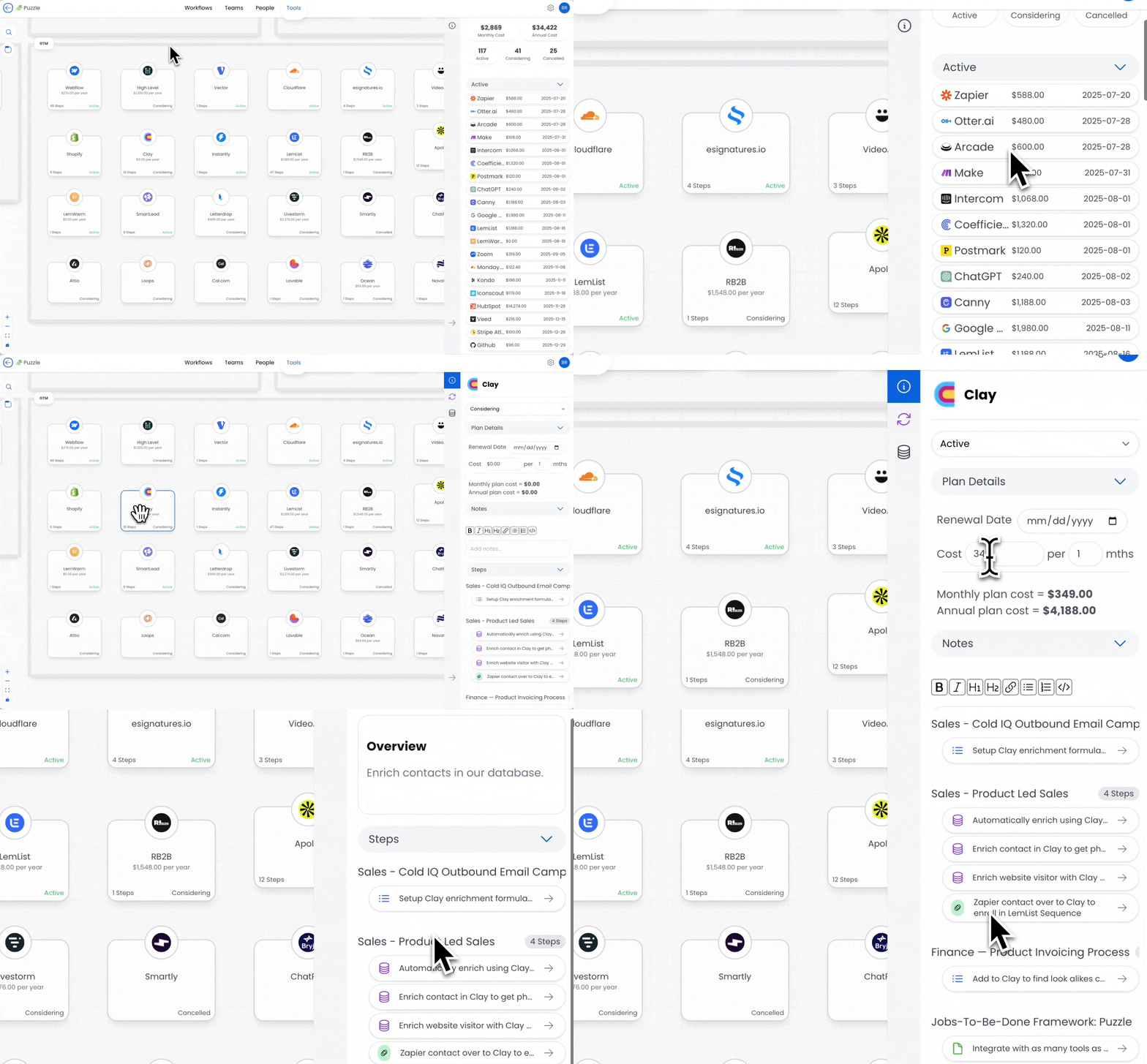
Use Puzzle’s x-ray view to find and cut unnecessary SaaS tools from your tech stack.
With Puzzle’s smart visual mapping platform, you can say goodbye to messy workflows and bring order, transparency, and efficiency back to your operations.
Make complex processes simple.
Get lifetime access to Puzzle today!
Plans & features
Deal terms & conditions
- Get lifetime access to Puzzle
- All future Builder (Tiers 1, 2), or Optimizer (Tier 3) plan updates
- If the plan name linked to your deal changes, it will automatically transfer to the new plan with all updates
- This deal is only for brand-new Puzzle users—no previous accounts, trials, or paid plans with this partner
- Activate your license within 60 days—you can upgrade while the deal is live but can only downgrade within 60 days of purchase

60 day money-back guarantee. Try it out for 2 months to make sure it's right for you!
Features included in all plans
- Unlimited objects
- Unlimited workspaces
- Unlimited tabs
- Workflow builder
- Team builder
- Tool canvas
- Pre-built templates
- Commenting
- Step notes
- Embed Looms & Scribes
- Tasks
- List view & Public views
- Custom templates