
Table created with wpDataTables plugin
Google Sheets API
Graphs and charts made with wpDataTables
Advanced filters
Multiple database connections

wpDataTables

Early access ends in
00
Hours
:
 
00
Mins
:
 
00
Secs
-80%$59
$289
  • Lifetime access
  • Refundable up to 60 days
  • Covered by our We Got Your Back guarantee
AppSumo Plus

Available exclusively to AppSumo Plus members

TL;DR

  • checkmarkBuild responsive tables, charts, and graphs for your WordPress posts or pages that you can edit in the frontend and backend
  • checkmarkCustomize your table with premium features like responsiveness, conditional formatting, multi-criteria filtering, and more

At-a-glance

wpdatatables.com

Alternative to

Gravity Forms

Integrations

Divi, Elementor, Google Sheets, WooCommerce, WP Post Builder

Best for

Developers, Web designers, Small business owners

Early access ends in
00
:
00
:
00
wpDataTables logo

wpDataTables

Build responsive WordPress tables, charts, and connected data displays

Build great-looking tables without code

  • Create tables with AI-powered workflows that build your table, generate SQL queries, and suggest the right charts, no complicated coding required
  • Customize everything including language, skin, font, and colors
  • Use advanced features like responsive design, conditional formatting, and multi-criteria filtering
  • Merge cells, style each cell differently, and add star ratings in simple tables that look great across devices
Build great-looking tables without code

Bring in data from almost anywhere

  • Enter data manually or upload files from Excel, CSV, Google Sheets, MySQL queries, PHP arrays, JSON, XML, and WordPress posts
  • Turn your WooCommerce store into live tables: product tables that update automatically as your inventory changes, with Add to Cart built in
  • Automatically sync published and shared Google Sheets or create tables from private Sheets
  • Edit tables from the WordPress back-end or front-end and control who can view or edit data on a published page with advanced permissions
Bring in data from almost anywhere

Turn tables into charts and graphs

  • Create responsive, fully customizable charts with the step-by-step Chart Creation Wizard
  • Choose from Google Charts, Highcharts, Chart.js, or ApexCharts to render pie, bar, line, spline charts, and more
  • Live-edit your chart and preview it in real time before inserting it into your page
  • Get AI chart suggestions that recommend the chart type that fits your data best
Turn tables into charts and graphs

Customize, calculate, and filter your data

  • Choose a color palette or insert your company logo to match your brand
  • Add columns that calculate the sum, average, minimum, and maximum of your values in seconds
  • Highlight rows, columns, and cells based on conditions you set ahead of time
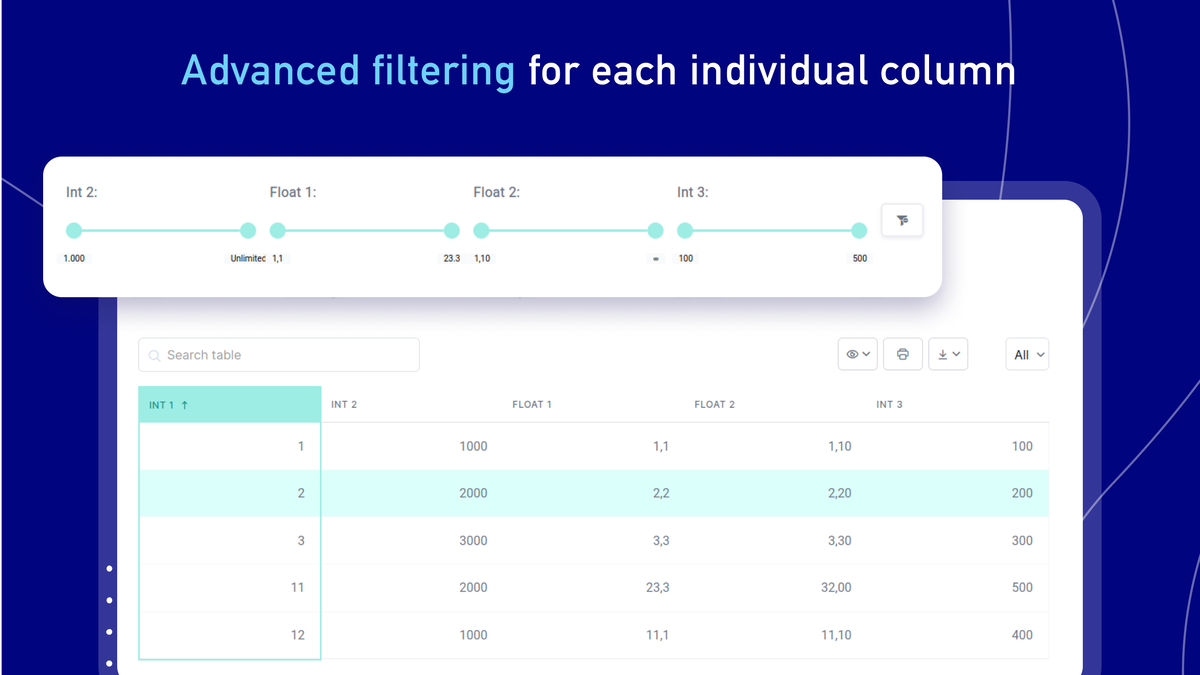
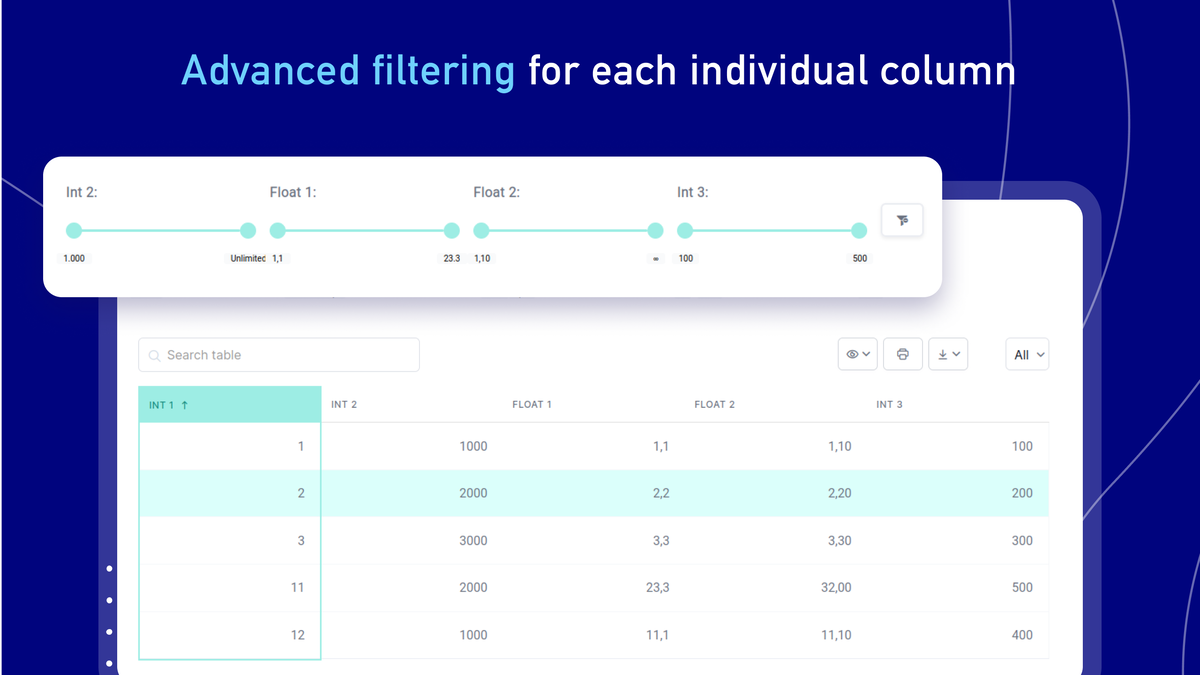
  • Let visitors filter your data by each column so you can use tables as a filterable catalog
Customize, calculate, and filter your data

Connect databases and publish anywhere

  • Pull live data from multiple databases and servers with support for MySQL, MS SQL, and PostgreSQL, and connect tables with Foreign Keys and dynamic SQL queries
  • Publish tables on your site with the standard WP Editor, Visual Composer, a Gutenberg block, Elementor, or Divi 5
  • Turn form entries into tables and charts with the native IvyForms integration
  • Connect your toolkit with a REST API, webhooks, and MCP support for your AI assistants
Connect databases and publish anywhere

Choose the plan that’s right for you

Feel secure in your purchase with AppSumo's 60 day money-back guarantee.

Refundable up to 60 days
Covered by our
We Got Your Back guarantee
Deal terms & conditions
wpDataTables (November 2026) Ver: 2.0
See wpDataTables (November 2026) Ver: 2.0
Founded November 22, 2022
🇷🇸Belgrade, Serbia
1-10
Growth
Bootstrapped

WPDataTables is back on AppSumo 🚀

Hey everyone! I’m Sara, Product Owner of wpDataTables.

wpDataTables is a WordPress plugin that turns your data into interactive tables and charts. Bring in your data from Excel, CSV, Google Sheets or a database, and your visitors can sort, filter and search it right on your site. It’s made for site owners, agencies and teams who want to put their data to work.

It fits any kind of business. Price lists, product catalogs, client reports, event schedules, real estate listings, sales dashboards, you name it. If you have data you want to show or work with on WordPress, wpDataTables makes it simple.

Some of you already know us from our first run on AppSumo, and we’re really happy to be back. Thank you to everyone who has been using wpDataTables since then. A lot of what we’ve built came straight from your feedback. Since then we’ve added live connections to external databases, AI help for SQL and chart suggestions, MCP support for AI assistants, advanced permissions, a REST API and webhooks, and integrations with Divi 5, Elementor and WooCommerce. Our team also built IvyForms, so you can collect data with forms and turn it into tables and charts in the same ecosystem.

We’d love to hear what you think, what you’re building with it, and what you’d like to see next. Your feedback and feature requests shape our roadmap directly, and our support team will be here answering your questions throughout the campaign.

Looking forward to building this together with you! 🙌

Questions & reviews

AskSumo

Customers appreciate wpDataTables, praising its powerful data visualization capabilities, ease of use for creating interactive tables and charts, and excellent customer support. While some users find the learning curve steep, the recent addition of live connections to external databases, AI assistance for SQL and chart suggestions, and various integrations have significantly enhanced the user experience. With an impressive rating of 4.4 and a 60-day money-back guarantee, wpDataTables is a solid investment for anyone looking to enhance their WordPress site with dynamic tables and charts. Don't hesitate to give it a try!

AI-powered summary of customer reviews