AppSumo Radar beta
Radar products are early-stage listings that are managed by the team who built the product.Learn more about Radar

Screen capture worth watching, one app

9 bought
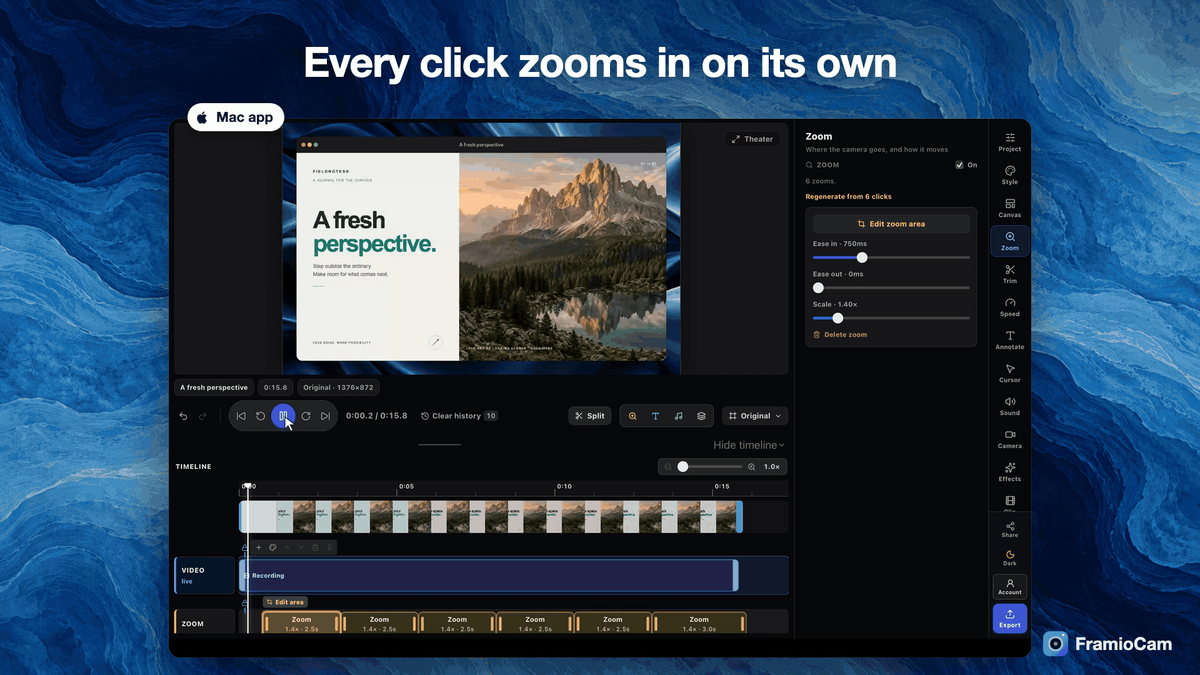
Mac editor with automatic click zooms
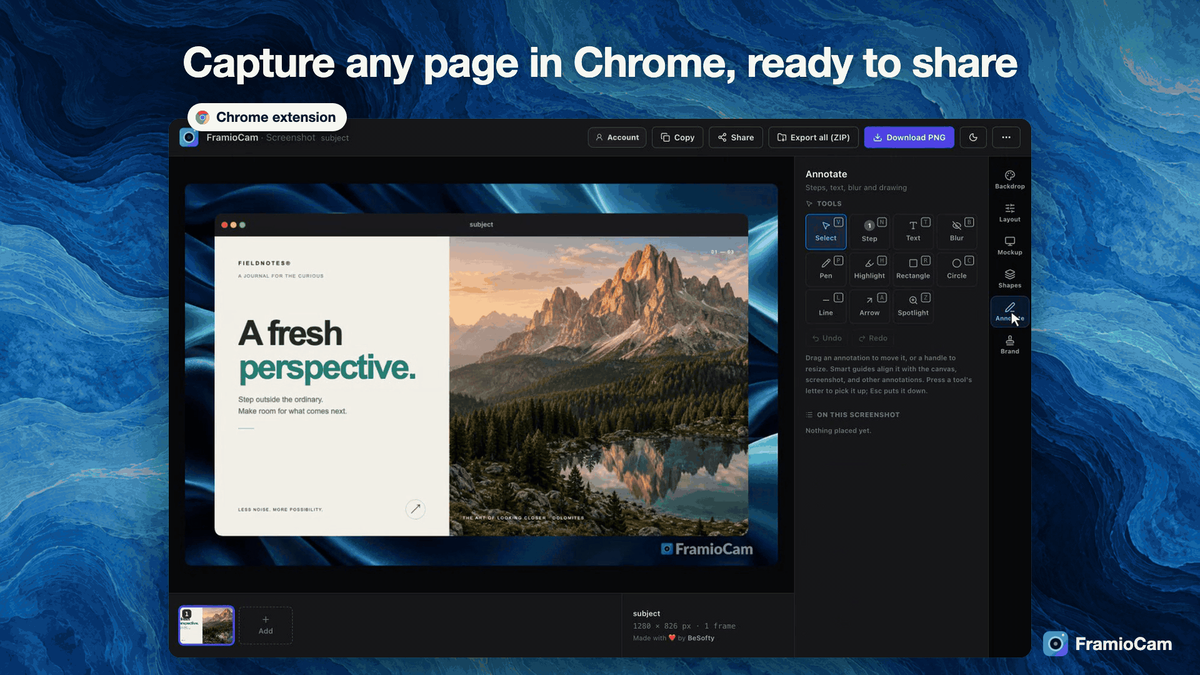
Chrome extension screenshot studio
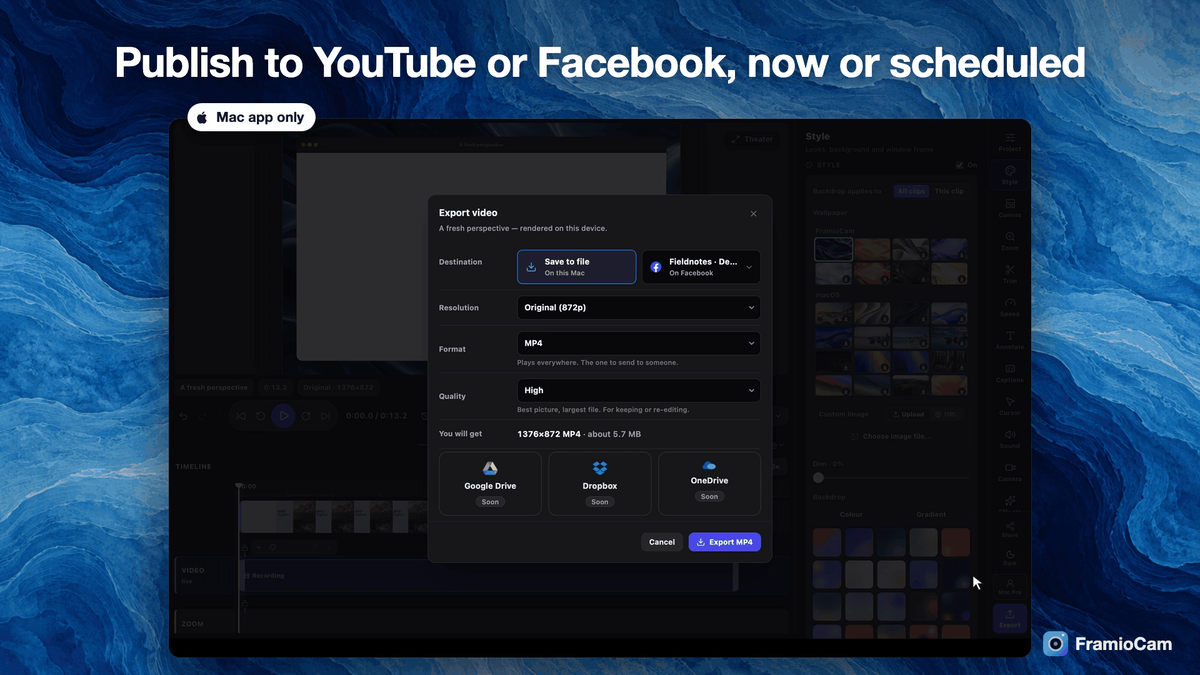
Mac publish dialog with scheduling
AI assistant prompt beside the Mac editor

FramioCam

Micro-SaaS
-61%$19
$49
once, no subscription
  • Lifetime access
  • Refundable up to 60 days
No "We Got Your Back" guarantee. Radar is a discovery engine — we don't vet these products, so this guarantee doesn't apply.
AppSumo's 60-day refund applies to most deals. AI skills are non-refundable once redeemed.
AppSumo Labs

Early-stage product. Brought to you by the team who built it.

What buyers say

“As a 30-year user of TechSmith's SnagIt screen capture and recording tool, I found this browser extension a good, lightweight tool to capture what's in a browser frame. SnagIt can capture outside the…”
Dan D.

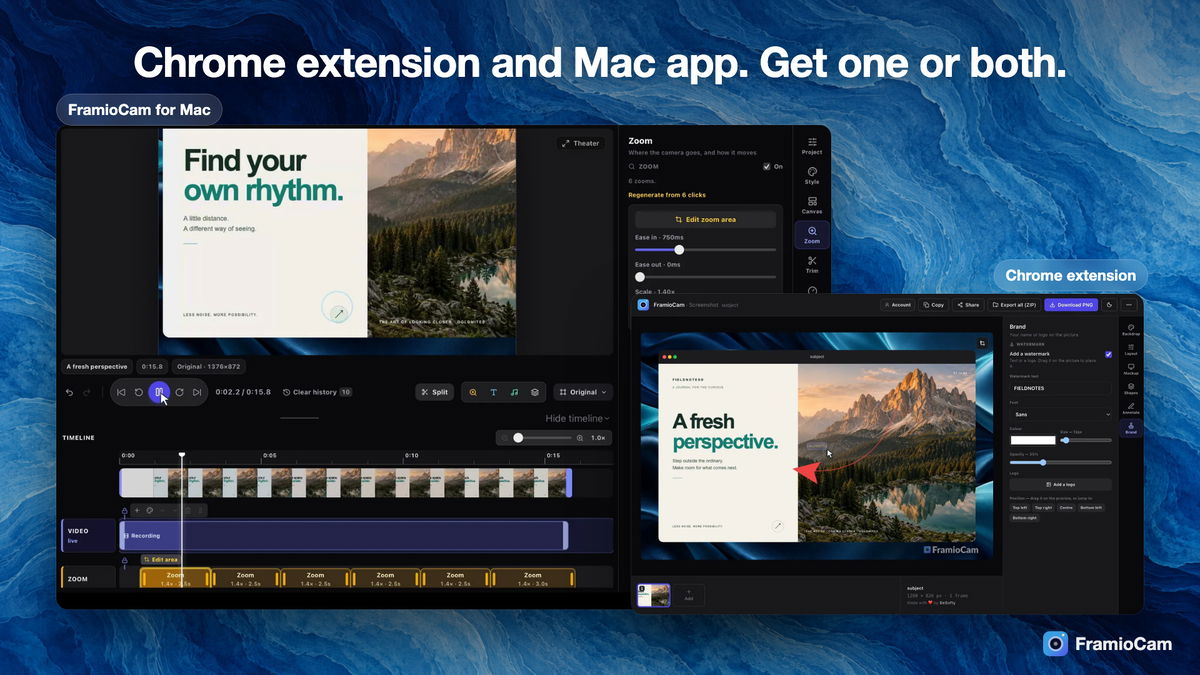
Screen recorder and screenshot editor for Mac and Chrome. Edit locally, all in one app

Up to 1Macs
Up to 3Publishing accounts
From $19once, forever
  • Record a walkthrough and get a zoom on every click, a smooth cursor and captions without editing
  • Capture a screenshot, mark it up and publish to YouTube or Facebook from the same app
  • Works with Google Drive, Cursor, Codex, Claude Code
  • Alternative to Cleanshot XCleanshot X, LoomLoom, SnagitSnagit

From raw recording to a video you can post

Every click zooms in on its own

  • Record a display, a window or an area on your Mac, or a tab in Chrome, with your microphone and webcam
  • Get a zoom on every click automatically, then adjust timing, scale and easing on the zoom track
  • Show a smooth cursor with click ripples so viewers never lose the pointer
  • Read your script from a teleprompter just below the camera, and it never shows in the video (Mac app)
  • Narrate a finished take with a voice-over recorded in the studio and synced on the audio lane (Mac app)
  • Add captions transcribed on your Mac, styled on the video and exported as SRT or VTT (Mac app)
Every click zooms in on its own

Capture any page in Chrome, ready to share

  • Screenshot the visible area, a full page, a whole site or a region from the toolbar
  • Record a tab, window or screen with microphone, system audio and webcam
  • Finish captures in the Studio with backdrops, window frames, annotations and your watermark
  • Sync projects to your own Google Drive and share a link, without files passing through our servers
Capture any page in Chrome, ready to share

Publish to YouTube or Facebook, now or scheduled

  • Send a finished video to YouTube or a Facebook Page from the Mac app, with its title and post text
  • Schedule the post for later, in your Mac's time zone
  • Post screenshots to a Facebook Page with a caption
  • Reframe one recording for every platform with YouTube, TikTok, Instagram and portrait canvases
Publish to YouTube or Facebook, now or scheduled

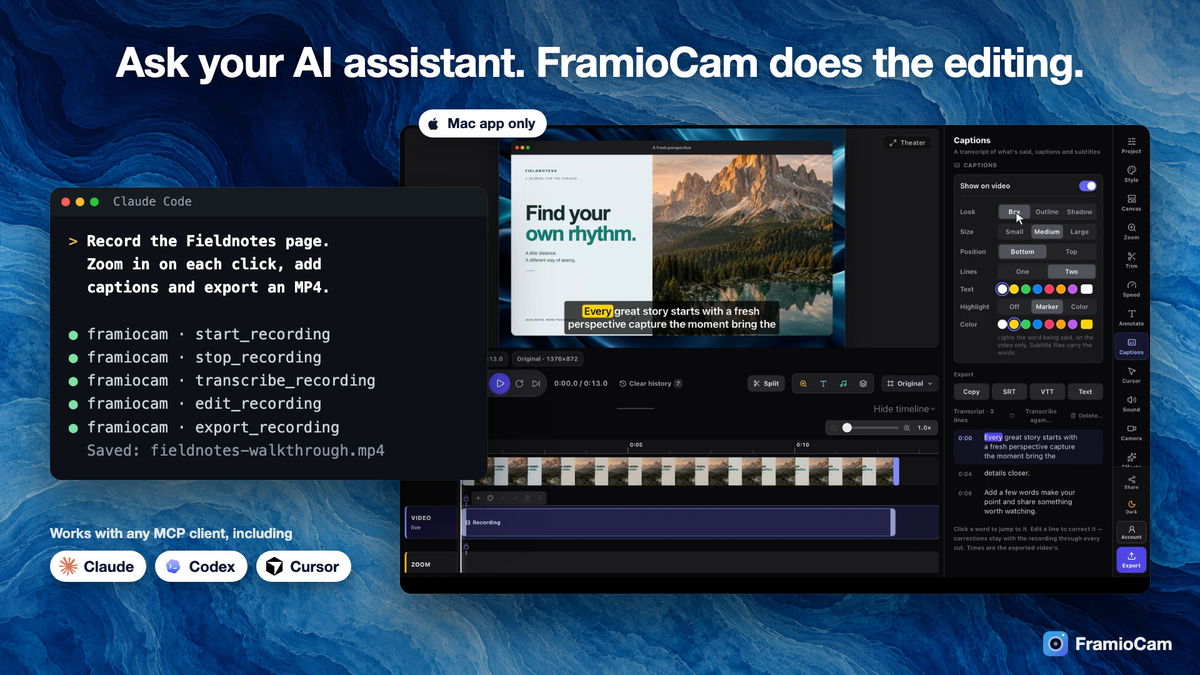
Let your AI assistant run the recording

  • Connect Claude Code, Claude Desktop, Codex or Cursor to the Mac app over MCP
  • Describe the video you want and the assistant records, zooms, captions and exports it
  • Watch each change land in the editor and undo any step yourself
Let your AI assistant run the recording

Choose the plan that’s right for you

Feel secure in your purchase with AppSumo's 60 day money-back guarantee.

Refundable up to 60 daysNot covered by We Got Your Back. Why?
Deal terms & conditions
FramioCam
See FramioCam
Founded May 5, 2026
🇧🇩Bangladesh
1-10
Startup
Bootstrapped

Why I built FramioCam

I'm Ratul Hasan, the maker of FramioCam at BeSofty. I started with a Chrome extension because explaining something on a screen should not take four tools: one to capture, one to edit, one to export and one to upload. AppSumo buyers and Chrome Web Store reviewers used it hard, and the most common request was the same one: do this for the whole Mac, not only the browser.

So FramioCam is now a native Mac app as well. It records any window or display, zooms in on every click by itself, writes captions on the device and posts straight to YouTube or Facebook. AI assistants can drive it over MCP, which is how I make most of my own demos now. Pro For Both puts the Mac app and the extension under one licence, because people move between the two all day. Your work stays on your computer unless you choose to send it somewhere.

Ratul Hasan
Founder & CEO

What “Radar” means for this product

Learn more about AppSumo deals

Radar is home to early-stage products looking to gain traction. Here’s the lowdown of what these deals are and aren’t.

Where it is in its life

Radar products are at the start of their journey. They're fresh on the scene and building a customer base.

How we vouch for it

We've verified the basics and reviewed the listing for safety. Success isn't guaranteed — we haven't fully vetted every claim, feature, or result.

Code & security review

All AI skills are reviewed for security purposes. We do not review software code — partner owns security and what ships.

Refund policy

60-day refund on most deals. AI skills are non-refundable once redeemed.

Pricing

Prices are set by the founder. Simple as that.

Where you'll see it

The Radar section of our site exclusively. These products are in early discovery and not quite ready for the AppSumo limelight yet.

Radar is a discovery engine — because we aren’t vetting these products, our We Got Your Back guarantee doesn’t apply. Should these products show traction, our team will work with theirs to get them ready for the main stage (and protected).

Questions & reviews