AI Context Flow
Create a universal memory bank and optimize prompts across ChatGPT, Claude, Gemini, and more


One-time payment. Lifetime deal.
View images
It’s hard to believe AI is saving you time when every conversation begins with you re-explaining your role, project, and preferences from scratch. ("New chat, who dis?”)
And the more tools you use, the worse it gets—ChatGPT doesn't know what you told Claude, and Gemini's never heard of your project.
If only there was a platform that let you create a universal memory that’s accessible across every AI model and sharpen your prompts with one click.
Meet AI Context Flow.
TL;DR

Sync one memory bank across ChatGPT, Claude, Gemini, and more so every prompt starts with the right context
Sharpen vague prompts instantly with Ctrl+i and an in-chat optimizer menu that works on major AI platforms
At-a-glance
Alternative to
Integrations
Features
Categories
Overview
Build a universal memory bank across AI platforms and refine prompts in one click
Add context to any prompt
- Just press Ctrl+i to inject your saved memory into any prompt before you send it
- Refine vague asks into clear, role-guided instructions without rewriting from scratch
- Preview the optimized prompt and edit on the fly before it goes to the model
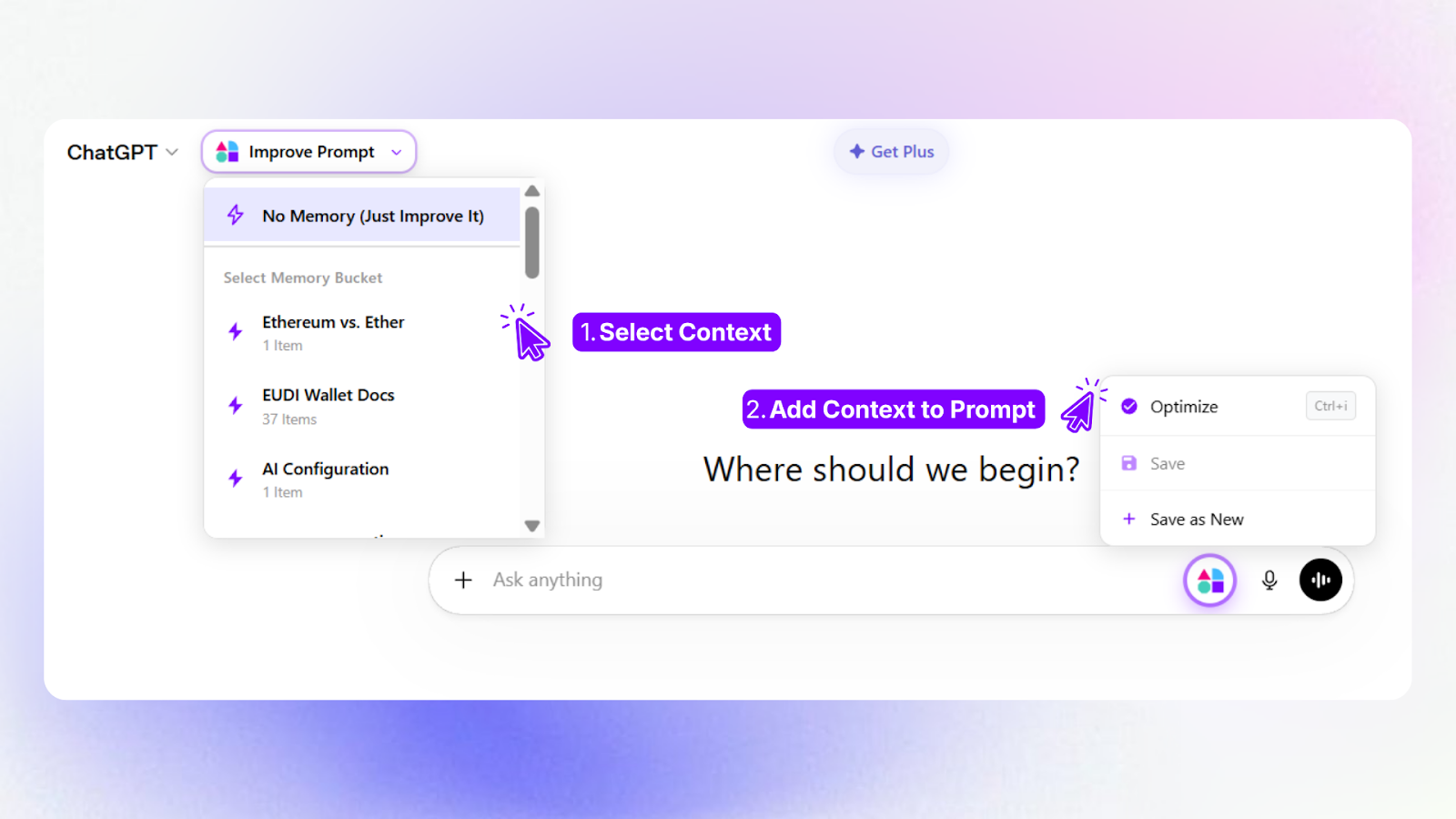
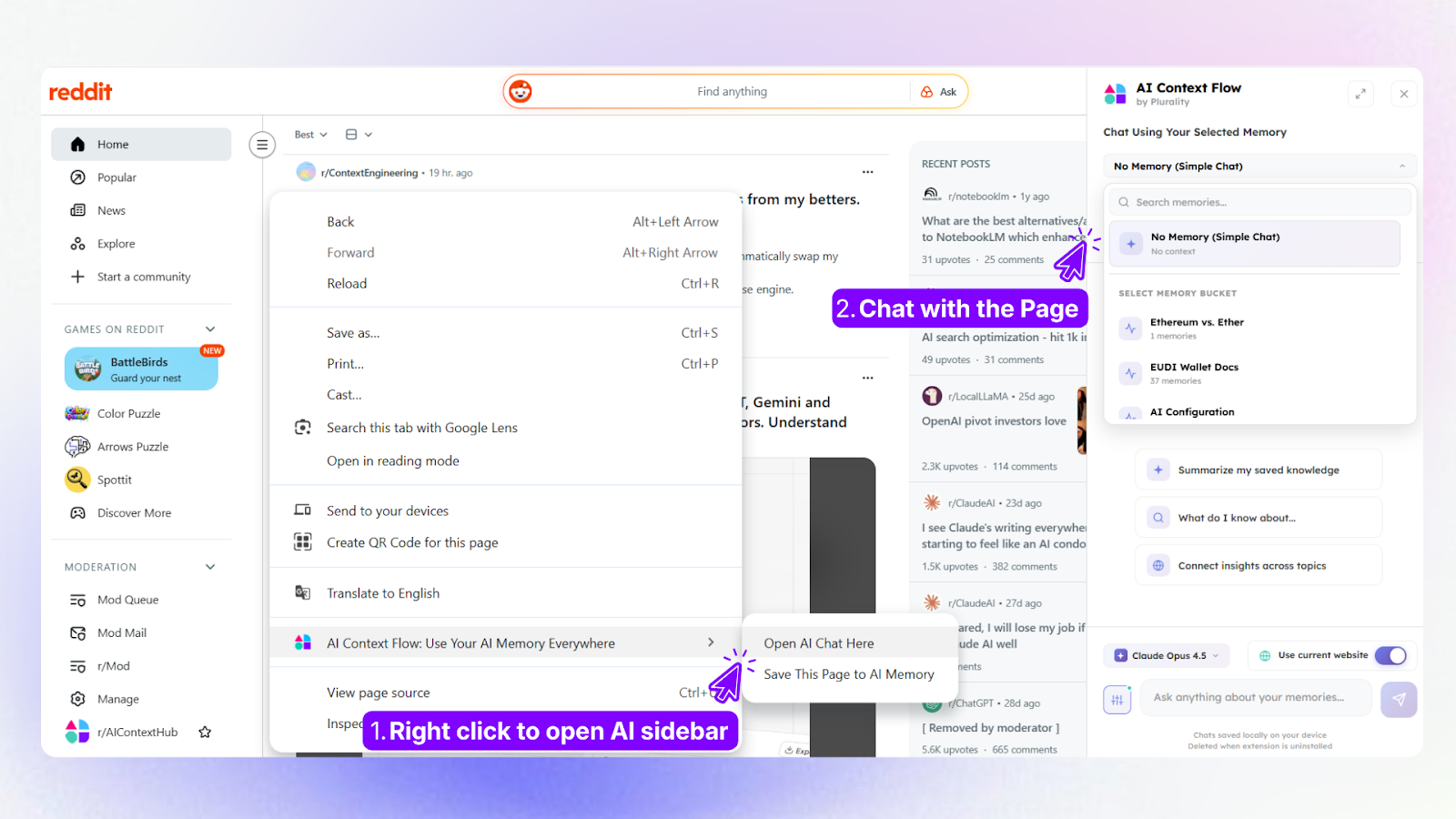
Sync memory across every AI platform
- Connect one memory bank to ChatGPT, Claude, Gemini, Perplexity, and more without switching tabs or copying notes
- Organize context into named memory buckets, so you can keep work, research, and personal projects separate
- Control exactly what gets retrieved so your prompts stay focused and relevant
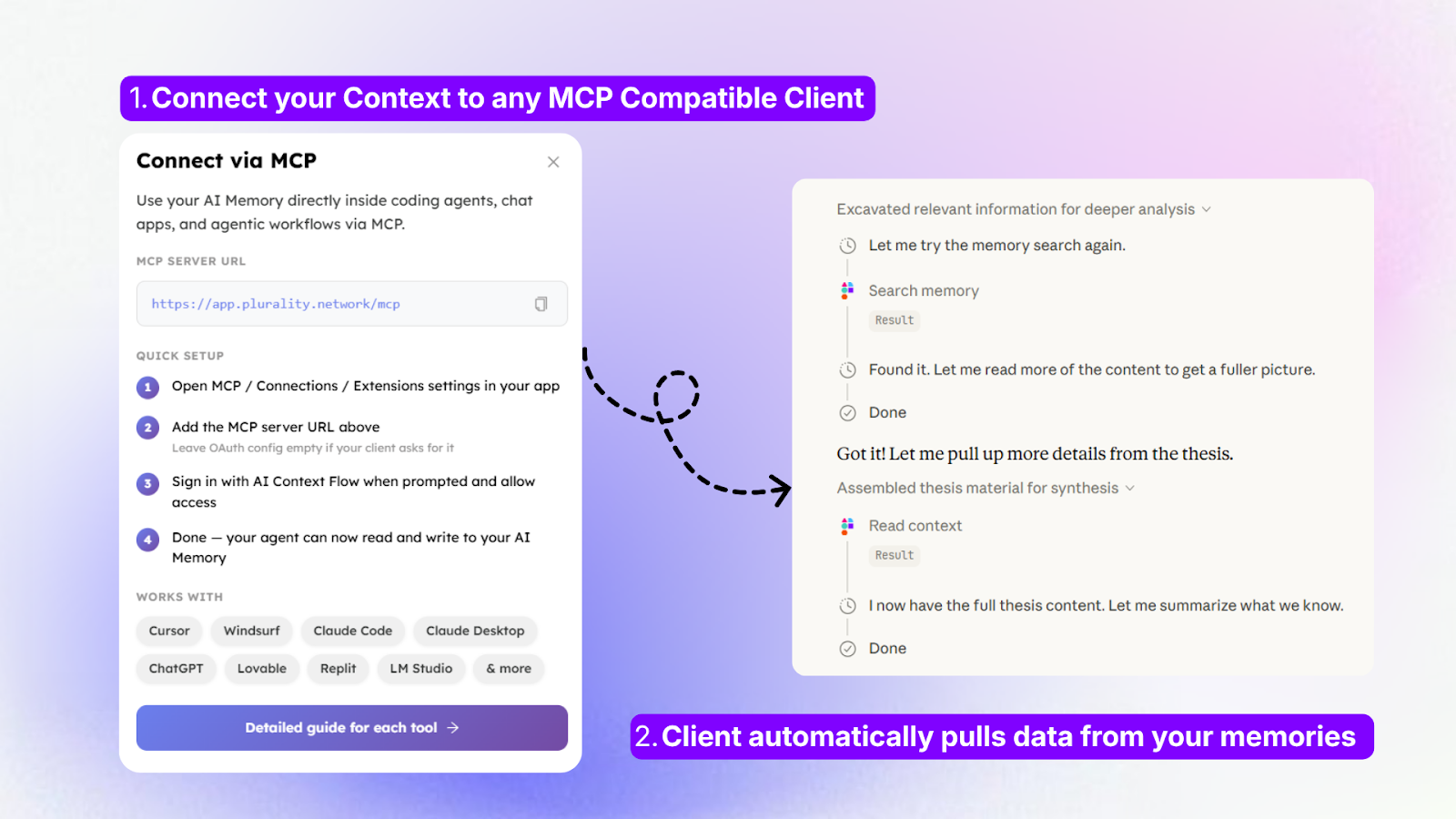
Connect your memory to any MCP-compatible tool
- Add your AI memory as an MCP (Model Context Protocol) server to use it directly inside Cursor, Claude Code, Windsurf, and more
- Let your coding agent pull from your memory automatically—no need to copy-paste anything
- Follow per-tool setup guides to get connected in minutes
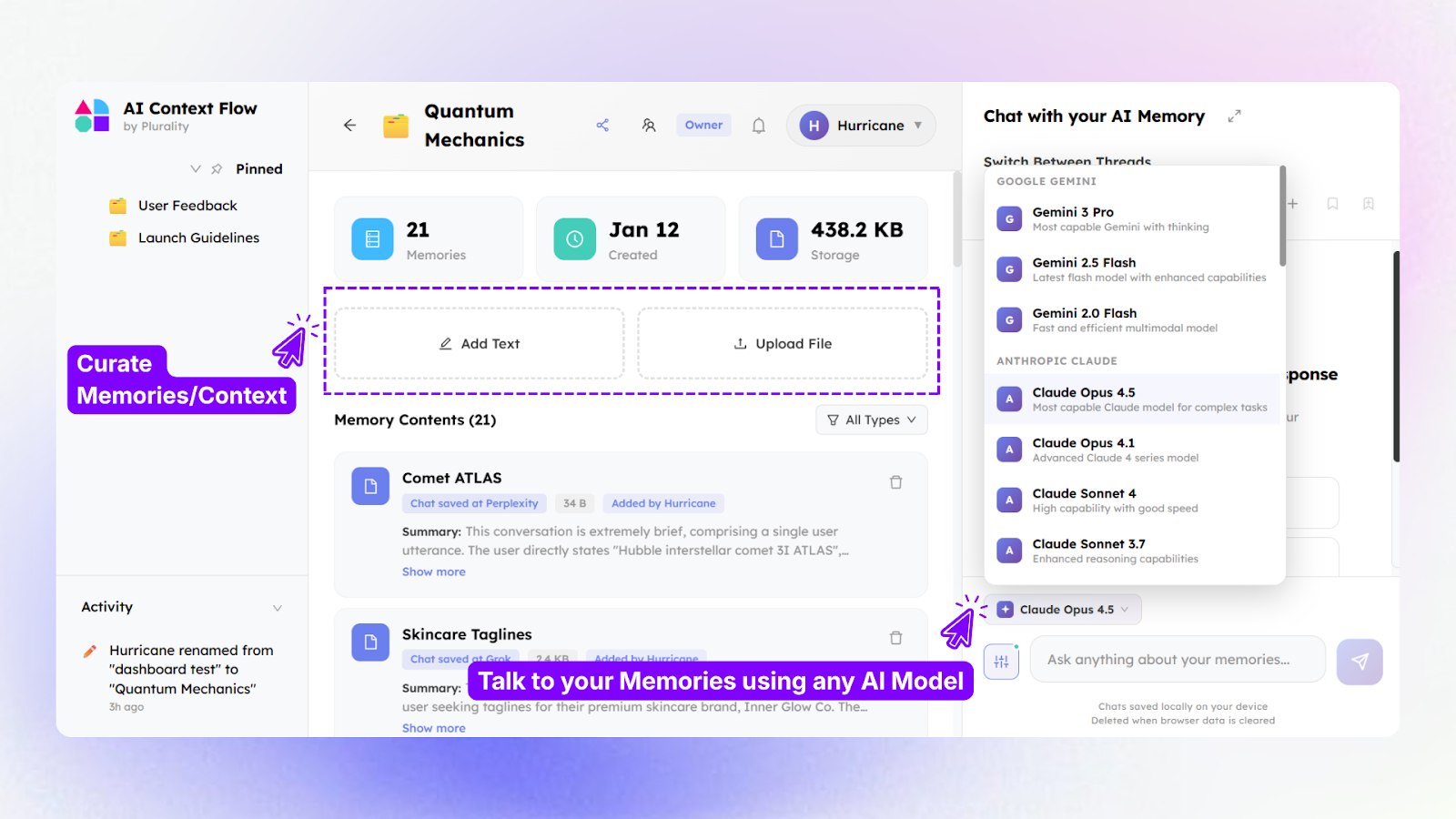
Build and manage context in Memory Studio
- Create, edit, and test memory buckets in a dedicated workspace before deploying them
- Switch between AI models, from Claude Opus to Gemini Flash, without losing the context you've built
- Chat directly with your memory to surface saved knowledge and validate what's being retrieved
- Share memory with anyone to give you the same baseline to work on
Plans & features
Deal terms & conditions
- Get lifetime access to AI Context Flow
- All future Pro (Tiers 1-3) plan updates
- If the plan name linked to your deal changes, it will automatically transfer to the new plan with all updates
- Activate your license within 60 days—you can upgrade while the deal is live but can only downgrade within 60 days of purchase
- Access to all future AI models may be provided at a discounted rate OR Access to future AI models may require an add on

60 day money-back guarantee. Try it out for 2 months to make sure it's right for you!