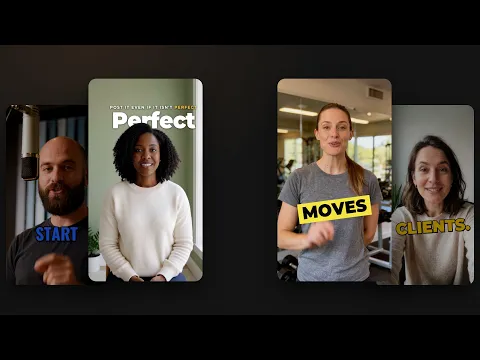
Upload a video. AI makes the first edit.

181 bought
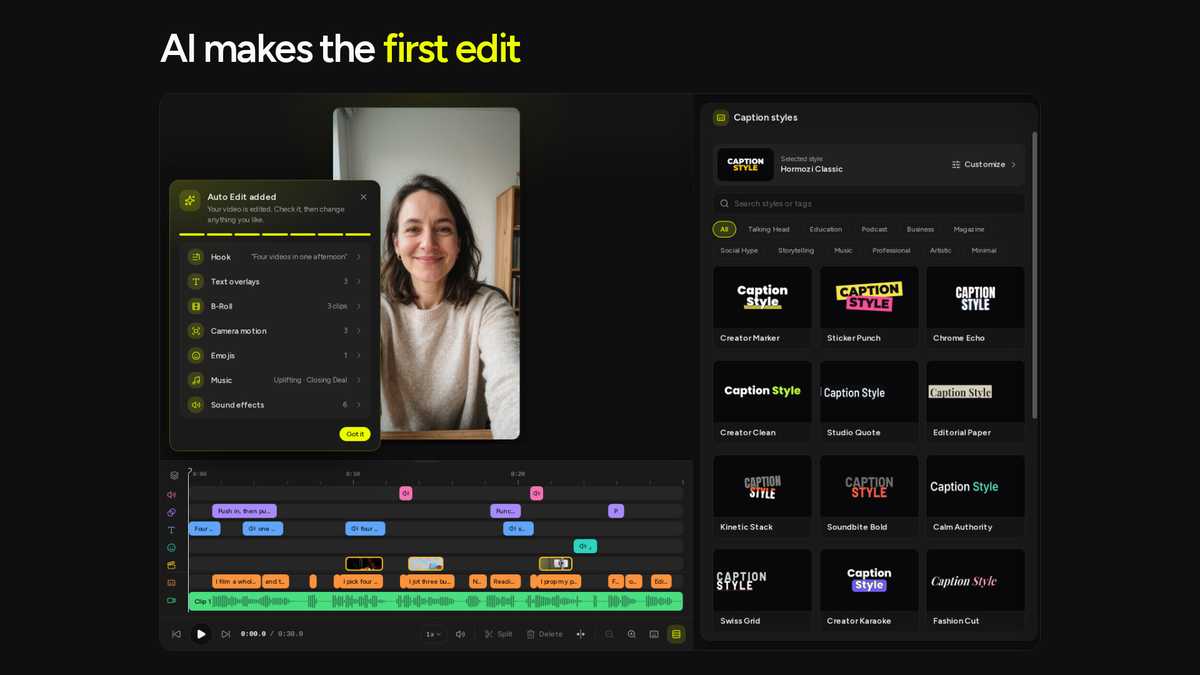
Auto Edit result card
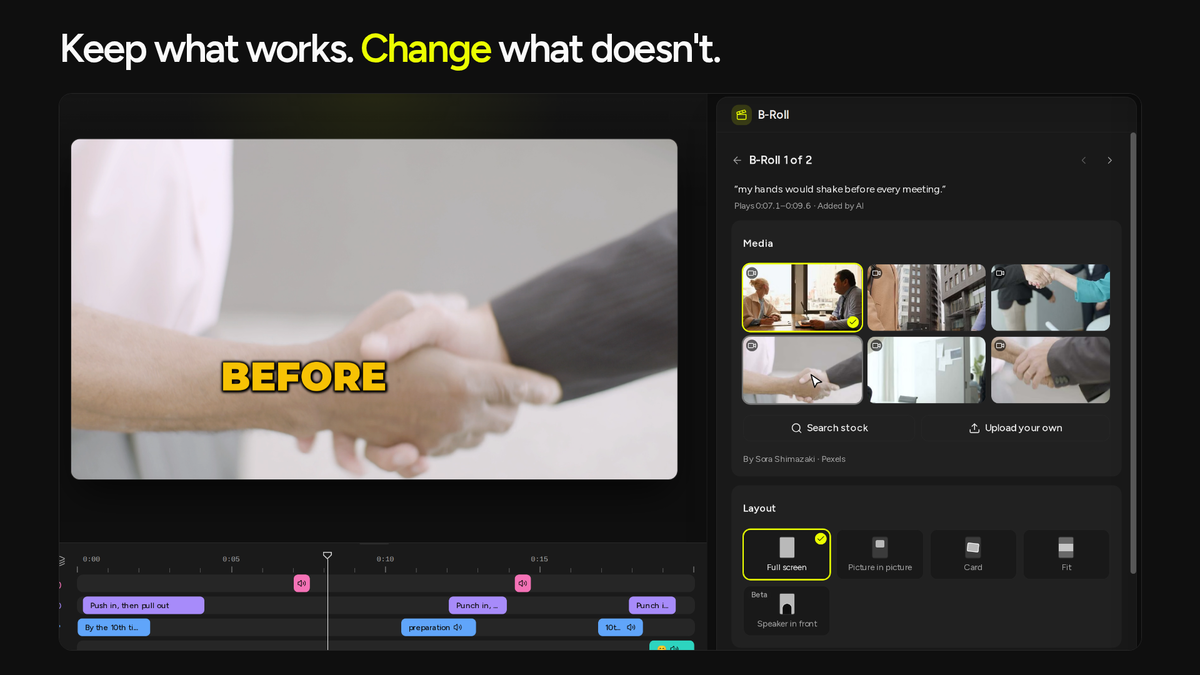
B-Roll alternatives to swap in
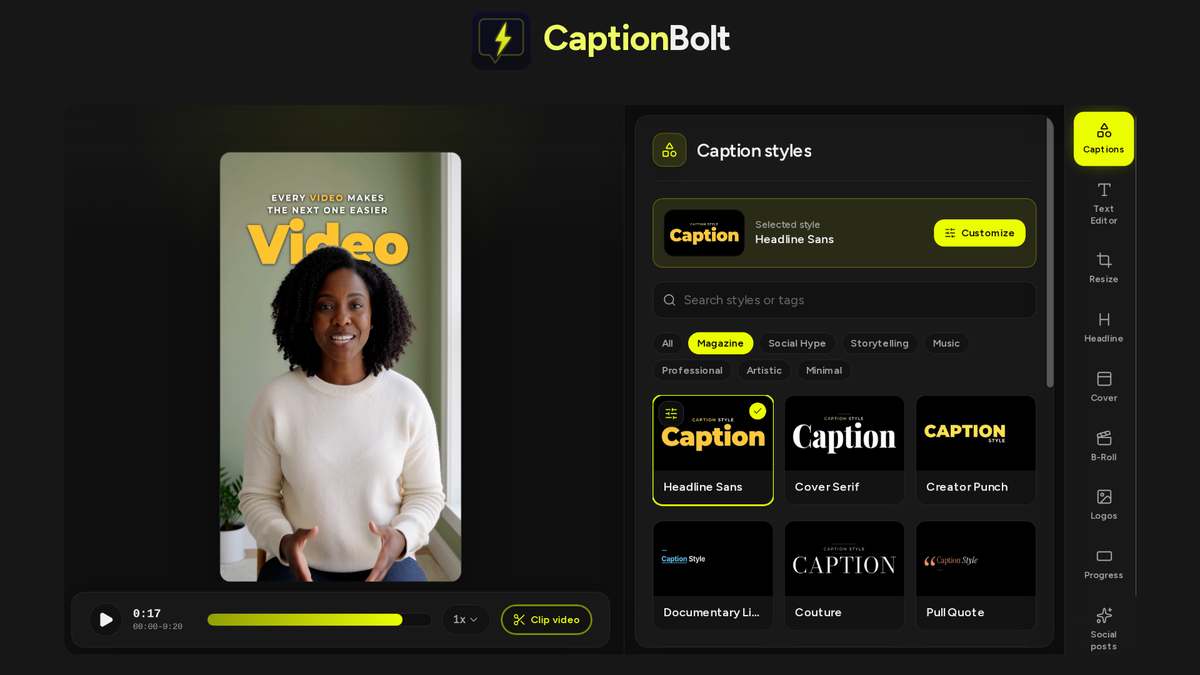
Magazine caption styles
Video and subtitle downloads

CaptionBolt

$35.10$39$468once, no subscription
Only on AppSumoLimited-time deal
  • Lifetime access
  • Refundable up to 60 days
  • Plus members are covered by our We Got Your Back guarantee

AppSumo Launchpad

Chosen by AppSumo for their potential and innovation

What buyers say

“CaptionBolt worked really well for adding titles to my video. I was initially just testing it out because Premiere's built-in title generator is too limited, but I downloaded Caption Bolt and ran…”

AI video editor for your short videos, with B-Roll, captions, a hook, music, and sound effects

Up to 1,200Processing minutes / month
Up to 20 minMax video length
From $35.10once, forever
  • Get back an edited draft with B-Roll, captions, an opening hook, music, and sound effects already in place
  • Keep what works and change what doesn't, with no extra processing minutes for AI tools in the Editor
  • Works with Pexels
  • Alternative to DescriptDescript, CapCutCapCut

From raw recording to a video ready to post

AI adds B-Roll, captions, music, and more for you

  • Upload a recording and get a first edit back with an opening text hook, stock B-Roll clips, on-screen text, zoom-ins, emojis, music, sound effects, and captions, all based on what you say
  • Get B-Roll that changes layout from clip to clip, such as full screen, split screen, or a card
  • Hear music picked for your video's mood, with sound effects timed to the B-Roll and text that AI adds
  • See exactly what AI added, like the hook, 3 text overlays, 3 B-Roll clips, and 6 sound effects in this 30-second example, and click any item to change it
  • Use Auto Edit on every tier at no extra processing minutes
AI adds B-Roll, captions, music, and more for you

Keep what works, change what doesn't

  • Swap any B-Roll clip in one click from AI-picked alternatives, millions of stock videos and photos, or your own footage
  • Rewrite the hook, fix a caption, or remove an emoji, while keeping the rest of your edit as it is
  • Ask AI to try again without overwriting the changes you've made
  • Undo the first edit in one step if you'd rather start from your original recording
  • Cut out a mistake or a long pause, and restore it with one click if you change your mind
Keep what works, change what doesn't

365 caption styles to fit the look of your videos

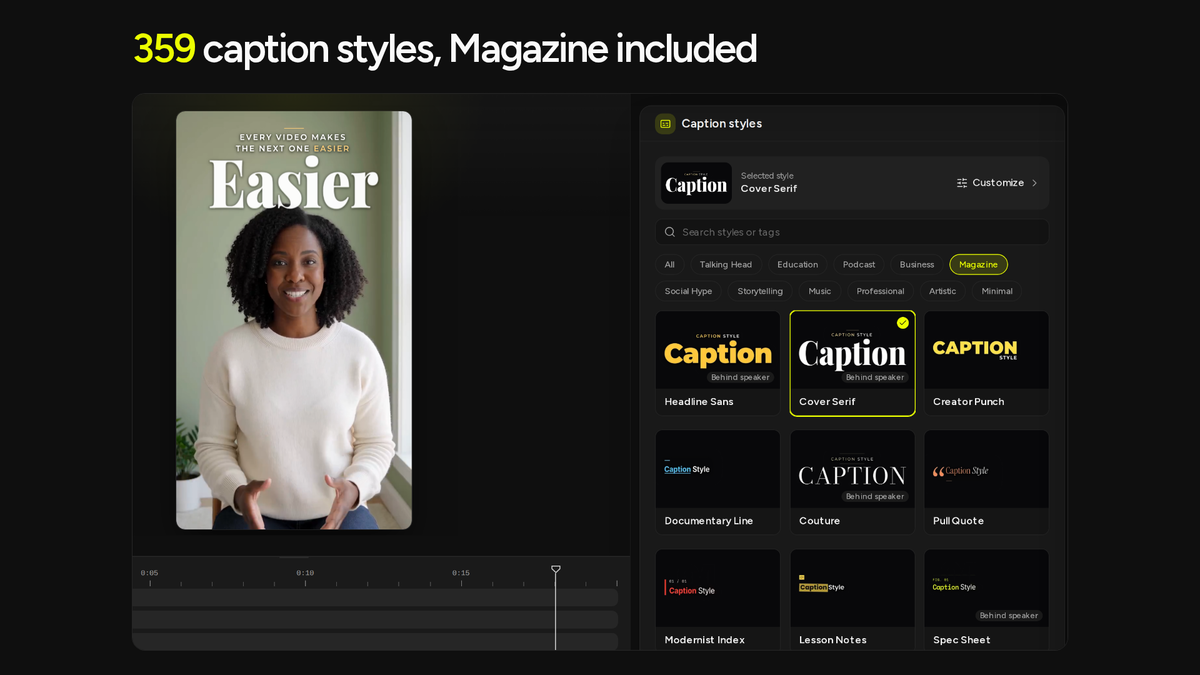
  • Make your video look like a magazine cover with Magazine styles, and in some of them the main word sits behind your head, like the title on a real magazine
  • Find a style that fits your video, with categories for podcasts, lessons, music, and business, and watch each one move before you pick it
  • Get word-by-word captions in 47 languages, and fix any name or word before you export
  • Recover words lost in noisy audio with Deep scan, which finds speech hidden under music, background noise, or fast talking
  • Pick Captions only when you just want captions, or Auto Edit when you want the full first edit
365 caption styles to fit the look of your videos

Brand it, size it, and export the files you need

  • Fit Reels, Shorts, TikTok, LinkedIn, or YouTube in one click, or keep your original frame
  • Save your brand look as a preset, including captions, logo, progress bar, intro, and outro, and apply it to your next video in one step
  • Make a cover from any frame or your own photo with 33 templates, and let AI draft your post text for TikTok, Reels, and Shorts
  • Export watermark-free MP4s up to 4K on every tier
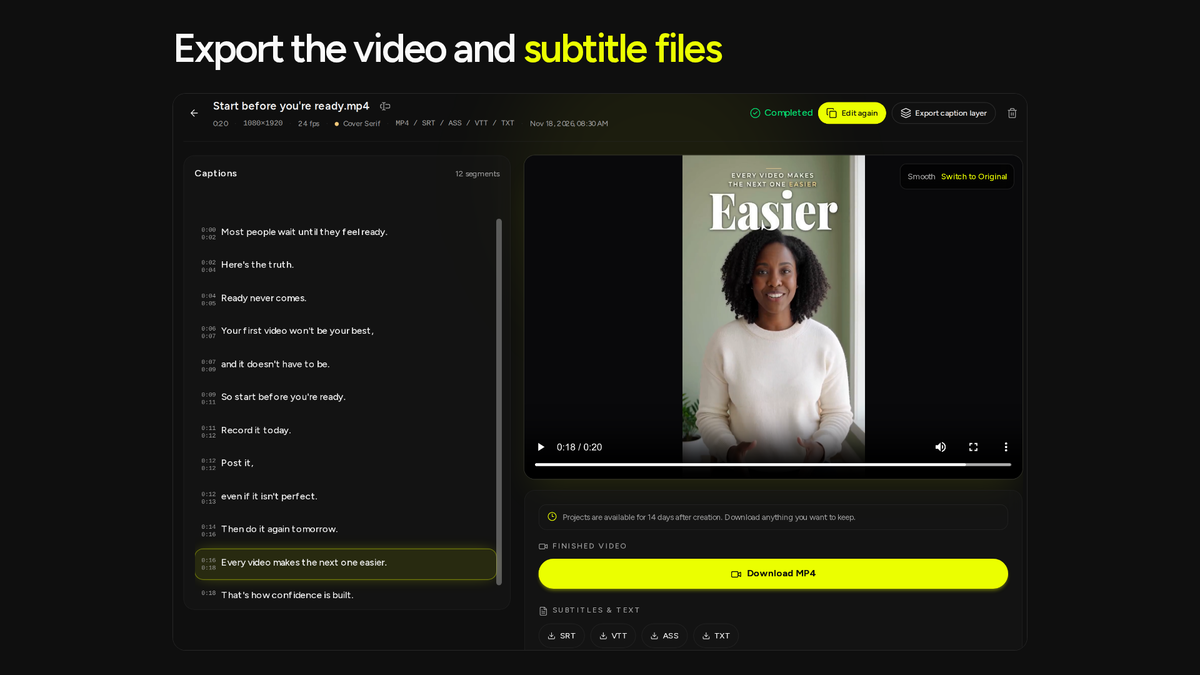
  • Bring your captions into Premiere Pro, DaVinci Resolve, or Final Cut Pro as a transparent layer (Tier 2 and up), or connect the API and MCP server so an AI assistant can edit and export videos for you (Tier 3)
Brand it, size it, and export the files you need

Choose the plan that’s right for you

Feel secure in your purchase with AppSumo's 60 day money-back guarantee.

Recommended badgeRecommended
Refundable up to 60 days
Plus members are covered by our
We Got Your Back guarantee
Deal terms & conditions
CaptionBolt
See CaptionBolt
Founded October 15, 2023
Hong Kong
1-10
Startup
Bootstrapped

30 days in: From captions to full edits (all tiers)

Hi Sumo-lings,

Matt here, founder of CaptionBolt.

We just hit 30 days on AppSumo. If you're checking out this deal for the first time, or coming back to see what changed since launch, here is where CaptionBolt stands today and what we shipped from your feedback.

When we went live a month ago, most buyers saw CaptionBolt as a quick way to add captions. Watching how you actually use it made one thing clear: captions alone don't get a video ready to post. You still have to add an opening hook, pull B-Roll, highlight key points, pick background music, and finish it with an intro, outro, and cover.

Most of our users aren't full-time video editors. They're founders, coaches, consultants, and marketers who already recorded what they want to say, and don't want to learn a heavy editing suite or spend an evening building a video from scratch on a blank timeline.

So over the past 30 days, we rebuilt CaptionBolt around that full talking-head workflow. You record. AI makes the first edit. You keep what works, change what doesn't, and export. (If you only need captions, Captions only is still one click away.)

What you get today (including our Month 1 updates)

  • Skip the blank timeline and the learning curve (Auto Edit): Upload a lesson, client Q&A, interview, or demo. Instead of hunting stock clips, placing text, and picking background music by hand, Auto Edit builds a reviewable first draft from what you say: captions (always included) plus optional additions like an opening hook, on-screen highlights, matching Pexels B-Roll, subtle camera push-ins, emojis, mood-matched music, and sound effects. You start by reviewing instead of building from zero. Don't like a clip? Swap it, delete it, or undo the entire Auto Edit pass in one click.

  • Repeatable branding with Intro & Outro + Video presets (new): Under Brand, you can upload up to 3 intros and 3 outros (0.5-30s each), toggle them on or off per project, and save your captions, framing, logo, progress bar, and intro/outro as a Video preset. Your next video gets the exact same look in one click, and exported subtitle files automatically shift to match your intro length.

  • Covers and captions that look designed (expanded): Alongside our Magazine caption styles, we expanded Cover to 33 templates (including 9 Magazine covers). Pick a video frame or upload your own photo, drag text, logos, and emojis freely, turn on Text behind the speaker when your framing allows it, and export a watermark-free JPG or set it as your video's first frame.

  • Built for real speech cleanup (new): Background music or noise caused a missed word? Run Deep scan in the Transcript tab to re-check the audio and add missed phrases back. Want tighter pacing? Speech cleanup previews and shortens long pauses in one click while keeping natural breaths, and the Timeline lets you trim or cut mistakes yourself.

  • Fits into your existing workflow: Preview and export run on the same renderer, so what you dial in on screen is what exports (up to 4K, no watermark on paid tiers). Already editing in Premiere Pro, DaVinci Resolve, or Final Cut Pro? Check the tier table above for subtitle file exports (SRT/ASS/VTT) and transparent caption layers, plus API and MCP access on top tiers. When you're ready to publish, Social posts can also draft TikTok, Instagram Reels, and YouTube Shorts copy directly from your transcript.

Two things buyers usually ask before buying

  1. Will tweaking AI edits burn through my monthly minutes? No. Processing minutes only count when you transcribe a newly uploaded video. Auto Edit, B-Roll swaps, Deep scan, and all other Editor AI tools use 0 extra processing minutes (fair-use limits apply). Everything listed above (Auto Edit, Intro & Outro, all 33 Cover templates, and all caption styles) is included on every AppSumo tier, including codes you already redeemed.

  2. Is CaptionBolt right for your videos? I'd rather be upfront than have you buy the wrong tool. CaptionBolt starts with videos you've already recorded. It works best for talking-head videos, tutorials, demos, and interviews (and if you use Captions only, any video with clear speech works). Keeping the focus tight is how we keep the editor fast to learn, exports reliable, and updates shipping every week.

Test it with your own footage first

Don't take my word for it. Run one of your real clips through it before grabbing a tier:

  • Still deciding? Create a Free account at https://captionbolt.com (no credit card required, 10 free minutes, watermarked MP4 export) with full access to Auto Edit and the rebuilt Editor. If you don't have a clip handy, click Open sample (shown when Recent projects is empty) to test a 30-second project with 0 minutes used.

  • Already have an account? Open any existing project to try Intro & Outro, Deep scan, and the new Magazine Covers.

Every release note is logged publicly here: https://captionbolt.com/changelog

Heading into Month 2, I'd love your honest take: what's the one step in your video workflow that still makes you export out of CaptionBolt and open another tool?

Drop a reply in the Questions section below or email me directly at support@captionbolt.com.

Thanks for backing us early and keeping the honest feedback coming.

Matt

Founder, CaptionBolt

Matt Liu
Founder

Questions & reviews

AskSumo

Customers appreciate CaptionBolt, praising its intuitive interface, fast and accurate captioning, and the ability to easily add B-Roll and music to videos. Some minor drawbacks include the lack of automated clip-splitting for long recordings and no translation or dubbing features. However, the overwhelmingly positive feedback highlights its effectiveness for short-form content creation, particularly for talking-head videos, tutorials, and demos. With a 5.0 rating from 17 reviews and a 30-day money-back guarantee, it's a risk-free investment for anyone looking to enhance their video editing workflow. Give it a try!

AI-powered summary of customer reviews