Kan
Manage projects on an open-source kanban with self-hosting, board imports, and team access controls


One-time payment. Lifetime deal.
View images
Using a closed-source project management tool means you're renting access to your own data. ("So much for calling it My Workspace.")
The moment you stop paying, you lose access to every project, card, and conversation your team ever had.
If only there was a kanban tool that let you own your boards, control access, and actually migrate your info where you need it.
Introducing Kan.
TL;DR

Import your Trello boards and keep working without skipping a beat
Set board visibility, manage team access, and track every change with activity logs
At-a-glance
Overview
Streamline project management using open-source kanban boards with drag-and-drop cards, Trello import, and team controls
Your boards, your way
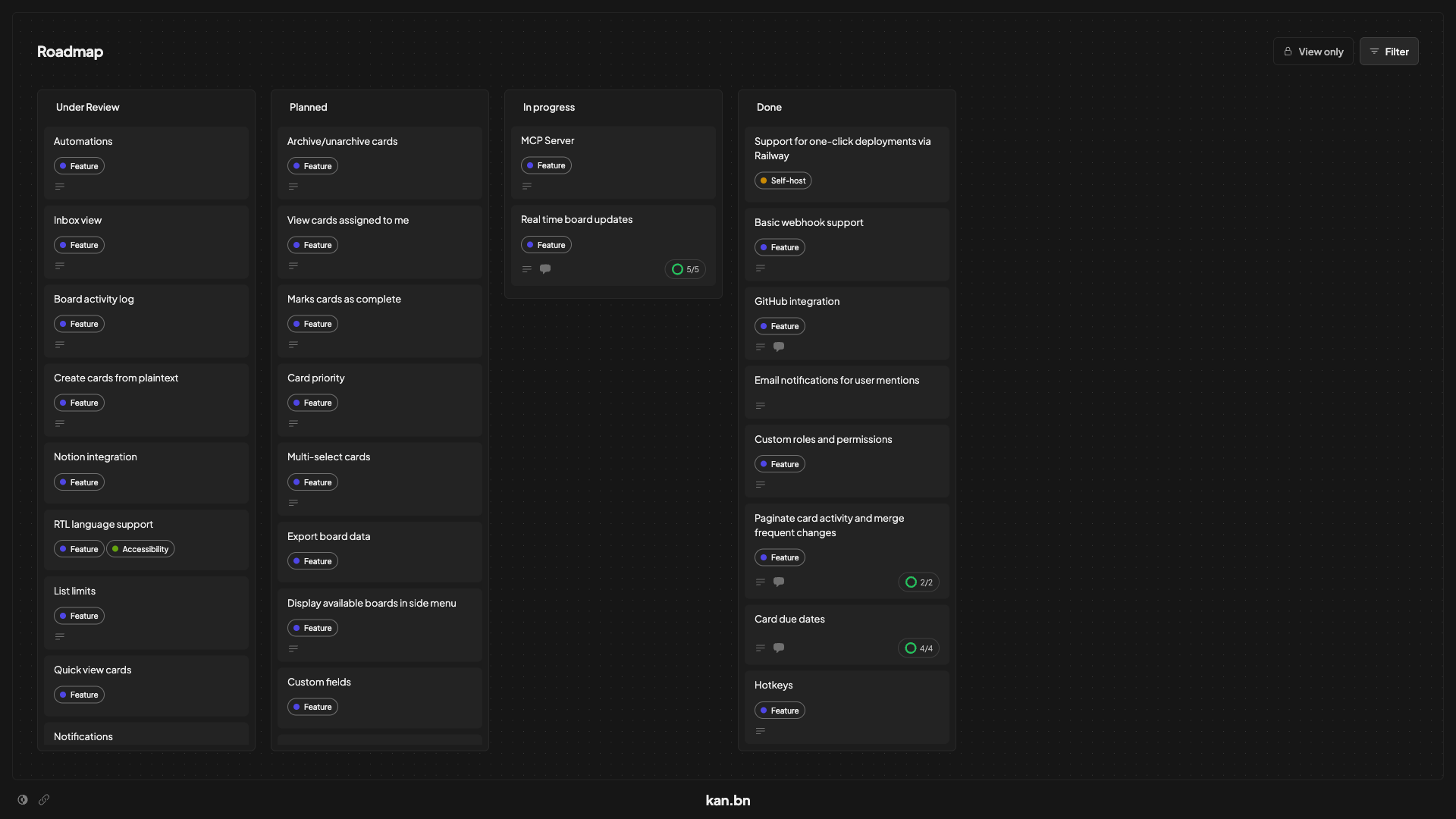
- Organize tasks on visual kanban boards with drag-and-drop cards across customizable lists
- Track progress from Under Review to Done with status columns that match your workflow
- Filter and find cards fast with labels, member assignments, and powerful search
Bring your Trello boards with you
- Import your existing Trello boards and pick up exactly where you left off
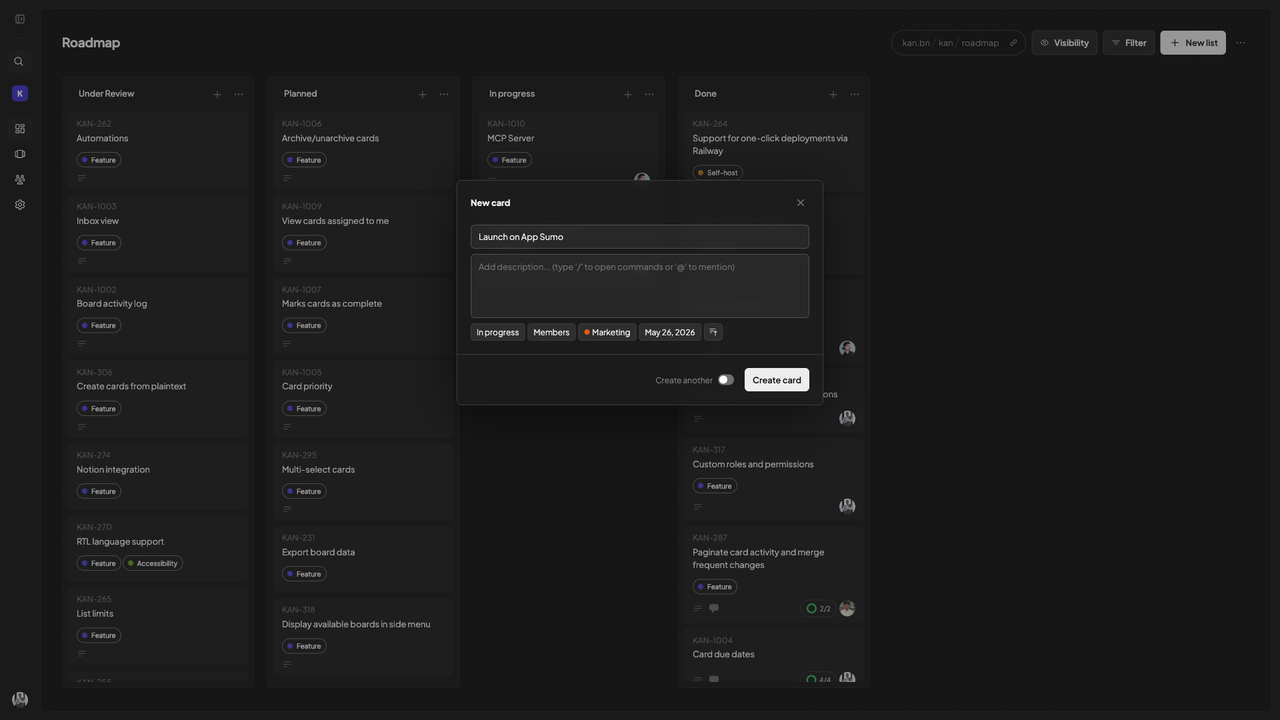
- Create cards with titles, descriptions, and labels, and assign members and lists on the spot
- Set due dates and keep every card organized from the moment it's created
Stay aligned with real-time collaboration
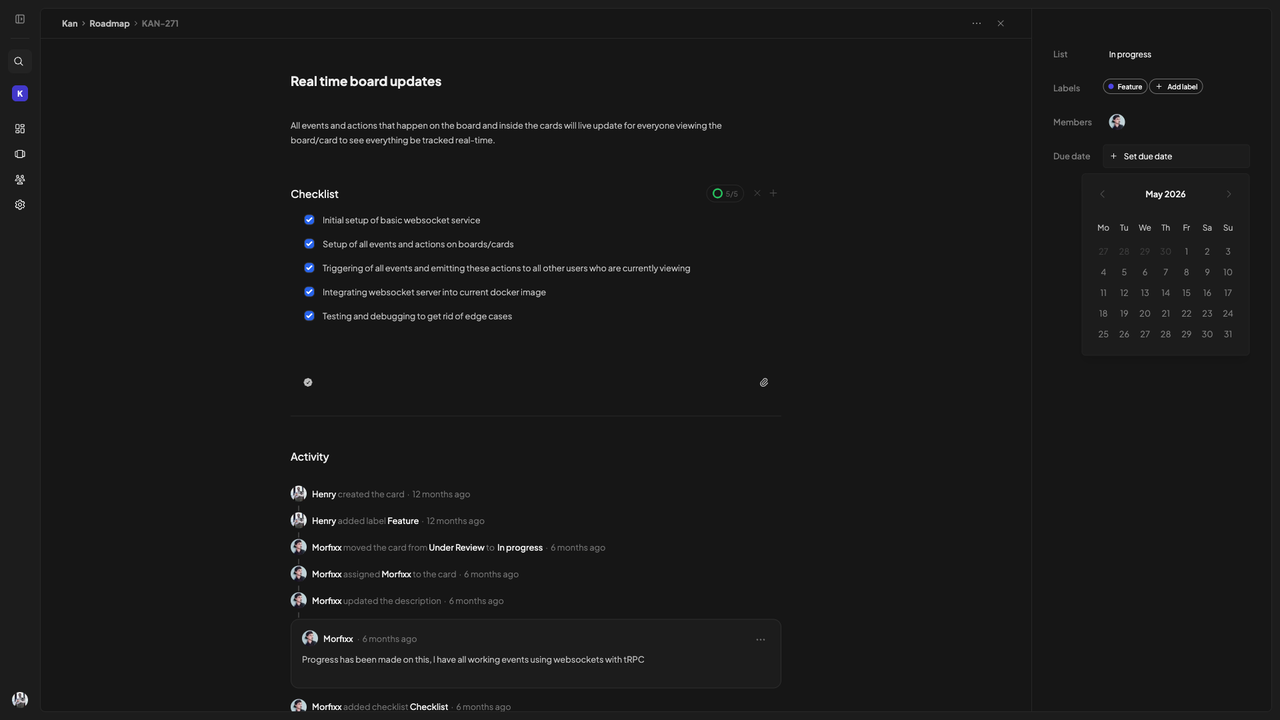
- Comment on cards to capture decisions and keep context where the work lives
- Review detailed activity logs for every change made to any card or board
- See live updates as teammates move, edit, and close cards—all without refreshing the page
Control who sees what
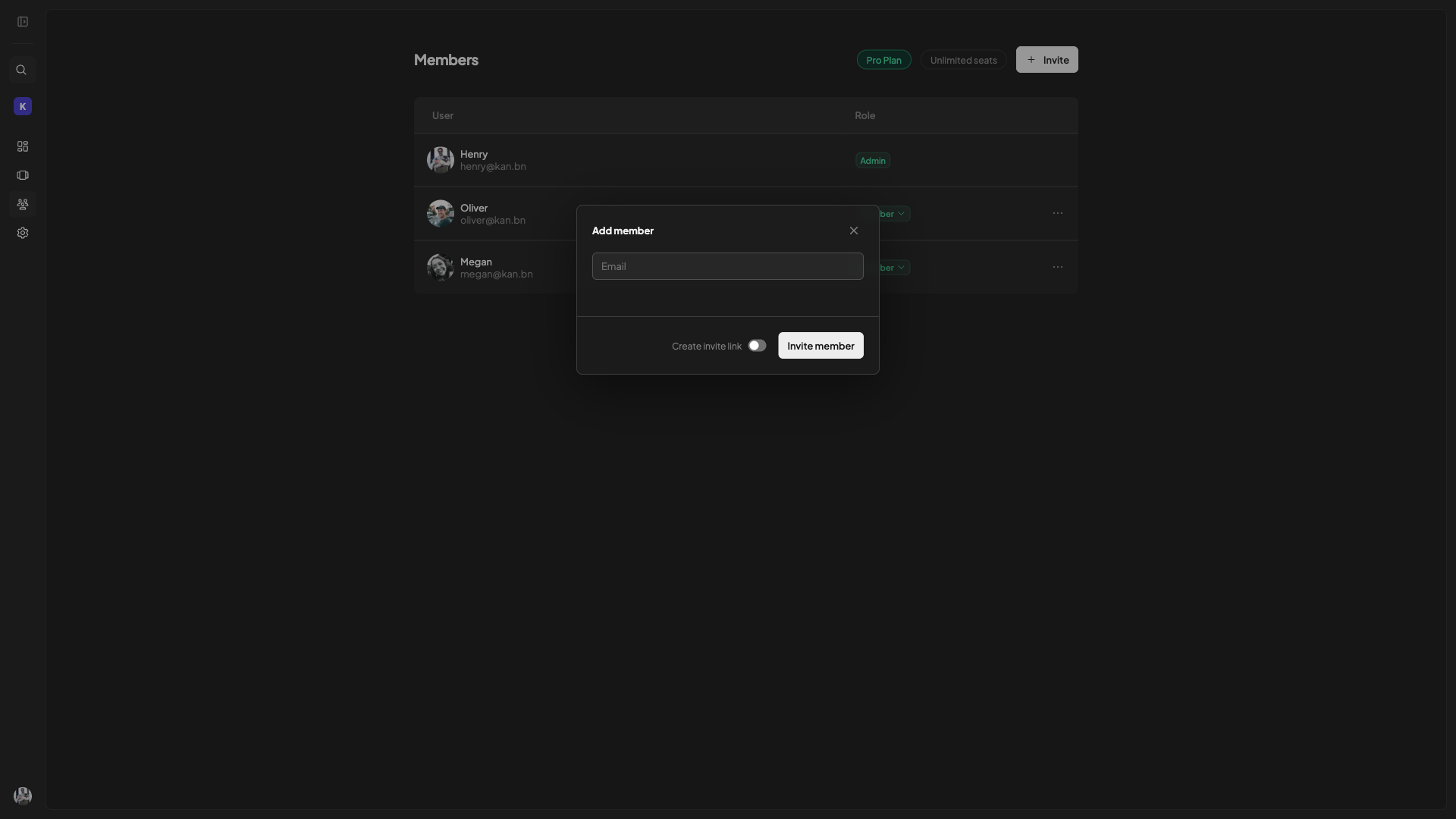
- Invite workspace members and assign roles to keep the right people on the right boards
- Set board visibility to manage access across your whole team or workspace
- Self-host on your own server or use Kan's cloud
Plans & features
Deal terms & conditions
- Get lifetime access to Kan
- All future Teams (Tier 1), Pro (Tiers 2, 3) plan updates
- If the plan name linked to your deal changes, it will automaticallytransfer to the new plan with all updates
- This deal is only for brand-new Kan users—no previous accounts, trials, or paid plans with this partner
- Activate your license within 60 days—you can upgrade while the deal is live but can only downgrade within 60 days of purchase
- Access to all future AI models may be provided at a discounted rate OR Access to future AI models may require an add on

60 day money-back guarantee. Try it out for 2 months to make sure it's right for you!