Test your site on every screen size

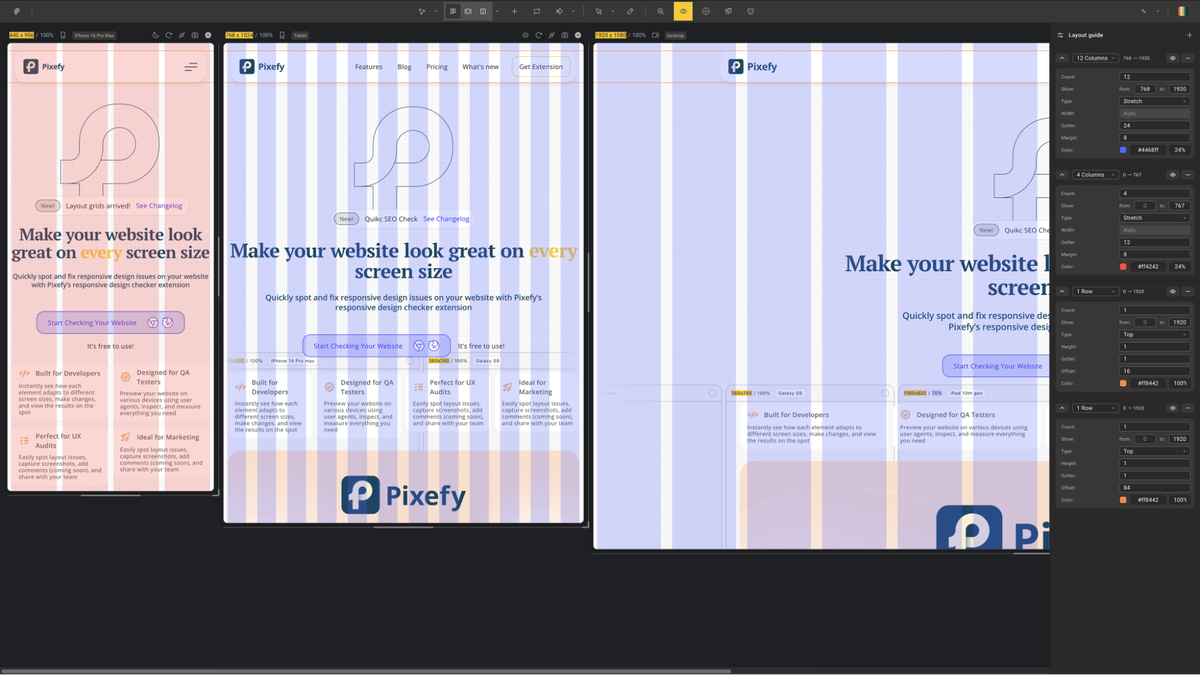
Adaptive grid overlay
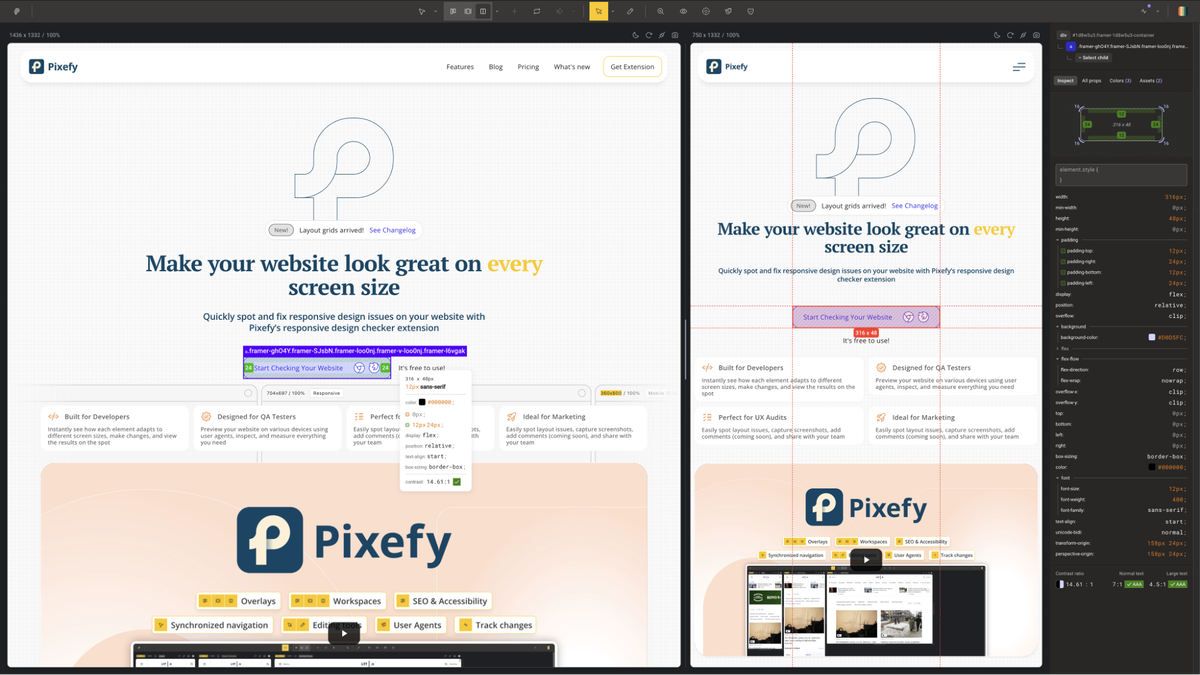
Element inspect panel
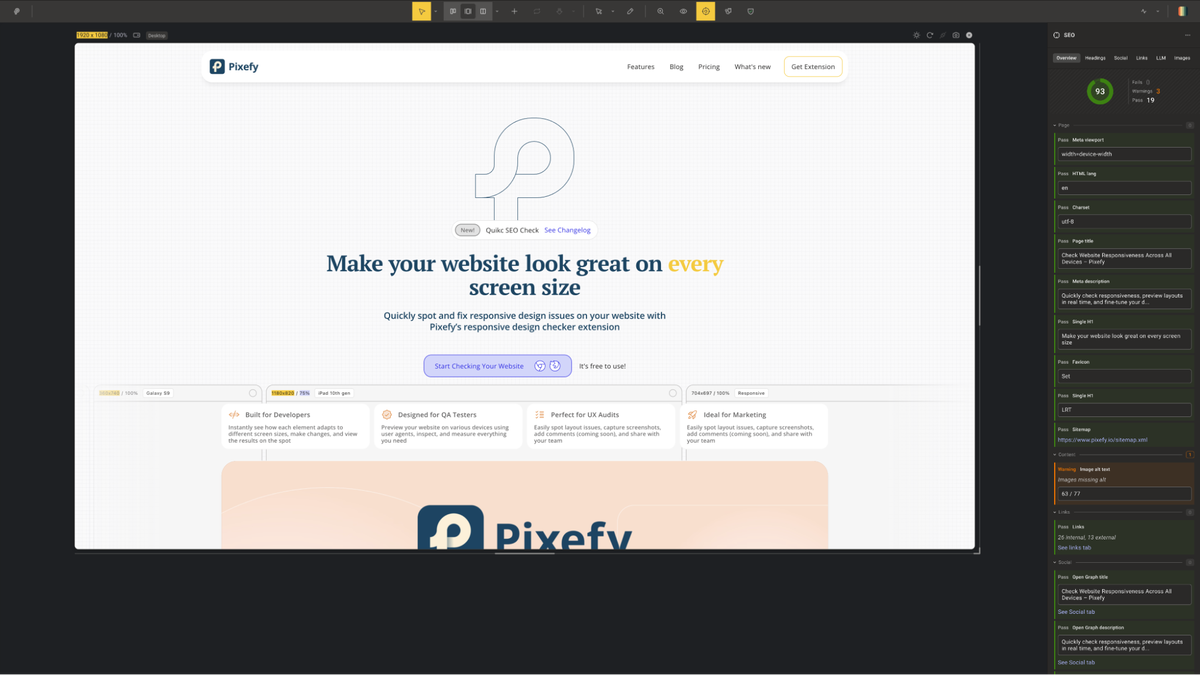
SEO checker
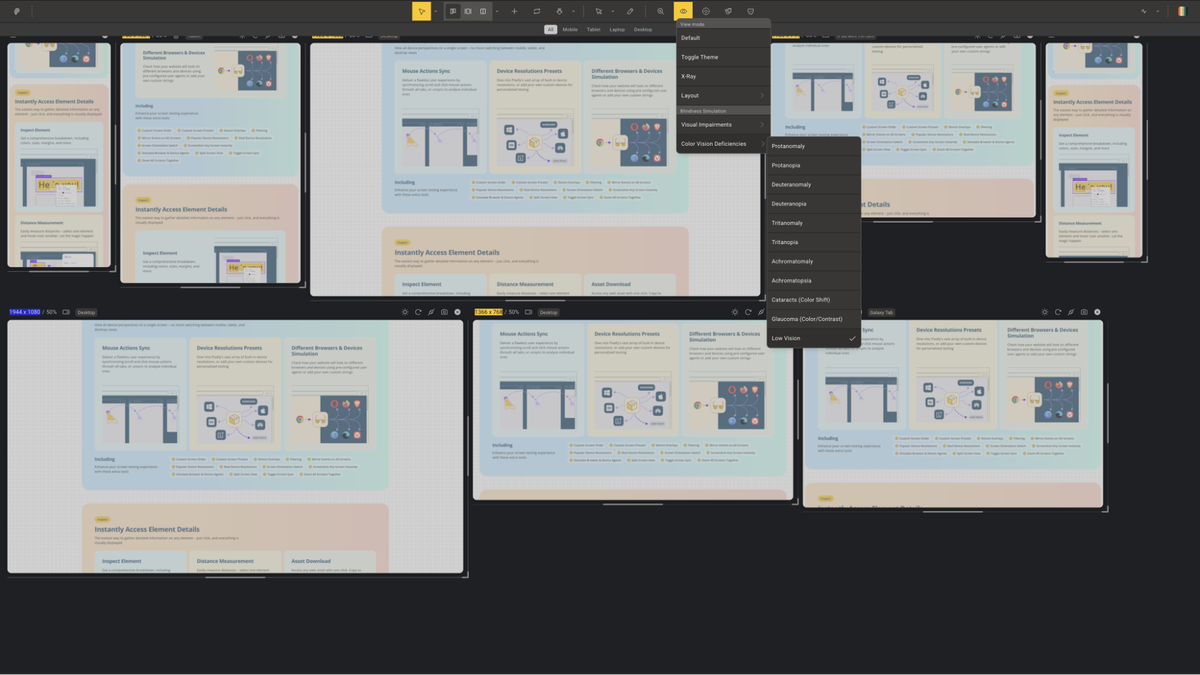
Blindness simulation preview

Pixefy

Sold out!
Notify me when it returns
  • Lifetime access
  • Refundable up to 60 days
  • Plus members are covered by our We Got Your Back guarantee

AppSumo Launchpad

Chosen by AppSumo for their potential and innovation

Testing if your website looks right across devices shouldn’t require switching tabs and resizing windows. Pixefy gives you everything you need to find, understand, and fix responsive issues—all from a single tab.

TL;DR

  • checkmarkPreview your site across 300+ device presets simultaneously with synced scrolling and clicks across all screen views
  • checkmarkInspect elements, test accessibility, check SEO, and capture screenshots—all without leaving the extension

At-a-glance

pixefy.io

Alternative to

BrowserStack

Integrations

Chrome, Firefox

Best for

Developers, Freelancers, Solopreneurs

Pixefy logo

Pixefy

Preview and debug your website's responsiveness across multiple devices and screen sizes—from one tab

Catch breakpoints before anyone else does

  • Apply adaptive grid overlays to any device view to check alignment, spacing, and layout consistency at a glance
  • See every screen size at once with 300+ built-in device presets for iPhones, Android phones, tablets, and desktops—or add your own
  • Sync scroll and click actions across all panes to test interactive elements across every breakpoint simultaneously
  • Stack, reorder, and zoom device panes vertically or horizontally to match your exact workflow
Catch breakpoints before anyone else does

Edit any element without opening DevTools

  • Click any element to instantly surface its colors, sizes, margins, and padding in a clean visual breakdown
  • Measure pixel distances between elements by selecting one and hovering over another—with values displayed in real time
  • Edit any CSS value directly in the Inspect tool and watch changes apply live across your workspace
  • Track every CSS and content edit in the Activity tab, so all your changes are logged in one place and easy to review or revert
Edit any element without opening DevTools

Fix SEO issues in a snap

  • Surface key on-page SEO data for any page, including meta tags, headings, image alt text, and canonical tags
  • Identify missing or broken SEO elements on your pages before they affect your rankings
  • Check how your site's metadata renders across different device views simultaneously
  • Export findings directly so you can act on them or share with your team without switching tools
Fix SEO issues in a snap

Check how your site looks for every visitor

  • Simulate vision impairments like color blindness, low contrast, and full blindness—directly on your live site
  • Run AA/AAA color contrast ratio checks and extract every color used on the page in a single click
  • Catch accessibility issues early rather than discovering them after launch or in a compliance audit
Check how your site looks for every visitor

Choose the plan that’s right for you

Feel secure in your purchase with AppSumo's 60 day money-back guarantee

$69$360

5 Users · Lifetime access

Users


What's included19 features
Projects
All workspace views
Workspace customization
Pane customization
All devices and presets
Screenshots and annotations
Full inspect
Colors view
Asset downloads
Content editing
X-ray view
Adaptive grids
Dark mode toggle
Page measurements widget
Visual impairments
Color vision deficiencies
User agents
On-page SEO
Full activity tab
Deal terms & conditions
Refundable up to 60 days
Plus members are covered by our
We Got Your Back guarantee
Pixefy
See Pixefy
Founded June 1, 2024
🇱🇹Vilnius, Lithuania
1-10
Startup
Bootstrapped
Verified by PandaDoc

Responsive Website Reviews for Designers, Developers, and QA

We built Pixefy because reviewing websites across screen sizes still takes more effort than it should.

For something that is such a basic part of shipping web projects, the workflow is still surprisingly scattered. Teams jump between browser resizing, device switching, manual comparisons, inspection tools, screenshots, and notes just to understand how a site behaves across breakpoints.

It is possible to do all of that manually. It is just not efficient. That is why we built Pixefy.

Pixefy helps teams review responsive websites in a more visual and connected way. Instead of constantly jumping between tools and tabs, you can preview multiple screen sizes in one place, compare layouts side by side, inspect UI details, review SEO basics, test dark mode, and keep track of changes as you go.

The goal was not to create another utility with random features packed in. We wanted to build something that supports the actual workflow of reviewing and improving websites before launch.

  • For designers, Pixefy makes it easier to catch layout shifts, spacing issues, and visual inconsistencies.
  • For developers, it helps validate responsive behavior faster and inspect issues with more context.
  • For QA teams, it creates a clearer way to review screens, track changes, and share feedback.
  • For agencies, it can make client review and internal collaboration much less messy.


What makes Pixefy different is that it is built around the real process of responsive review, not just one isolated step in it.

  • For solo makers, it can make website review feel much lighter.
  • For product teams, it can improve handoff and reduce repeated checks.
  • For agencies, it can bring more structure to responsive feedback.


That is the idea behind Pixefy: helping teams review websites with less friction and more clarity.

Questions & reviews

AskSumo

Pixefy is appreciated by customers for its seamless device testing, comprehensive features, and responsive design inspection. Some users have noted minor issues with the grid settings panel and initial plan confusion. With an overall rating of 4.8 and positive feedback, Pixefy is a solid buy for those in need of a reliable browser extension for website testing. With a 60-day money-back guarantee, it's worth giving Pixefy a try.

AI-powered summary of customer reviews