Pixefy
Use this browser extension to spot layout issues, dig into elements, and fix problems across every device—from one tab


One-time payment. Lifetime deal.
View images
Testing if your website looks right across devices shouldn’t require switching tabs and resizing windows. ("At this point, the breakpoints are breaking me.")
Since the last thing you want is a client spotting it first, you're stuck refreshing on three devices and hoping nothing shifts.
Wish there was a browser extension that helped you find, understand, and fix responsive issues—all from a single tab?
Meet Pixefy.
TL;DR

Preview your site across 300+ device presets simultaneously with synced scrolling and clicks across all screen views
Inspect elements, test accessibility, check SEO, and capture screenshots—all without leaving the extension
At-a-glance
Overview
Preview and debug your website's responsiveness across multiple devices and screen sizes, from one browser tab
Catch breakpoints before anyone else does
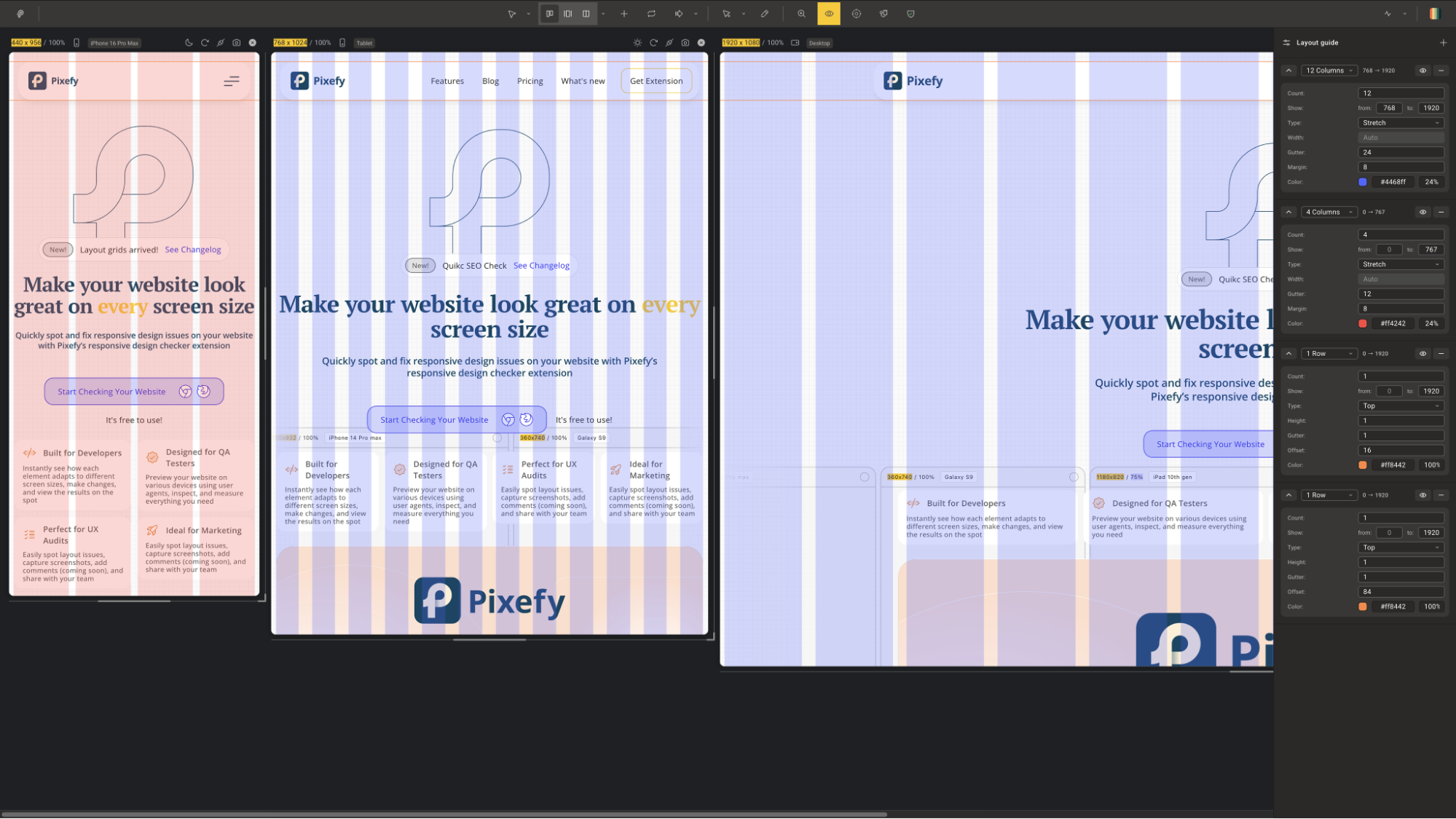
- Apply adaptive grid overlays to any device view to check alignment, spacing, and layout consistency at a glance
- See every screen size at once with 300+ built-in device presets for iPhones, Android phones, tablets, and desktops—or add your own
- Sync scroll and click actions across all panes to test interactive elements across every breakpoint simultaneously
- Stack, reorder, and zoom device panes vertically or horizontally to match your exact workflow
Edit any element without opening DevTools
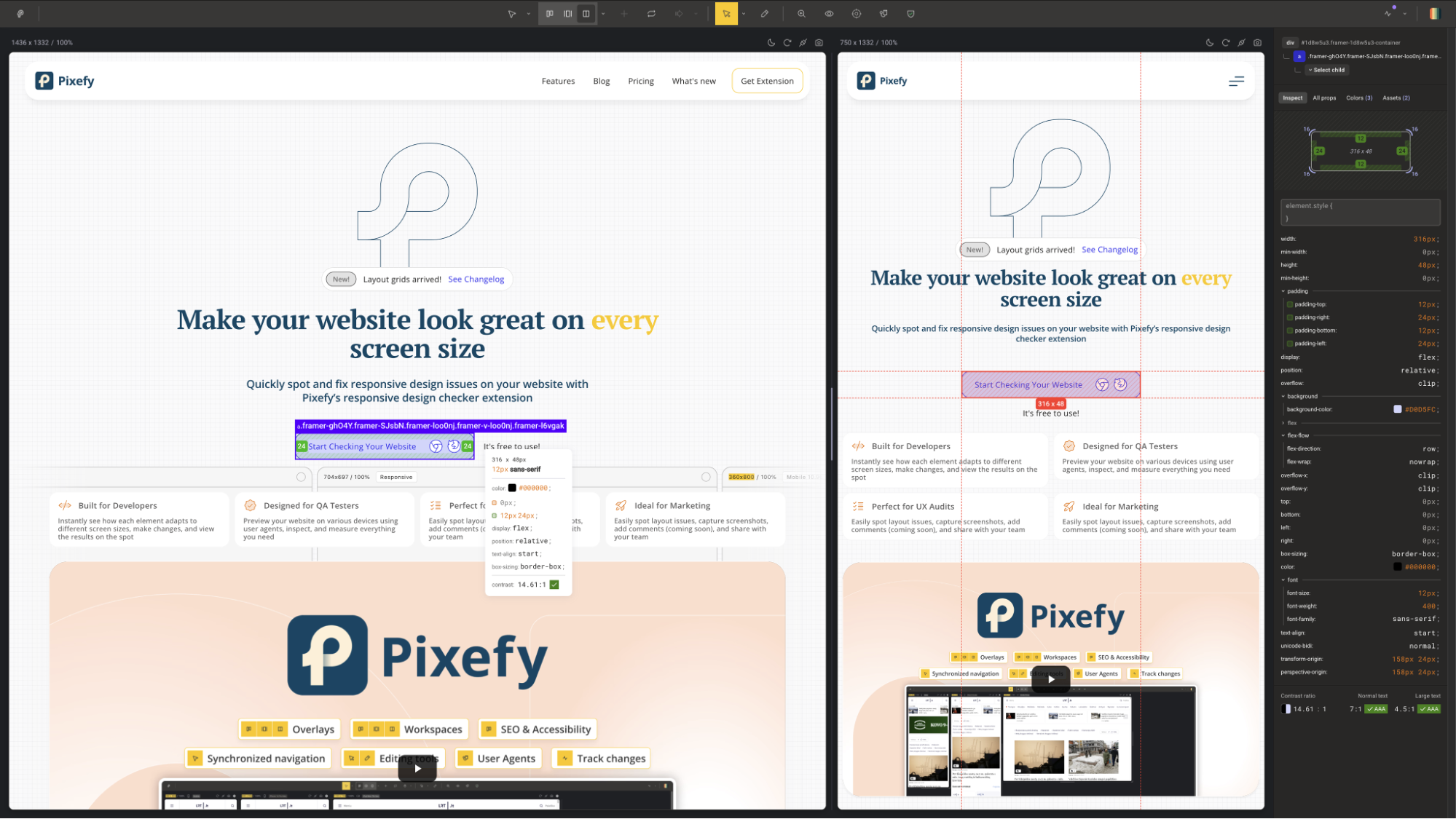
- Click any element to instantly surface its colors, sizes, margins, and padding in a clean visual breakdown
- Measure pixel distances between elements by selecting one and hovering over another—with values displayed in real time
- Edit any CSS value directly in the Inspect tool and watch changes apply live across your workspace
- Track every CSS and content edit in the Activity tab, so all your changes are logged in one place and easy to review or revert
Fix SEO issues in a snap
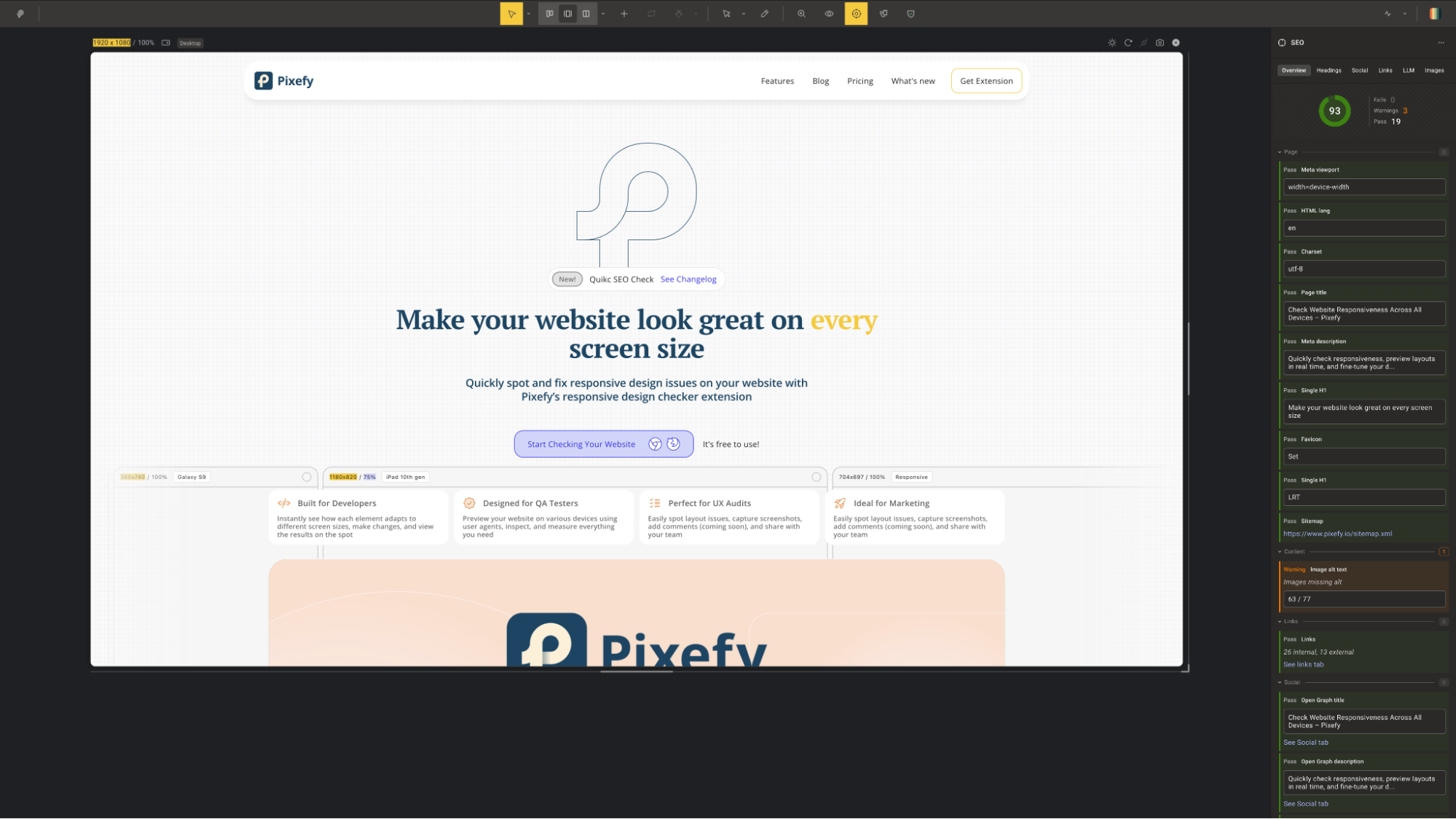
- Surface key on-page SEO data for any page, including meta tags, headings, image alt text, and canonical tags
- Identify missing or broken SEO elements on your pages before they affect your rankings
- Check how your site's metadata renders across different device views simultaneously
- Export findings directly so you can act on them or share with your team without switching tools
Check how your site looks for every visitor
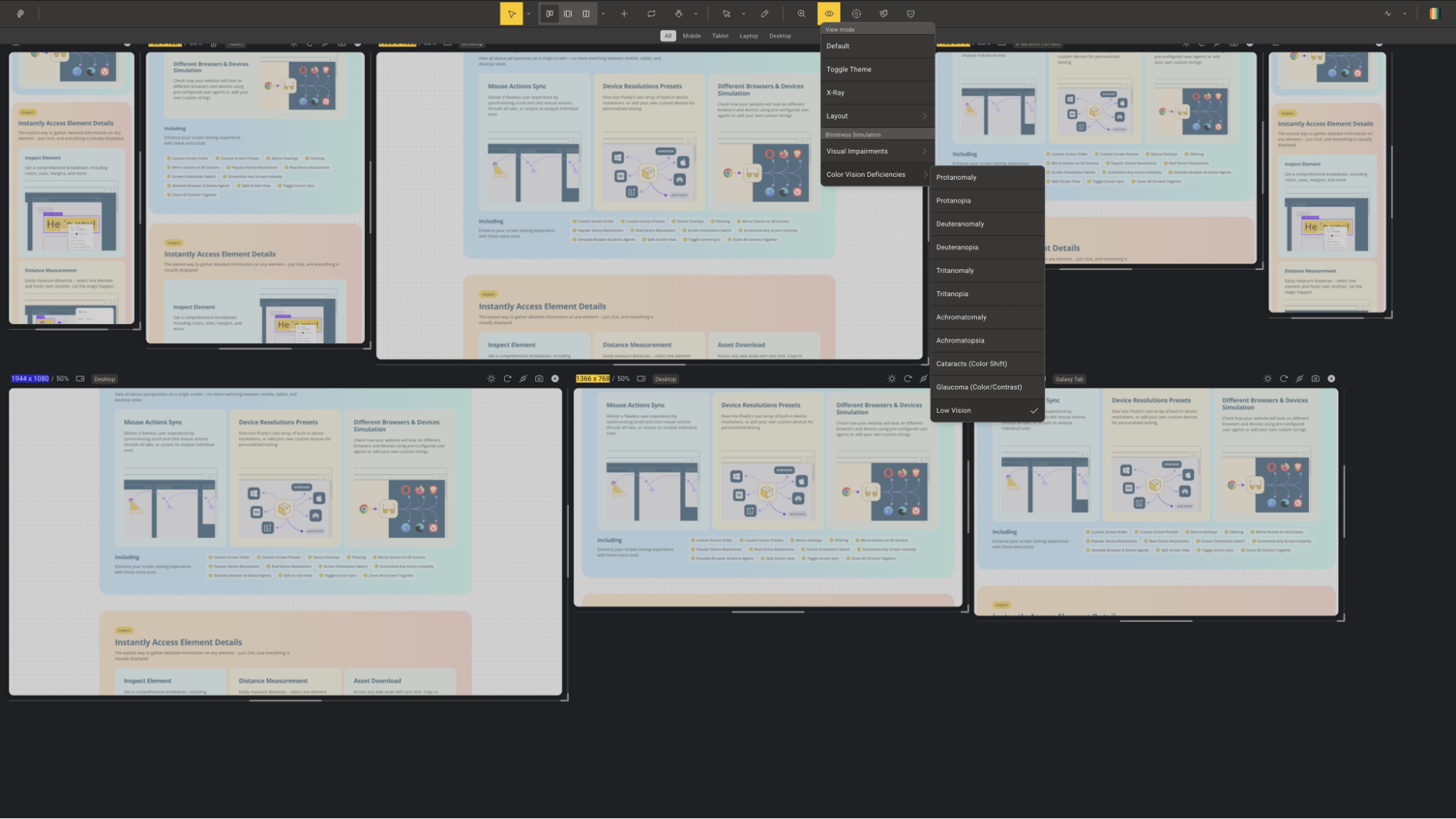
- Simulate vision impairments like color blindness, low contrast, and full blindness—directly on your live site
- Run AA/AAA color contrast ratio checks and extract every color used on the page in a single click
- Catch accessibility issues early rather than discovering them after launch or in a compliance audit
Plans & features
Deal terms & conditions
- Get lifetime access to Pixefy
- All future Pro (Tiers 1-3) plan updates
- If the plan name linked to your deal changes, it will automaticallytransfer to the new plan with all updates
- Activate your license within 60 days—you can upgrade while the deal is live but can only downgrade within 60 days of purchase

60 day money-back guarantee. Try it out for 2 months to make sure it's right for you!
Features included in all plans
- Workspace customization
- Pane customization
- All devices and presets
- Screenshots and annotations
- Full inspect
- Colors view
- Asset downloads
- Content editing
- X-ray view
- Adaptive grids
- Dark mode toggle
- Page measurements widget
- Visual impairments
- Color vision deficiencies
- User agents
- On-page SEO
- Full activity tab