Answer audience questions live with AI

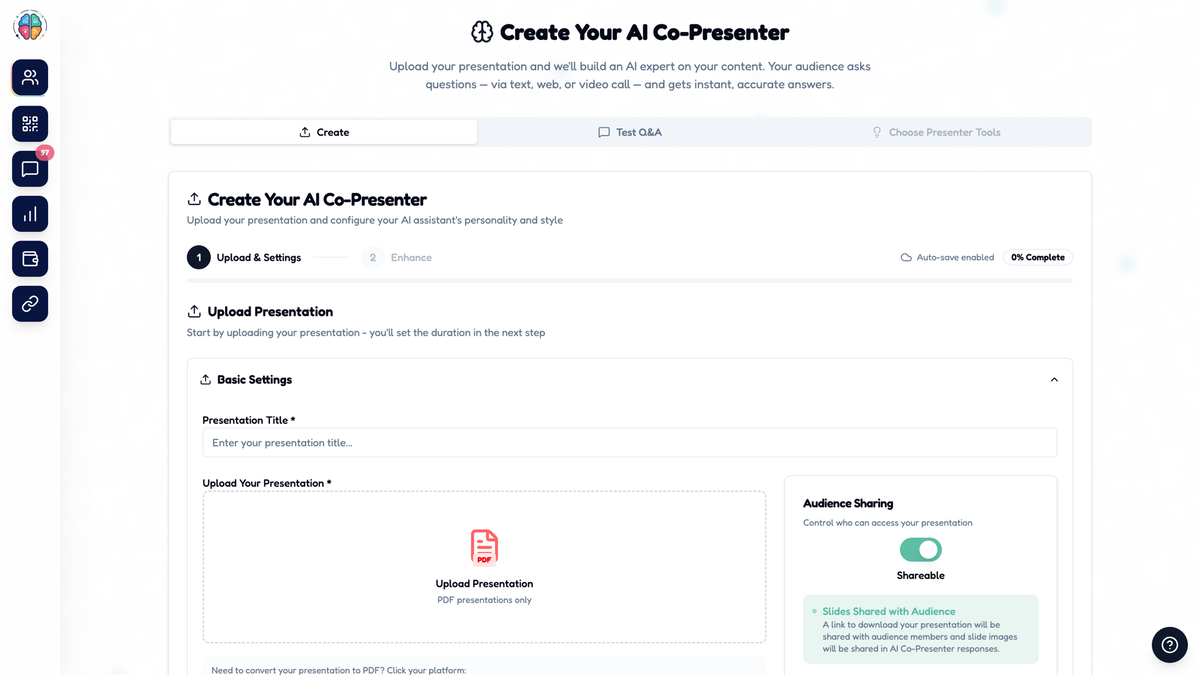
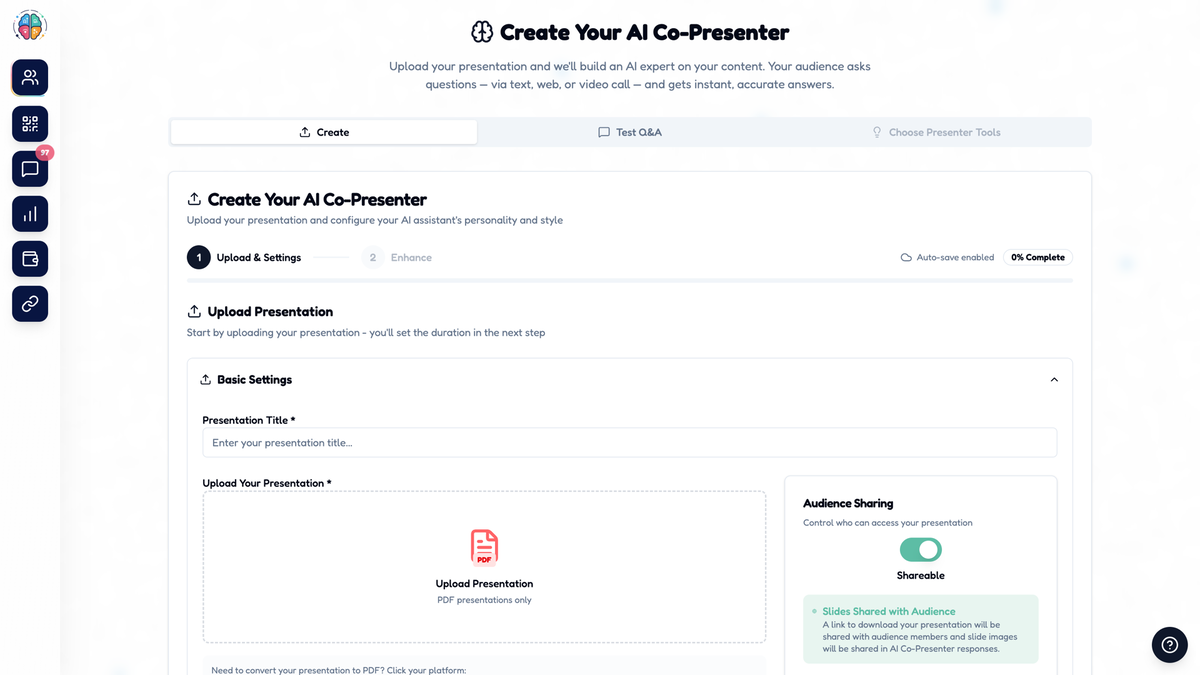
AI co-presenter creation
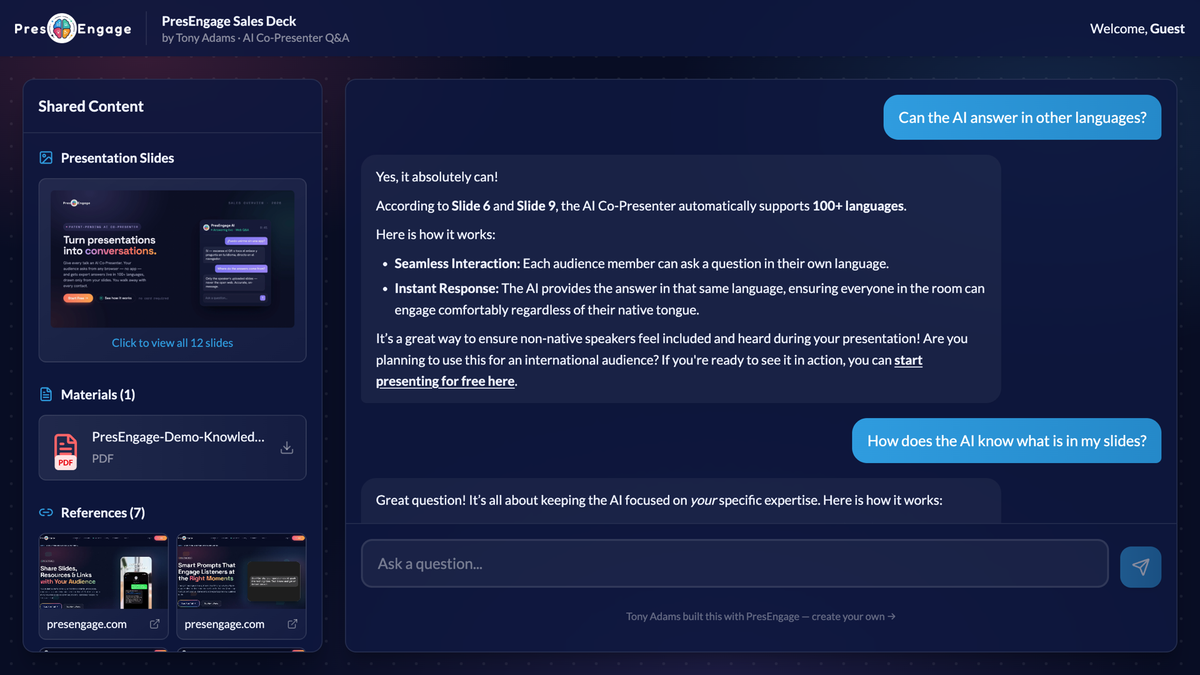
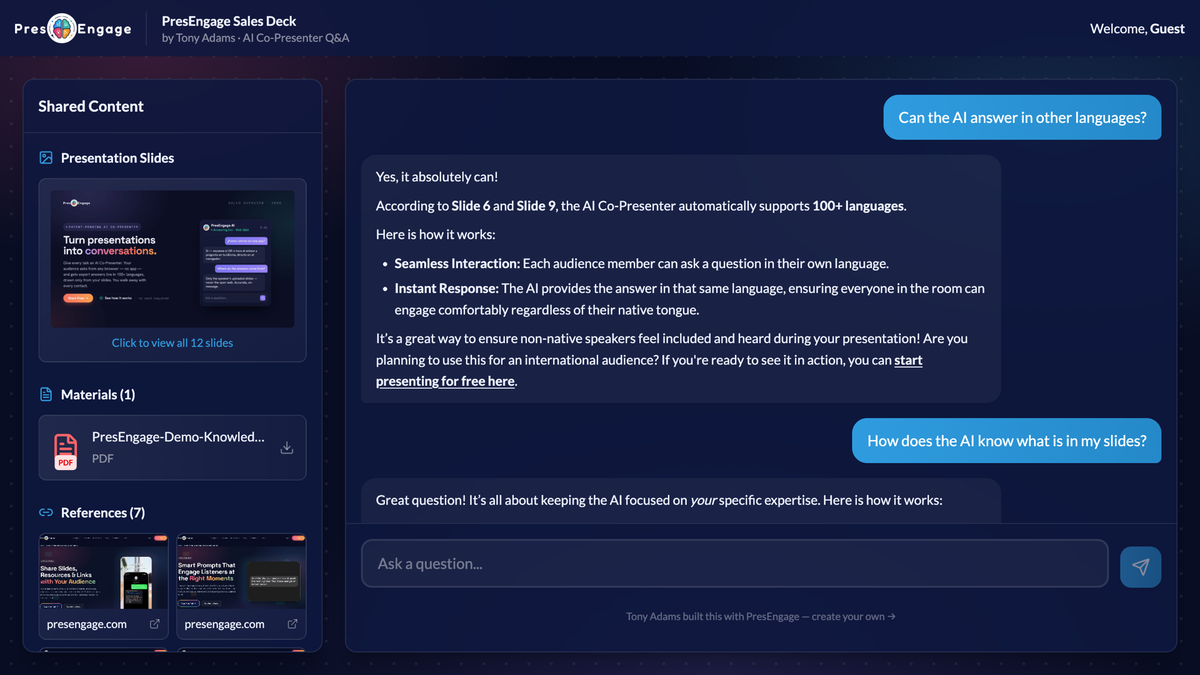
Live audience QA
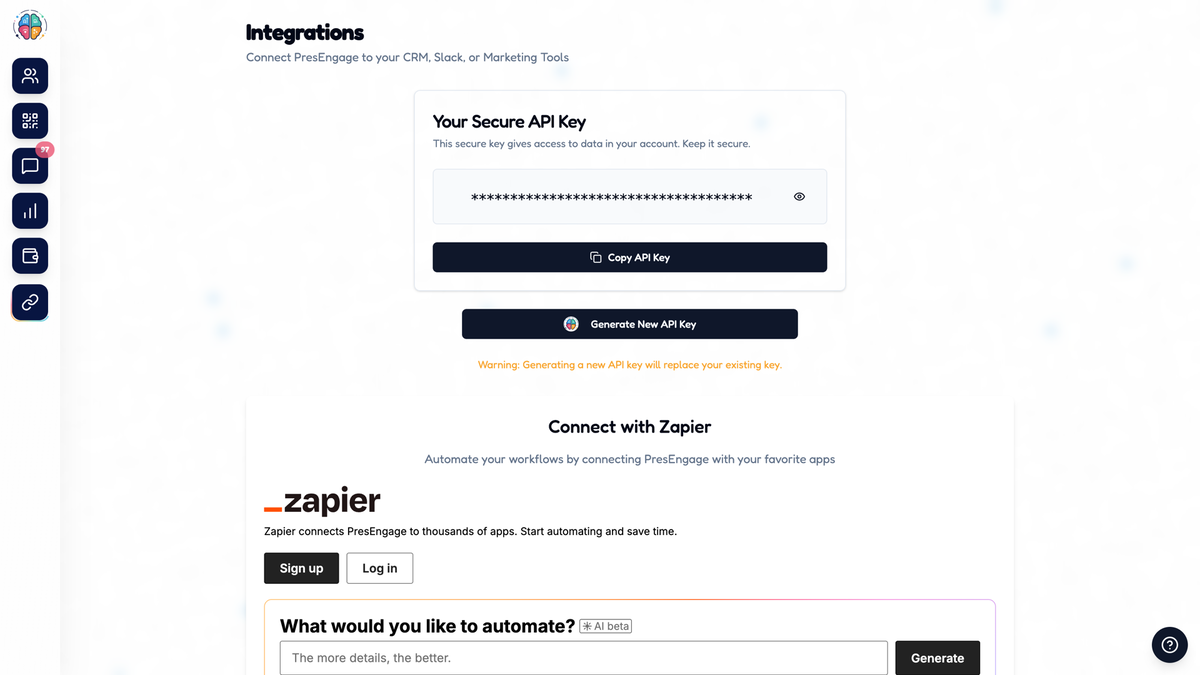
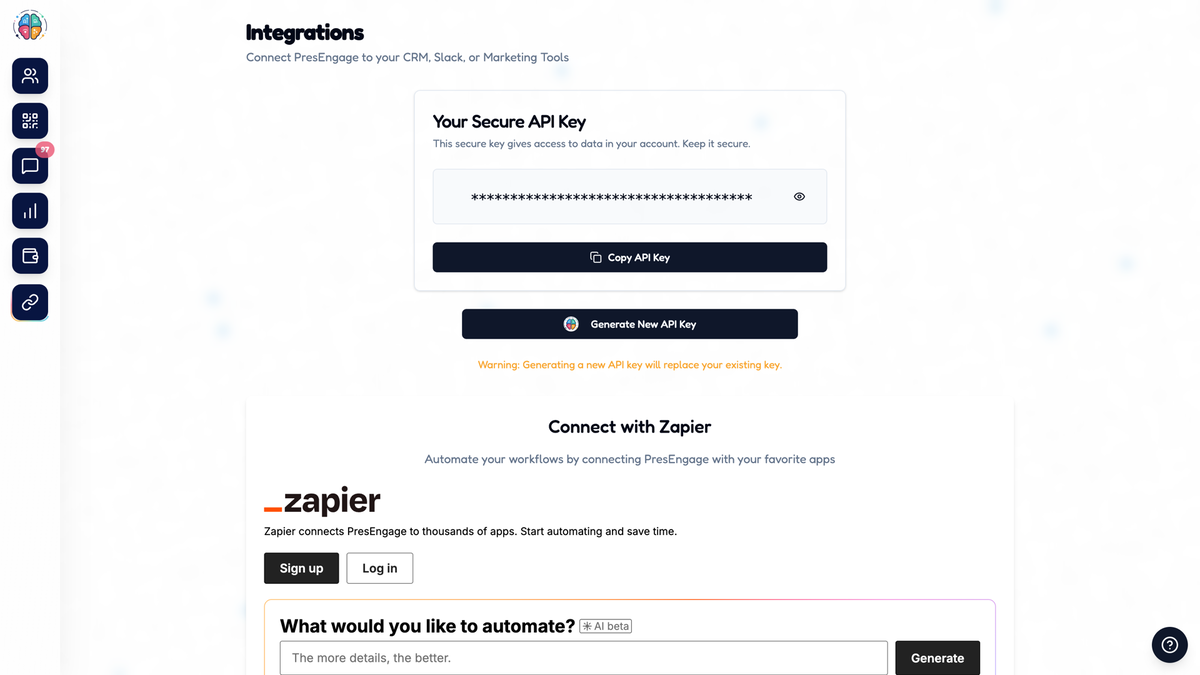
Integrations
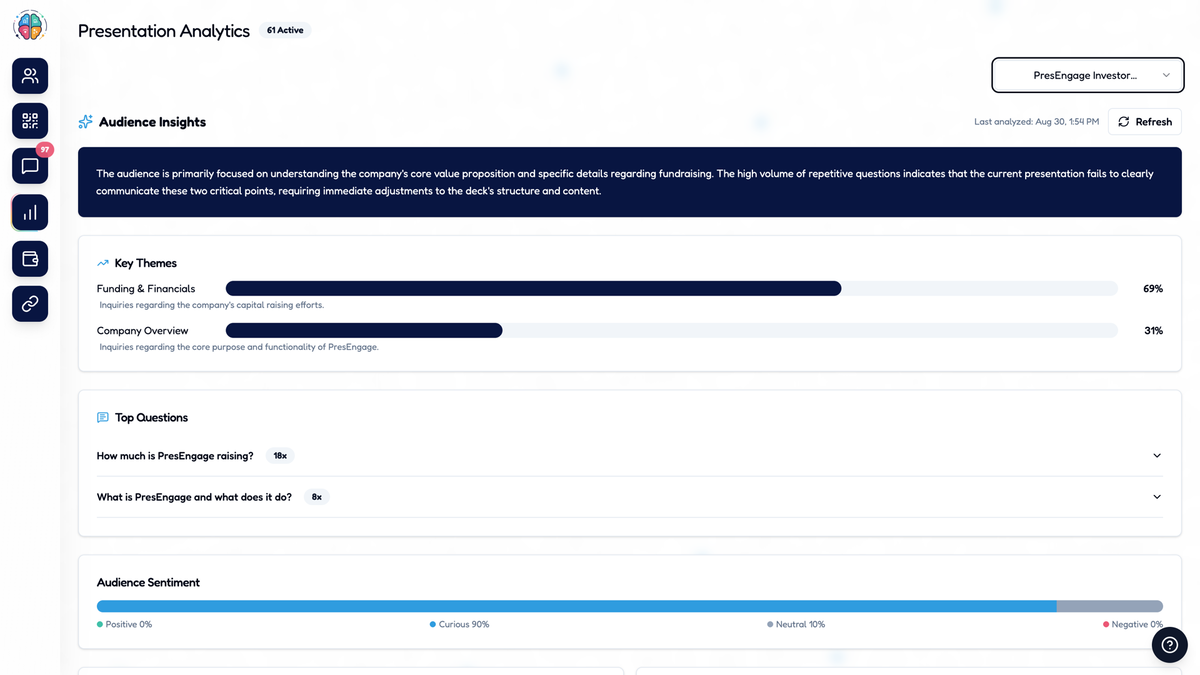
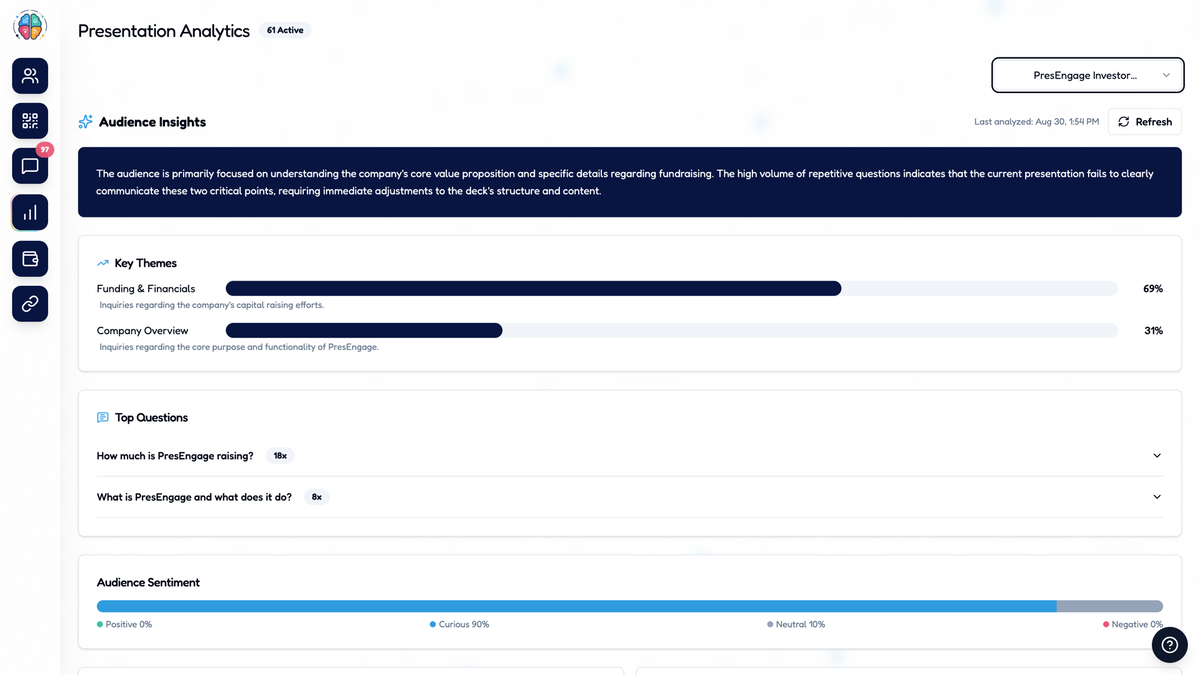
Audience insights

PresEngage

-81%$69
$360
  • Lifetime access
  • Refundable up to 60 days
  • Plus members are covered by our We Got Your Back guarantee
AppSumo Launchpad

Chosen by AppSumo for their potential and innovation

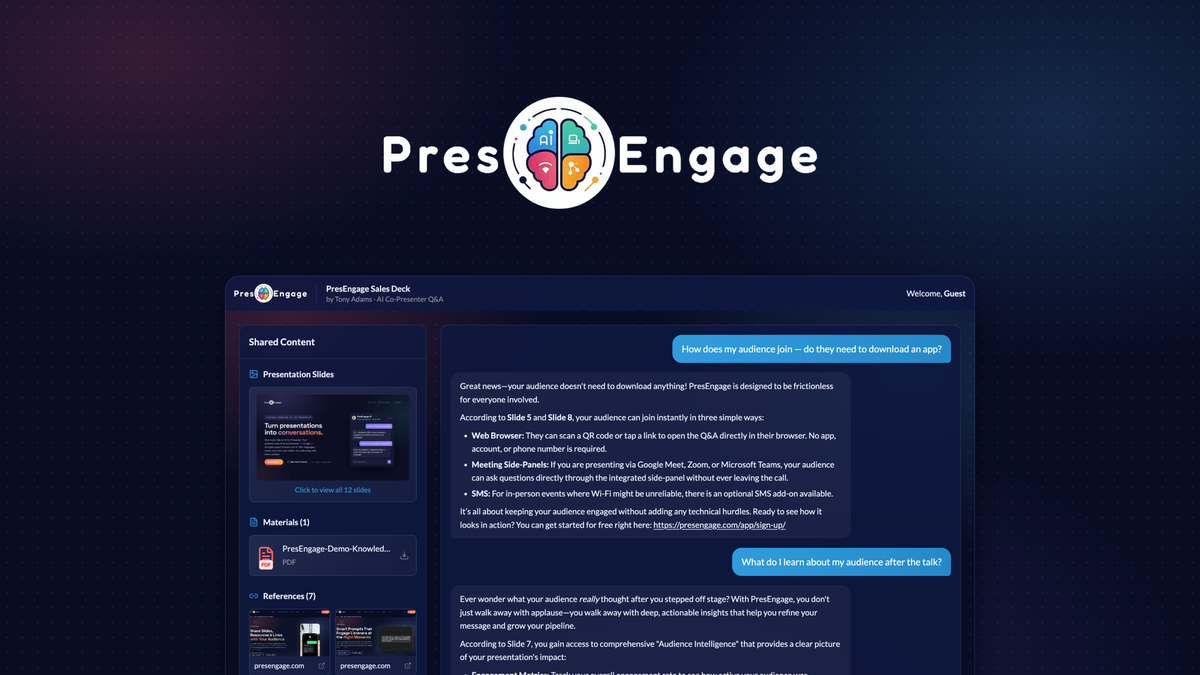
Your audience has many questions about your deck and zero courage to say them out loud. PresEngage lets attendees ask from their seats, in their own language, with answers sourced from your slides.

TL;DR

  • checkmarkBuild an AI co-presenter from your deck that answers audience questions live in 100+ languages and cites its source slides
  • checkmarkCapture every attendee who joins, along with what they wanted to know, and sync them to your CRM via Zapier

At-a-glance

presengage.com

Alternative to

Mentimeter, Poll Everywhere, Slido

Integrations

Google Meet, Zapier, Zoom

Best for

Sales managers, Professional Services, Coaches

Upload a deck to answer questions in 100+ languages, cite slides, and sync attendee contacts to your CRM

Make your deck answer back

  • Build an AI co-presenter that knows your content inside out by uploading your presentation as a PDF
  • Get real answers about your charts, diagrams, and pricing tables since every slide is analyzed visually as well as by its text
  • Set your AI's personality and style to match the way you'd answer
  • Run a private Test Q&A before you go live and catch gaps while there's still time to fix them
  • Add a video of your talk from YouTube, Vimeo, Wistia or Cloudflare Stream, and your audience watches it on your web Q&A page while they ask your AI co-presenter questions (the AI answers from your slides and documents, not from the video)
Make your deck answer back

Let the whole room ask

  • Invite attendees to join from any browser via direct link or the Zoom and Google Meet side-panels, no app or account needed
  • Field questions in 100+ languages so non-native speakers can ask privately in their own
  • Back answers with citations to the slides they came from while anything your deck can't answer gets flagged for you in the Messaging Center
  • Put your own logo, name, and colors on everything your audience sees
  • Turn on Anonymous questions for a presentation and people on your web Q&A page can ask without giving a name or email (off by default, and you can't email them afterwards)
Let the whole room ask

Turn questions into qualified leads

  • Collect every attendee who joins as a contact plus a record of what they cared about
  • Spark a first question from quiet attendees with a custom smart prompt sent automatically if they haven't engaged after a set time
  • Add calls to action like booking a demo and your AI co-presenter points attendees toward the next step
  • Connect your CRM, Slack, or marketing tools via Zapier or your own API key
Turn questions into qualified leads

See what really resonated

  • Track key themes, top questions, and audience sentiment from every presentation
  • Get an AI summary of where your message didn't land so you know what to tighten before the next talk
  • Send personalized follow-ups to every participant after your talk with smart follow up
  • Send questions to your audience from your phone while you present and choose when the results appear, on the web Q&A page and in the Google Meet and Zoom side panels, and summarize written answers with AI once five or more come in
  • Read audience questions in your language by picking one of 36 languages once; new questions and AI replies show in it in your Messaging Center, translated by AI, with the original one click away
See what really resonated

Choose the plan that’s right for you

Feel secure in your purchase with AppSumo's 60 day money-back guarantee.

Recommended badgeRecommended
Refundable up to 60 days
Plus members are covered by our
We Got Your Back guarantee
Deal terms & conditions
PresEngage
See PresEngage
Founded October 2, 2025
🇺🇸Colorado, United States
1-10
Startup
Bootstrapped

New: Four features for your audience Q&A

We've added four features, live now on both lifetime tiers:

  • Presentation video: add a link to a video you host on YouTube, Vimeo, Wistia or Cloudflare Stream, and your audience watches it on your Q&A page while they ask your AI Co-Presenter questions. The AI answers from your slides and documents, not from the video.

  • Anonymous questions: turn it on for a presentation and people on the web Q&A page can ask without giving a name or email. It's off by default, and you can't email those viewers afterwards. Anonymous does not mean untraceable.

  • Send questions to your audience: write your questions ahead, send them from your phone while you present, and choose when the results appear. It works on the web Q&A page and in the Google Meet and Zoom side panels.

  • Read questions in your language: pick your language once (36 to choose from) and new audience questions and AI replies show in it in your Messaging Center. It's translated by AI, and the original is one click away. Attendees can still ask in any language.

Watch an example webinar and test the AI Co-Presenter anytime, video included: presengage.com/webinar

See what we're building next, or suggest a feature: presengage.com/roadmap

Questions & reviews