 markessw
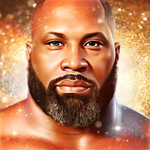
Q: Here is a quick example I put together of me using my own Avatar and one of theirs.
If you want to check it out. (https://markw.groovepages.com/avatar) I'm really enjoying it and having a good time with it.

srpuppetry
May 15, 2024A: Thank you @markessw!
Wow, that is awesome! The natural voice makes it feel so real. Thank you very much for sharing!
I saw you post about a diagram for best placement for eyes/mouth/etc (like a poor man's rigging template). It's a brilliant idea, given the fact this isn't an Adobe Character Animator replacement, despite what some users seem to be thinking. Did you use that to create your demo? My testing indicates straight-on, beards, clean backgrounds, and simple hairstyles work best at this stage of the animation. Angle views MIGHT work once video-to-video is there and you can limit how far it moves. Have you tried a profile one yet? It's next on my list once my credits regenerate in the free acount. If you did make that rigging diagram, I'd love to see it.
HI @1lastshot, thank you for the feedback! You are right; the straight-on neutral face works best. The demo at the bottom of puppetry.com homepage ("Meet Turbo, our mascot, doing stand-up comedy 🎭") was created using this technique. It's similar to using control net pose (if you have used WebUI/Automatic1111).
Please reach out to us at [email protected], and we'll set you up with higher limits so you can test this more. I would love to hear your feedback.
Verified purchaser
I took one of their face to my image editor (Affinity Design) and put my image at a low opacity and tried to match it up. Luckily years ago when I first stated using stable diffusion I trained a model of my images and generated a bunch of myself. That's what gave me the ideas of just pulling out some guide lines where the eyes, mouth, side and top of the head fit best from their image and then I just slide mine in and adjust it to fit. I put it on a Green-Screen background to remove later and Done. I have another idea I'm going to try too, and I'll put it on my page if it works. Stay tuned...
Verified purchaser
I've updated the link with another example, I hope it helps.
https://markw.groovepages.com/avatar/