AppSumo Radar beta
Radar products are early-stage listings that are managed by the team who built the product.Learn more about Radar

AI planning meets your real work history

No reviews yet, be the first!
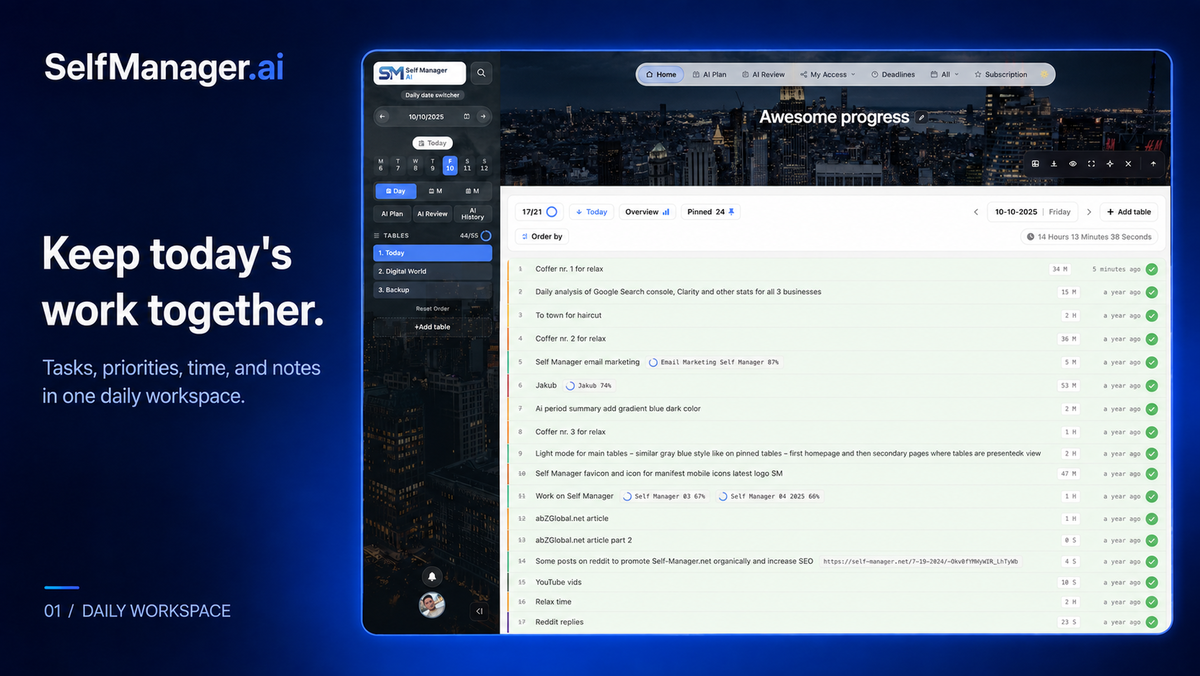
SelfManager.ai light daily workspace showing dated task tables, priorities, completion status, and logged time.
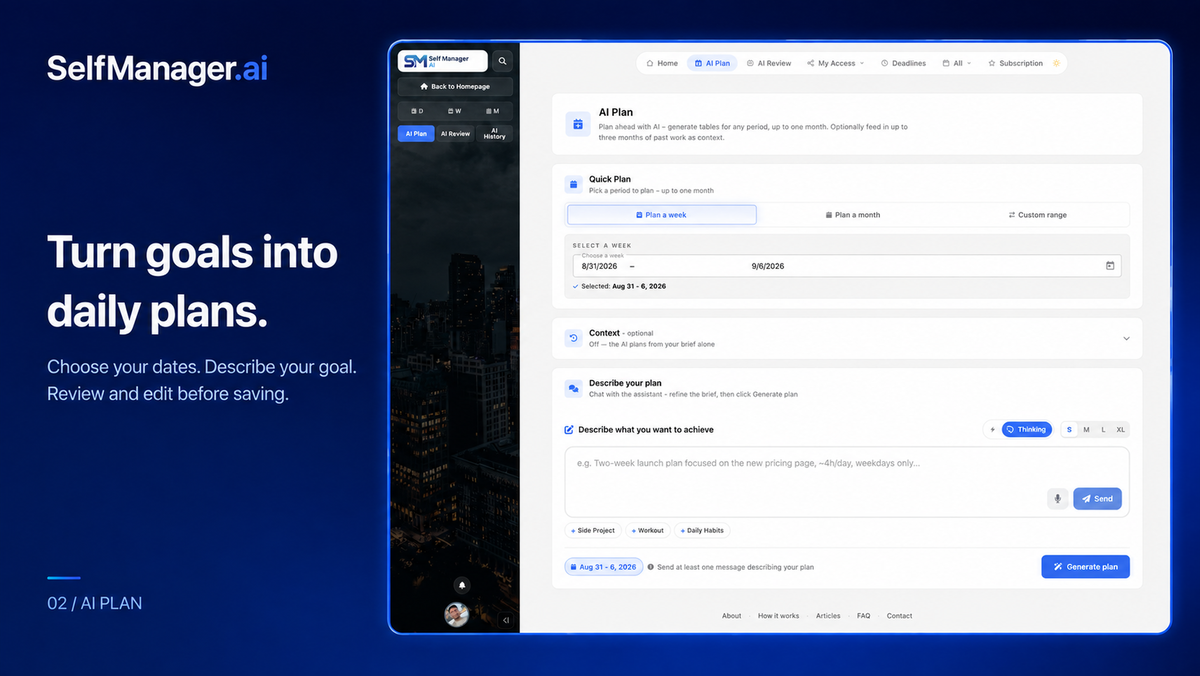
SelfManager.ai AI Plan screen with date-range selection, optional past-work context, and a goal prompt.
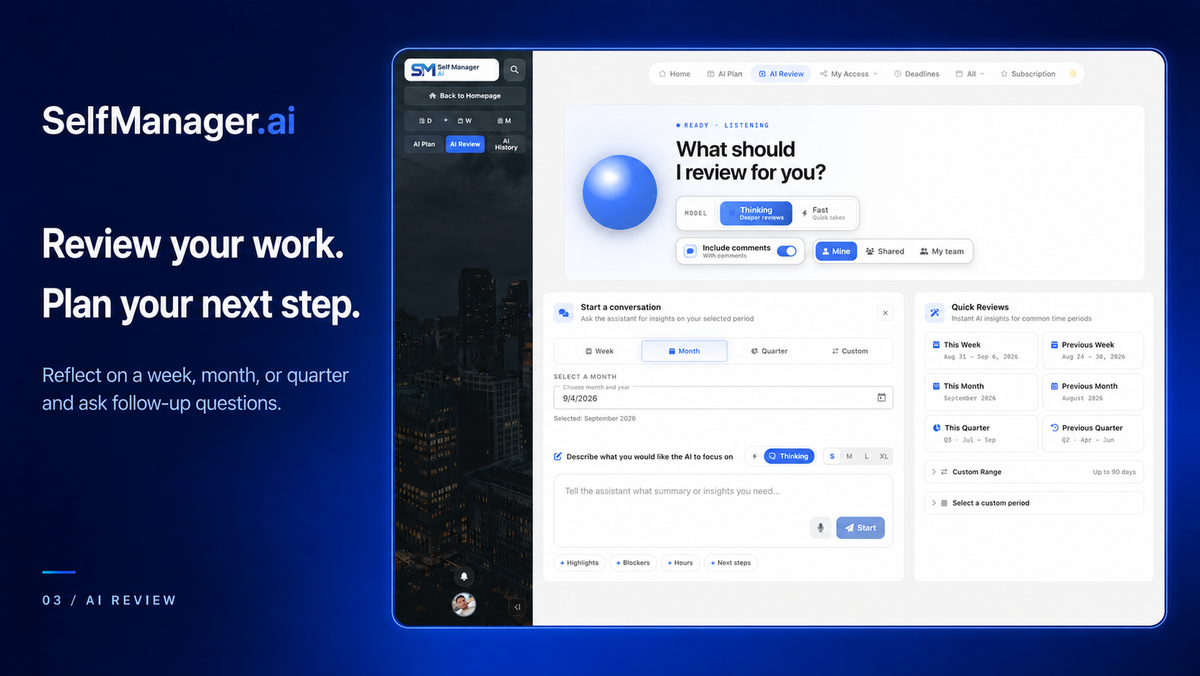
SelfManager.ai AI Review screen with model selection, period options, comments toggle, and a prompt for reviewing recorded work.
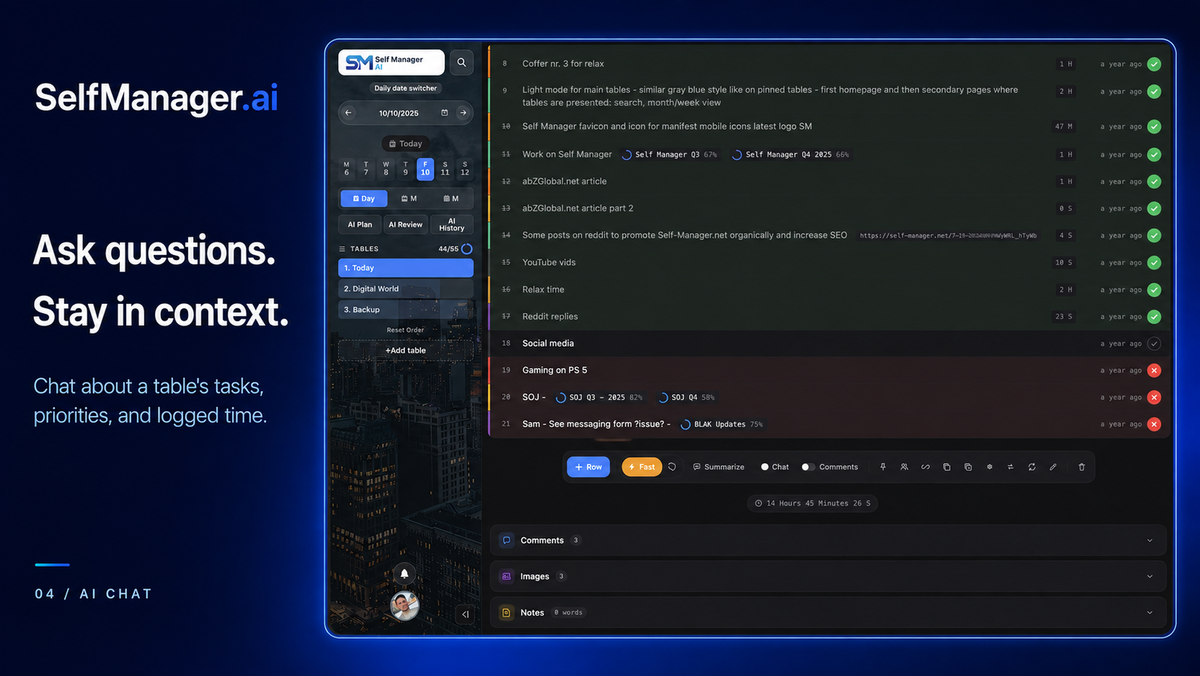
SelfManager.ai dark task table showing completed and open tasks, logged time, Chat and Summarize controls, and sections for comments, images, and notes.

SelfManager.ai

Micro-SaaS
-77%$49
$216
  • Lifetime access
  • Refundable up to 60 days
No "We Got Your Back" guarantee. Radar is a discovery engine — we don't vet these products, so this guarantee doesn't apply.
AppSumo's 60-day refund applies to most deals. AI skills are non-refundable once redeemed.
AppSumo Labs

Early-stage product. Brought to you by the team who built it.

Busy all week, but what moved forward? SelfManager puts tasks, time, notes and files on the days they happen, then uses AI to plan ahead and turn your work history into a clear picture of progress.

TL;DR

  • checkmarkEvery day gets its own workspace: tasks, time tracking, notes and files, with AI to plan ahead and review your progress.
  • checkmarkPay once: weekly AI credits, Gemini, Claude, GPT and Grok. Choose Team for unlimited collaborators with no per-seat fees.

At-a-glance

selfmanager.ai

Alternative to

ClickUp, Notion, Trello

Integrations

Claude, ChatGPT

Best for

Consultants, Freelancers, Solopreneurs

Plan the work. Track the day. See what moved forward.

Open today and get straight to work

  • Give every day a clear starting point. Open a date and create a table for each project, client, or part of your life. Your tasks, time, notes and files stay together on the day they belong to.
  • Know where your time went. Start a timer on a task or enter time yourself. Track priorities, deadlines and progress, with subtasks for work that needs smaller steps.
  • Keep the context beside the task. Add notes, comments, images, documents, videos and audio to the same table. Dictate notes or comments when speaking is easier than typing.
  • Keep ongoing work within reach. Pin important tables so they are easy to reach from any day, and repeat routines on the days you choose.
Open today and get straight to work

Turn a goal into a plan you can actually work from

  • Start with what you want to achieve. Describe a launch, a study goal, a busy workweek, or a personal project. AI Plan drafts dated tables and prioritized tasks for a day, a week, or a month, up to 31 days.
  • Give the plan some history. Include past work as context so the AI can work from what you have already recorded, alongside your new brief.
  • Make the plan yours before saving. Edit tasks and priorities, remove what you do not need, and skip days. Save the plan you want into your daily workspace.
Turn a goal into a plan you can actually work from

Finish the week with a clear account of what moved forward

  • Get the recap without writing it from scratch. AI Review uses your recorded tasks, progress and logged time to summarize a week, a month, a quarter, or a custom period.
  • Ask the questions that make next week better. What did I finish? What is still open? Where did my time go? Ask follow-ups about the work in your review.
  • Put the review to use. Copy it into a progress update, save it to AI History, or download it as PDF or Markdown. Keep a record you can return to.
  • Bring the team into the picture. Team AI Review summarizes work across the tables you have shared, ready to help with a stand-up or retrospective. Included in the Team plan.
Finish the week with a clear account of what moved forward

Get more from AI because your work is already there

  • Choose the AI for the job. Use Gemini, Claude, GPT or Grok inside SelfManager with your included credits. See the estimated credit cost before sending.
  • Turn a brief into a next step. Paste meeting notes, an email, or an idea and generate a structured task list. Chat about a table or your pinned tables, with the work already in context.
  • Bring your reference material. Choose to include supported documents, images or audio transcripts when they help the AI answer. Listen to AI responses when you would rather hear the recap.
  • Keep using your favorite assistant. Connect ChatGPT, Claude or another compatible MCP app to read and work with your SelfManager tables. MCP access is included and enabled by request; you choose the permissions.
Get more from AI because your work is already there

Choose the plan that’s right for you

Feel secure in your purchase with AppSumo's 60 day money-back guarantee.

Recommended badgeRecommended
Refundable up to 60 daysNot covered by We Got Your Back. Why?
SelfManager.ai
See SelfManager.ai
Founded August 1, 2016
🇷🇴Romania
1-10
Startup
Bootstrapped

I built it for my own work. I still use it every day.

For years, I planned my life on paper: a calendar, an agenda, and a notebook I carried everywhere. I wanted a digital planner that matched how I actually worked, one day at a time.

So in 2016, I started building SelfManager. Each day had its own place for tasks, notes, time and comments. I used it for client work, side projects and personal goals.

It stayed a personal tool for years while I ran software and agency work. In 2024, I went full-time on it.

Today, AI helps connect the two halves of that daily habit: deciding what to do next and understanding what all that work added up to. A goal becomes an editable plan. Your recorded work becomes a review you can ask questions about.

I still plan my own days in SelfManager. I want it to help you answer two useful questions: What should I work on today? And what did I move forward this week?

Marian Sorca
Founder & developer

What “Radar” means for this product

Learn more about AppSumo deals

Radar is home to early-stage products looking to gain traction. Here’s the lowdown of what these deals are and aren’t.

Where it is in its life

Radar products are at the start of their journey. They're fresh on the scene and building a customer base.

How we vouch for it

We've verified the basics and reviewed the listing for safety. Success isn't guaranteed — we haven't fully vetted every claim, feature, or result.

Code & security review

All AI skills are reviewed for security purposes. We do not review software code — partner owns security and what ships.

Refund policy

60-day refund on most deals. AI skills are non-refundable once redeemed.

Pricing

Prices are set by the founder. Simple as that.

Where you'll see it

The Radar section of our site exclusively. These products are in early discovery and not quite ready for the AppSumo limelight yet.

Radar is a discovery engine — because we aren’t vetting these products, our We Got Your Back guarantee doesn’t apply. Should these products show traction, our team will work with theirs to get them ready for the main stage (and protected).

Questions & reviews