Run your knowledge base from WordPress

No reviews yet, be the first!
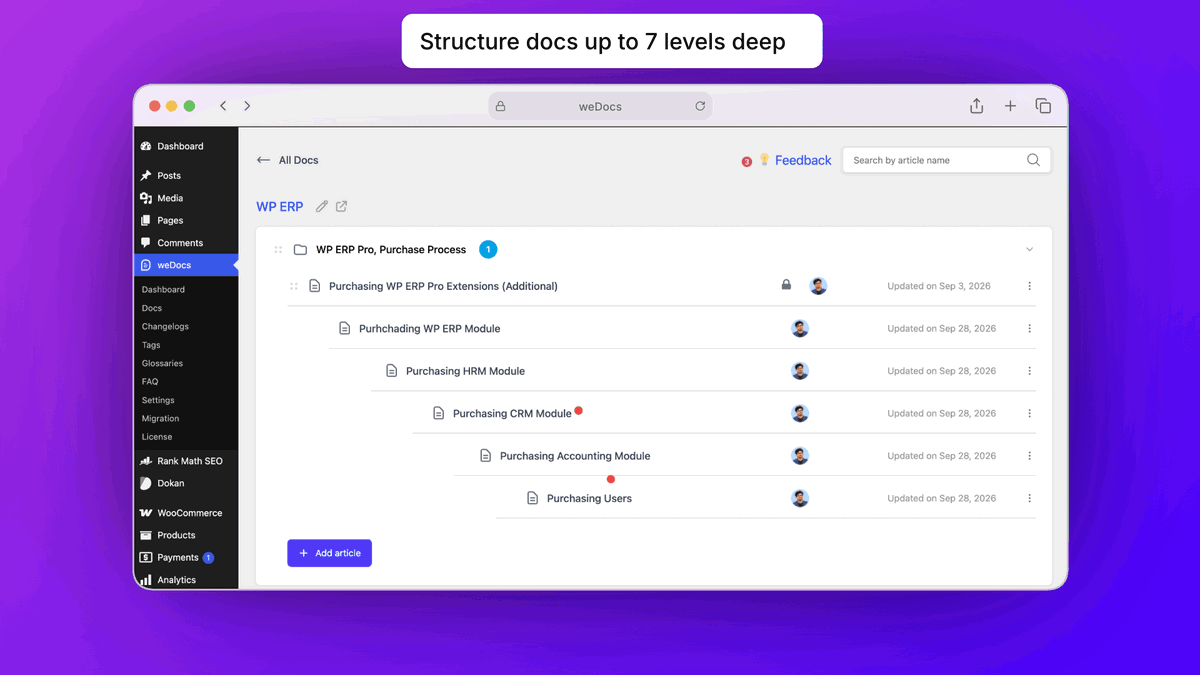
Structure Docs up to 7 Levels
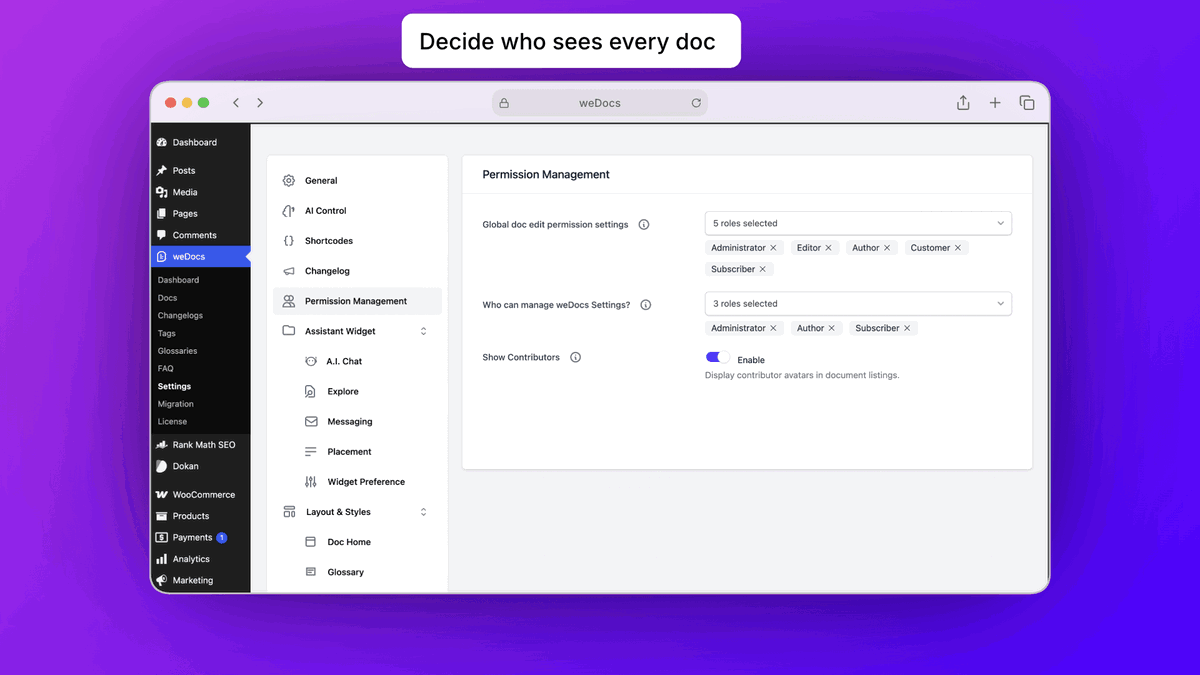
Manage Permissions
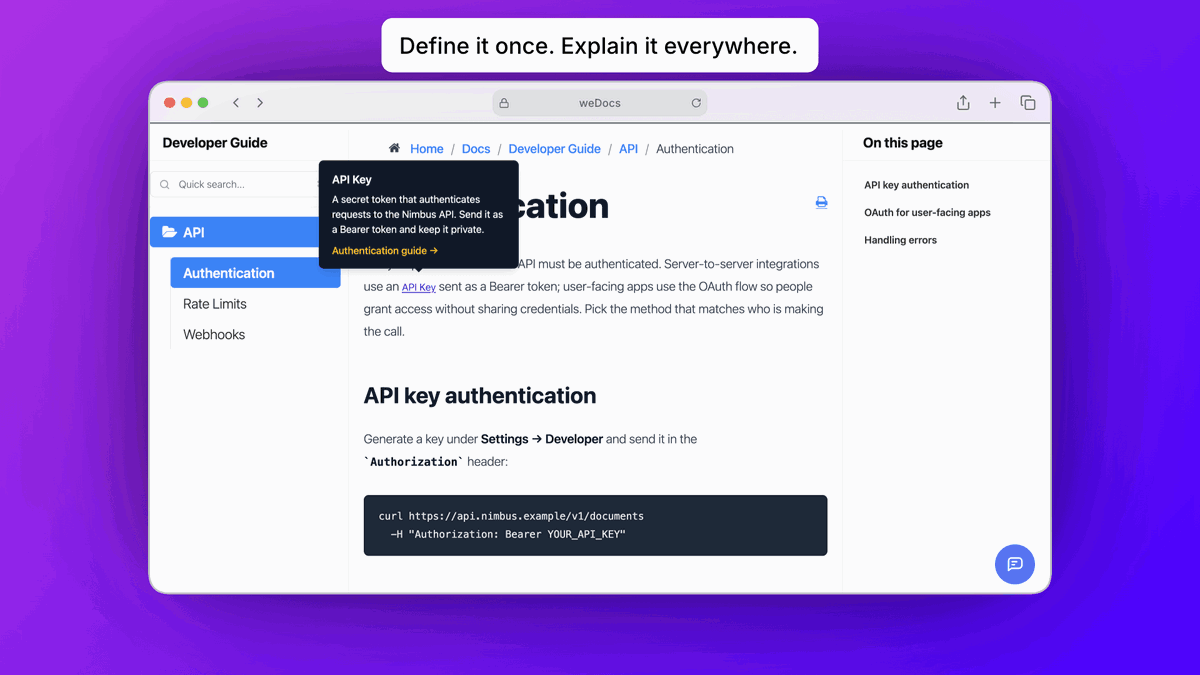
Use Glossary to Define Jargon Terms
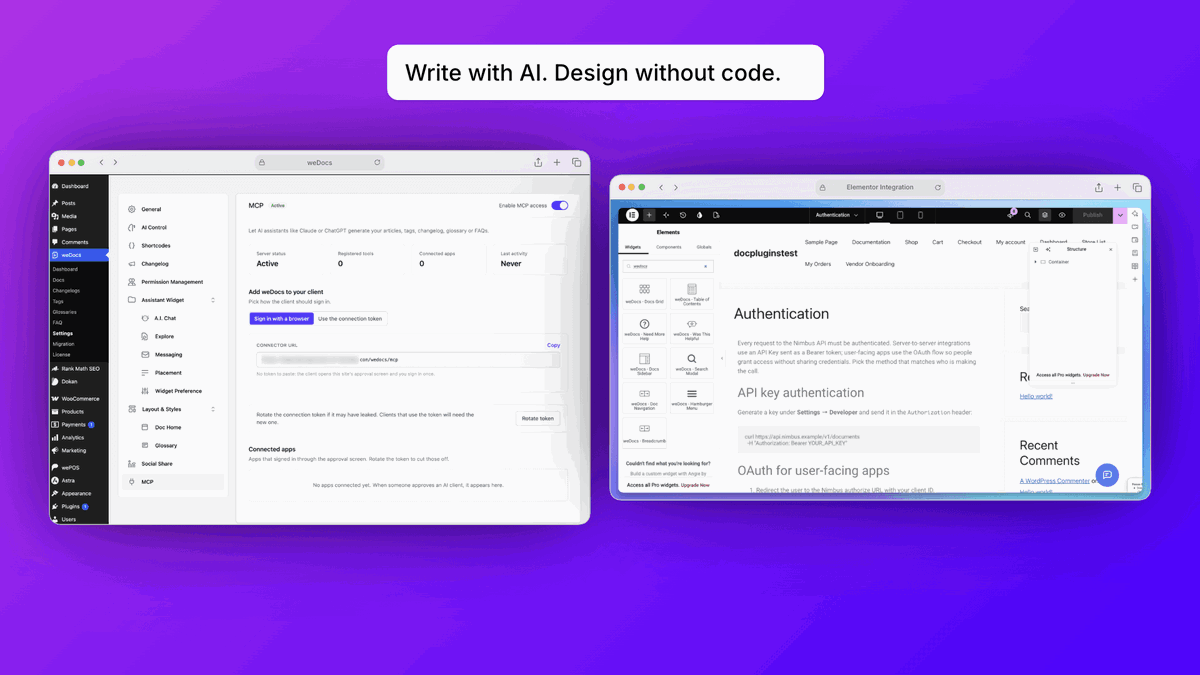
Connect MCP, Design with Elementor

weDocs

Price increases in
00
Hours
:
 
00
Mins
:
 
00
Secs
-87%$39
$299
  • Lifetime access
  • Refundable up to 60 days
  • Plus members are covered by our We Got Your Back guarantee

AppSumo Launchpad

Chosen by AppSumo for their potential and innovation

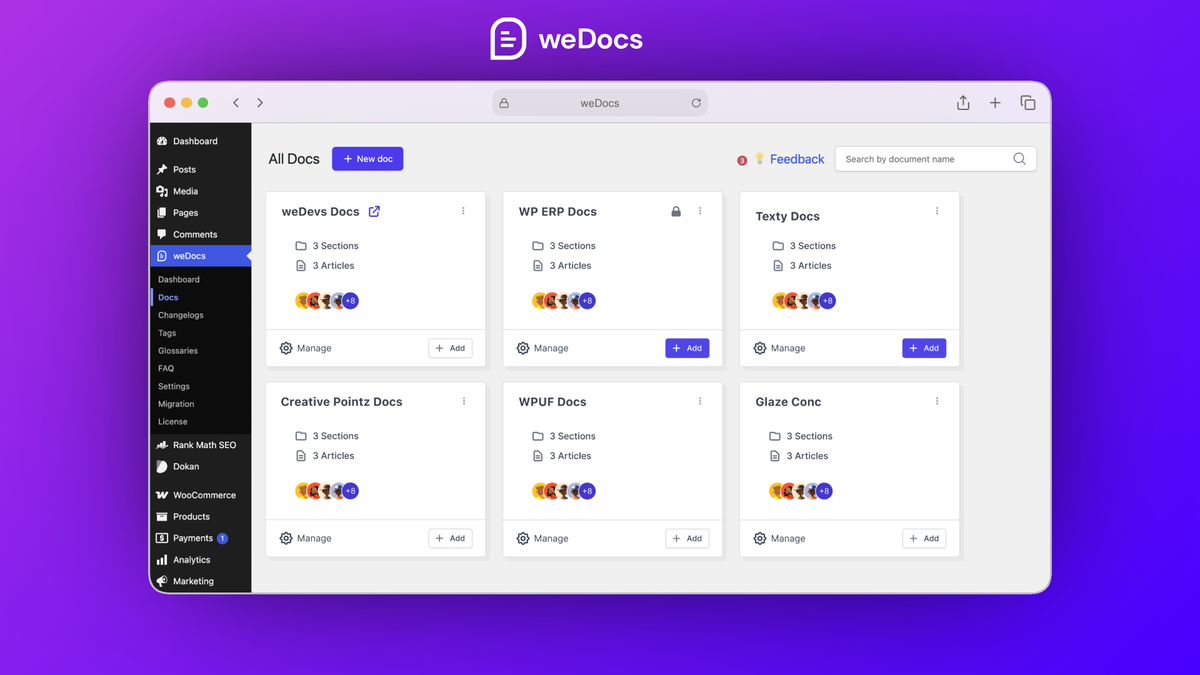
Scattered help docs leave customers digging for answers and your support team fielding the same questions. With weDocs, you can build a searchable, AI-assisted knowledge base right on your WordPress site.

TL;DR

  • checkmarkBuild docs, FAQs, a glossary, and a public changelog on your own WordPress site, designed in Gutenberg or Elementor
  • checkmarkLet AI draft your docs and connect Claude or ChatGPT to keep them updated, with no code needed

At-a-glance

wedocs.co

Alternative to

Microsoft OneNote, Notion, Mintlify

Integrations

Elementor, Gutenberg, RankMath, WordPress, Claude

Best for

Customer support, SaaS, Web design agencies

Price increases in
00
:
00
:
00
weDocs logo

weDocs

Manage nested docs, role-based access, live search, and AI writing tools in your WordPress dashboard

Organize docs the way your product works

  • Nest articles up to seven layers deep to mirror your product structure
  • Sort docs and sections with drag and drop
  • Clone an existing doc in one click with the duplicator
  • Publish product updates on a built-in changelog
Organize docs the way your product works

Control who can view and edit every doc

  • Make any doc public, login-only, or limited to chosen user roles
  • Decide who can edit each doc with role-based permissions
  • Run customer docs and an internal team wiki on one site
  • Show vendor-only docs inside the Dokan vendor dashboard
Control who can view and edit every doc

Help visitors find answers on their own

  • Explain tricky terms with glossary tooltips that appear on hover, and drop an FAQ accordion on any page for common questions
  • Search docs with live results as visitors type
  • Track which docs get read and which ones actually help with built-in analytics
  • Add an AI chatbot in a floating widget that answers from your docs, with a contact form to catch the rest
Help visitors find answers on their own

Write and design docs without code

  • Draft new docs with AI from a prompt, product details, or a screenshot
  • Connect Claude or ChatGPT over MCP to create and update articles, FAQs, glossary terms, and changelog entries
  • Design doc pages in Gutenberg or with dedicated Elementor widgets
  • Start from pre-built layouts or a ready-made Elementor doc template
Write and design docs without code

Choose the plan that’s right for you

Feel secure in your purchase with AppSumo's 60 day money-back guarantee.

Refundable up to 60 days
Plus members are covered by our
We Got Your Back guarantee
Deal terms & conditions
weDocs
See weDocs
Founded March 17, 2020
🇸🇬Singapore
11-50
Startup
Bootstrapped

One plugin for every answer your customers need

Hey Sumo-lings! 👋

I'm excited to bring weDocs to the AppSumo community today 📚

For over 13 years, we at weDevs have been building tools for WordPress. Our products now power more than 530K businesses, and every one of them needs good documentation. We learned early that docs are often the first place a customer goes for help, and the last place most teams put real effort.

We kept seeing the same problem. Teams paid monthly for hosted docs platforms that kept their content on someone else's servers. Or they used a WordPress docs plugin and then added separate tools for FAQs, changelogs and glossaries.

So we built weDocs to put all of it in one place, on your own WordPress site. 🏠

What's weDocs all about?

1.Organize without limits. Nest docs up to seven levels deep and reorder everything with drag and drop.

2.Write with AI. Turn a prompt or a screenshot into a first draft, then connect Claude or ChatGPT to keep your docs current.

3.Control who sees what. Keep any doc public, behind a login, or limited to specific user roles.

4. Answer questions before they reach you. Add live search, FAQ accordions and glossary tooltips that explain terms on hover.

5. Share what's new. Publish product updates on a public changelog, right next to your docs.

6. Design it your way. Build doc pages in Gutenberg or with 10 dedicated Elementor widgets, no code needed.

We ship updates every few weeks. Since late June alone, we've released Glossary, AI assistant connections over MCP, native FAQs and a built-in changelog.

weDocs isn't just a docs plugin. It's your whole help center.

You own it: Your content, your domain, your search traffic.
It's all there: Docs, FAQs, glossary and changelog in one plugin.
It stays current: AI helps you write, and we keep shipping updates.

We can't wait to see what you build.

Questions & reviews