Attention Insight
Maximize advertising campaign results and design performance with pre-launch analytics


Unless you’ve perfected the art of TikTok, you need an effective way to compete for your user’s limited attention. (...is dabbing still cool?)
But it’s hard to test what’s working and what’s not before you launch new ads, landing pages, apps, and packaging designs.
When time is money, you’ve got to make user-centric, data-driven decisions about your designs, without the labor-heavy process of data collection.
Now you can with Attention Insight.
TL;DR

At-a-glance
Deal type
Overview
Attention Insight improves design success with pre-launch analytics that give you valuable feedback before you hit publish.
Access your designs and projects on Attention Insight’s sleek dashboard where you can organize different analyses and share them with your team.
To test a design on Attention Insight, simply create a new analysis and upload an image. Or if you’re testing a live page, enter the URL.
Heatmaps, powered by AI, indicate how user attention is distributed between specific design elements, so you can pre-test what’s hot and what’s not. (Are those Crocs... in the logo?)
Along with seeing the most eye-catching parts of your design, you can test specific design elements and get an exact Percentage of Attention that element receives.
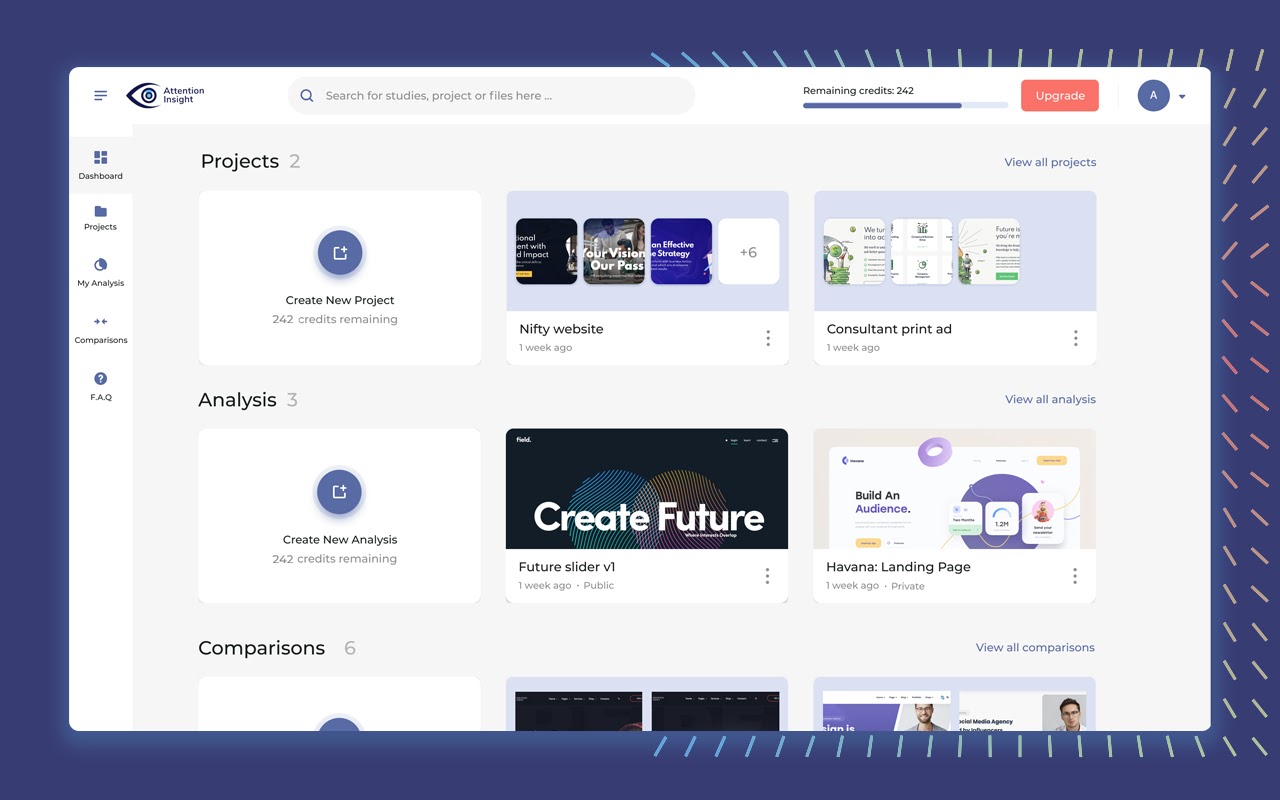
The Attention Insight dashboard helps you share your projects and analyses with your team and keep them organized.
The Clarity Score shows how clear your design is.
A score between 57 and 95 equals Optimal Clarity (i.e., best user experience), while 0% means you should reconsider hiring your spouse’s cousin who claimed to be a designer.
Alexa Site Rank lets you compare your design clarity with Top 170 Alexa sites in different categories of your industry standard, like Landing, E-commerce, and News Media.
And don’t worry, the site rank feature isn’t a voice command. (“Alexa, how does my site rank?” I’m sorry, I don’t know how your kite sank.)
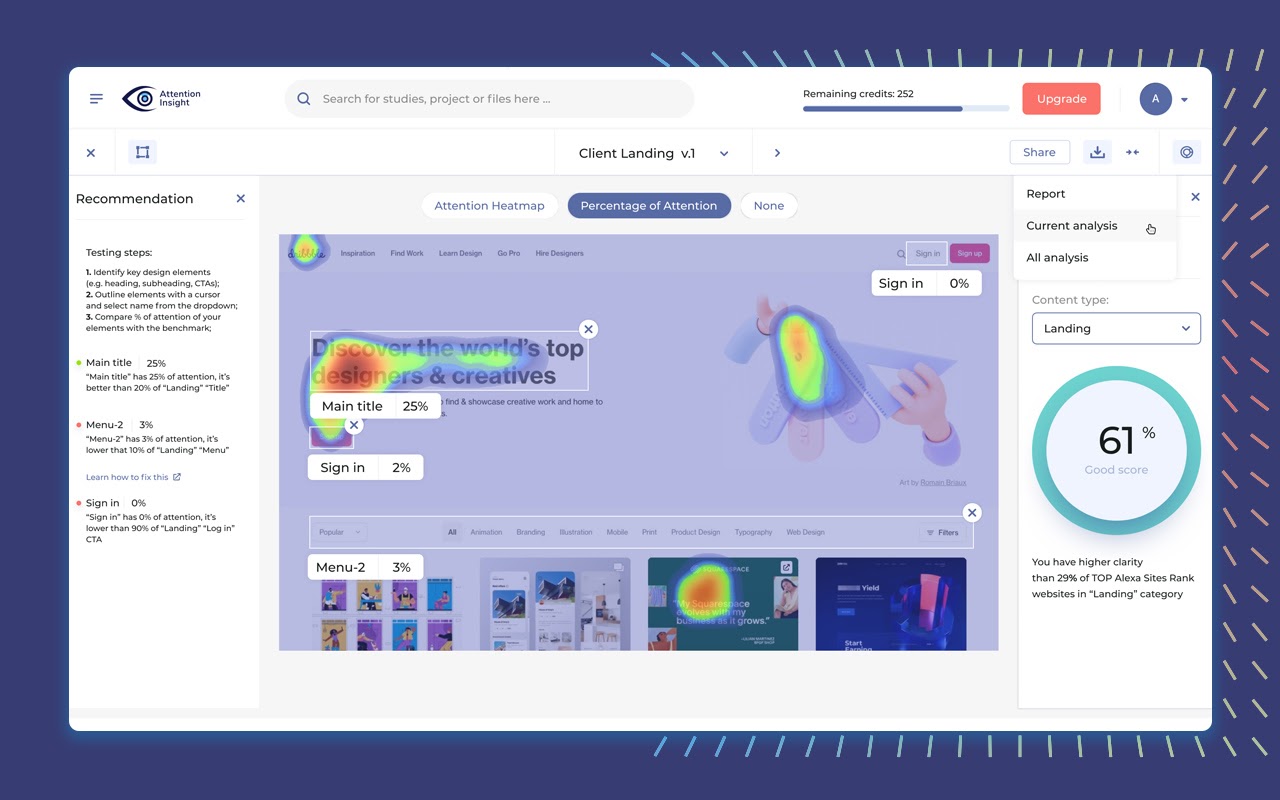
Clarity Score measures how clear your design is, while the Alexa Site Rank shows how your design clarity stacks up against industry standards!
Use the Compare feature to implement A/B testing to test multiple versions of your design for higher conversion rates.
Set them up side by side on one screen and see how they stack up against each other.
In Comparison Mode, you’ll get a comparison table that contrasts the Clarity Scores of both designs as well as the Percentage of Attention for each tested element.
Compare headings, subheadings, primary and secondary CTAs, images, and more to see which one is winning in overall attention.
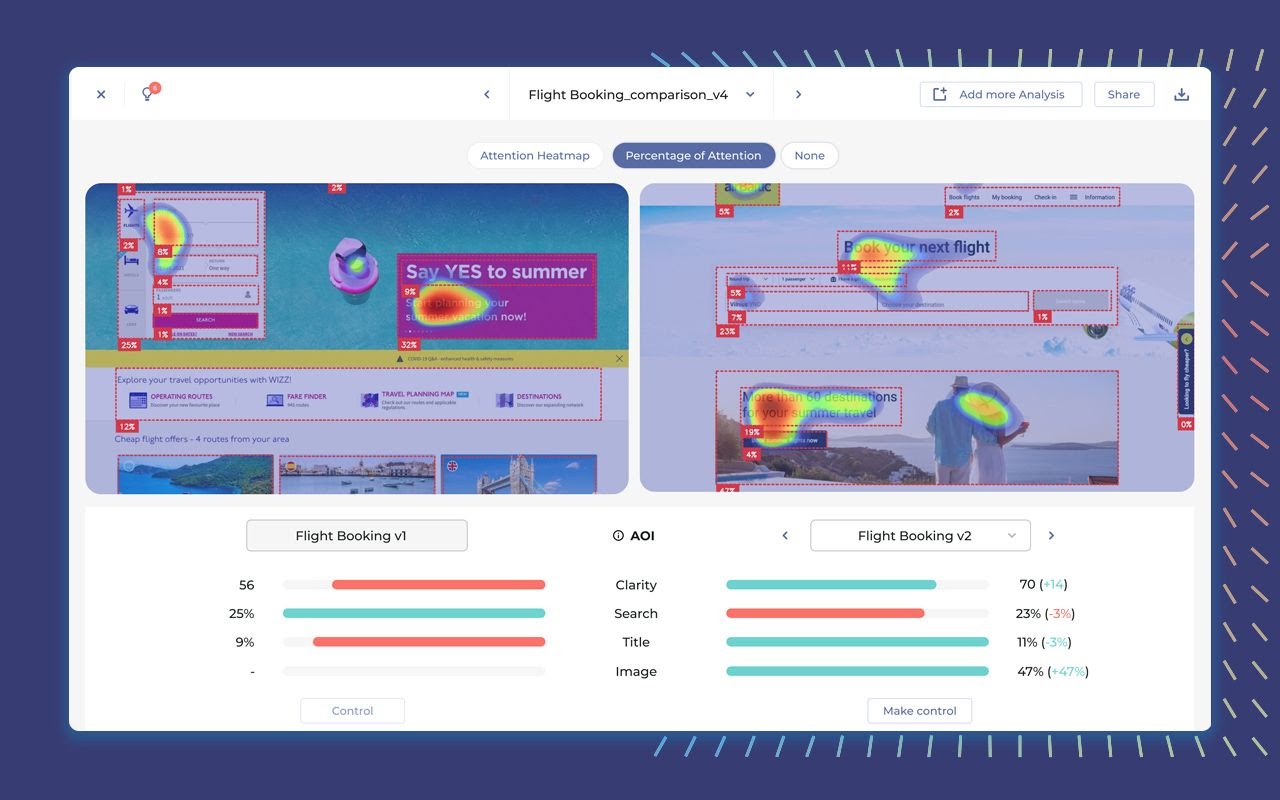
Compare different design versions side by side to make data driven decisions.
The Attention Insight Chrome extension makes it easy to evaluate your website design and compare your design with your competition in one click.
You’ll be able to uncover the website’s usability strengths and weaknesses to increase traffic and user engagement on your webpage.
Attention Insight generates in-depth PDF reports. You can also share the analysis with clients and colleagues through a URL.
Get ready to save time and avoid having to make fixes after the launch. (I told you Comic Sans was a bad idea, Frank.)
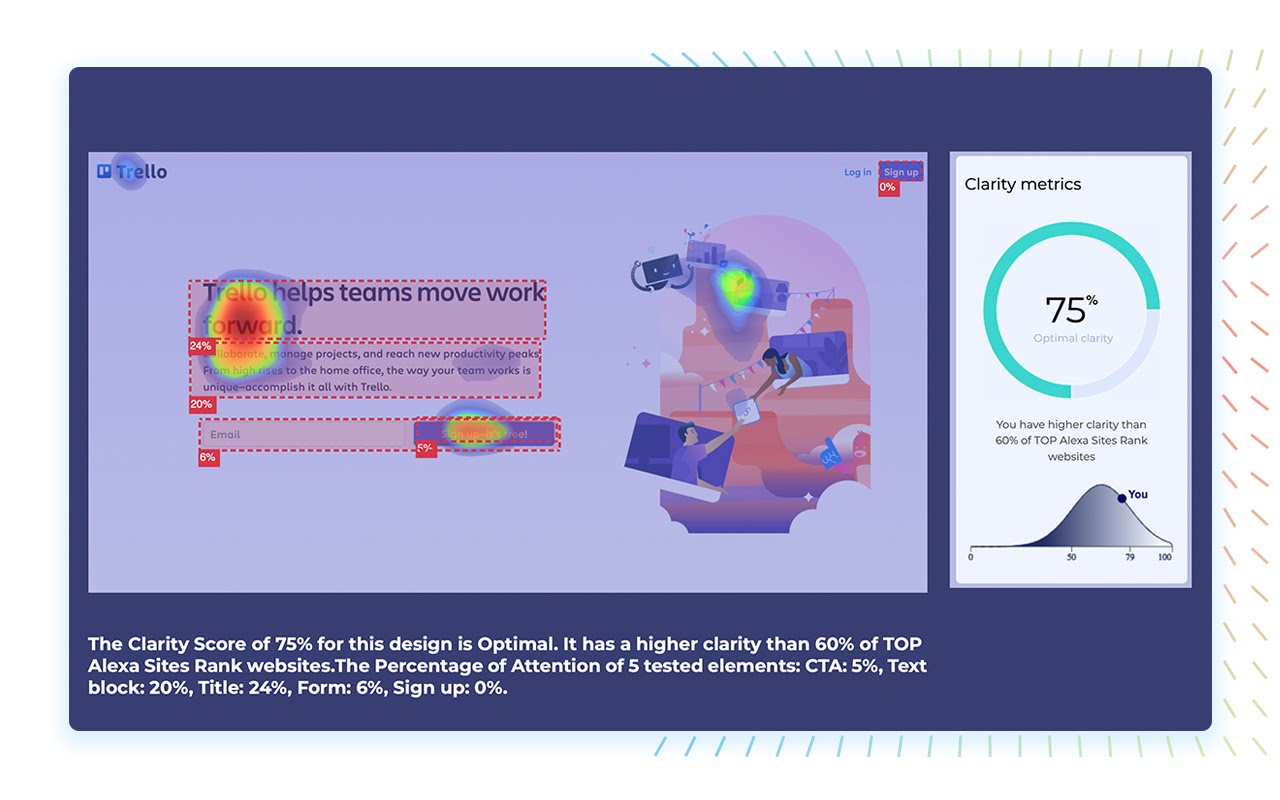
Access in-depth PDF reports of your analysis and share them with clients, teammates, and collaborators.
Attention Insight is designed to seamlessly combine with your current workflow.
With Figma, Adobe XD, Sketch integrations, you’ll be able to easily work in your native apps.
Unlock the power of AI magic—install your integration and get AI-powered Heatmaps on the go.
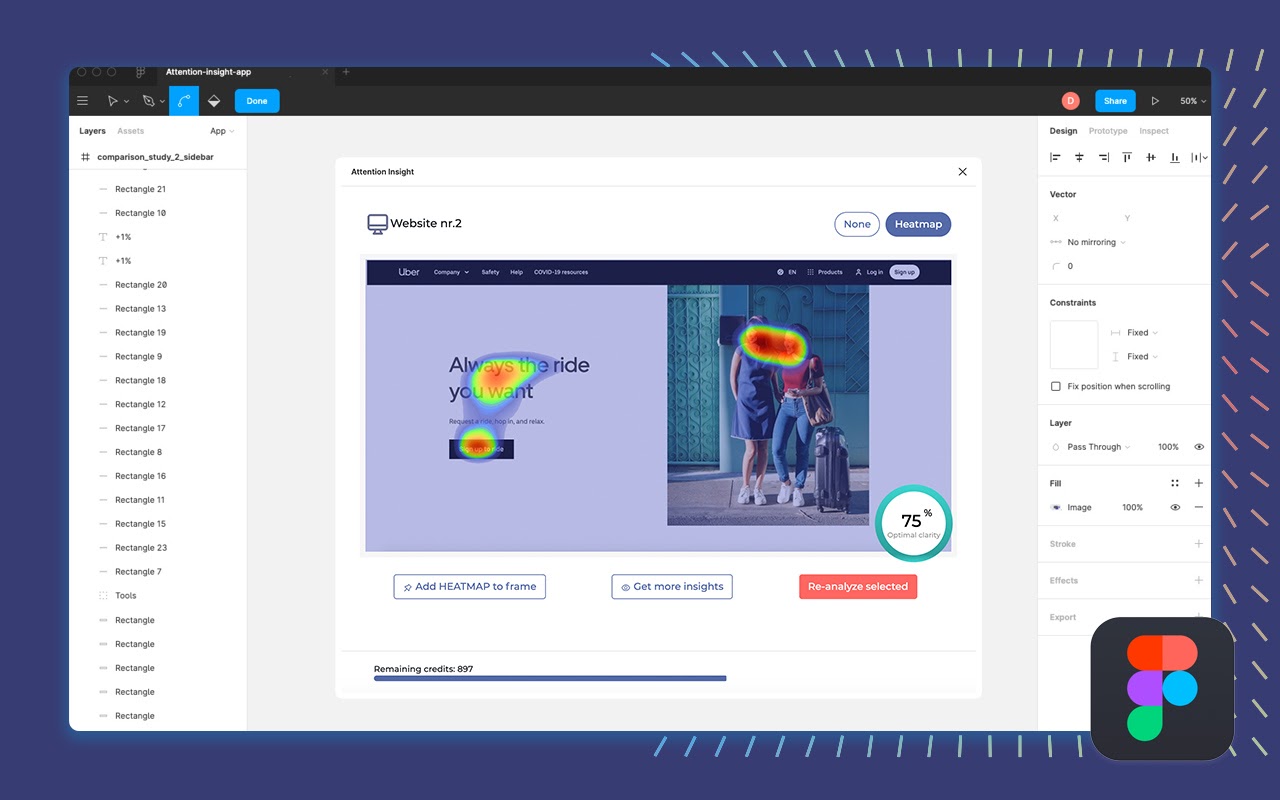
The Attention Insight Plugin seamlessly integrates with Figma, Adobe XD, and Sketch.
With all the distracting things on the Internet (ooh, a soy candle sale!), it’s hard to know where visitors’ attention is actually going.
Good thing you’ve got powerful pre-launch analytics that help you maximize the visibility of key design elements.
Attention Insight lets you see your design through the eyes of your users, to make sure you’re getting the attention you want—and deserve!
Get lifetime access today!
P.S. Attention Insight is best for pages and creatives read from left to right. We don’t recommend using it for pages or creatives written in languages that read right t left or downward pattern (e.g., Hebrew or Chinese).
Plans & features
Deal terms & conditions
- Lifetime access to Attention Insight Team Plan
- You must redeem your code(s) within 60 days of purchase
- All future Team Plan updates
- Stack up to 10 codes
- GDPR compliant
- Note: Previous AppSumo customers who purchased Attention Insight can buy more codes to increase their feature limits

60 day money-back guarantee. Try it out for 2 months to make sure it's right for you!
Features included in all plans
- Clarity score
- Benchmarks
- Attention heatmaps
- Percentage of attention with auto AOI
- Storage
- Comparison
- Sharable folders
- Chrome extension
- Sketch
- Adobe XD
- Figma