AppSumo Radar beta
Radar products are early-stage listings that are managed by the team who built the product.Learn more about Radar

Search your MacBook like you talk

No reviews yet, be the first!
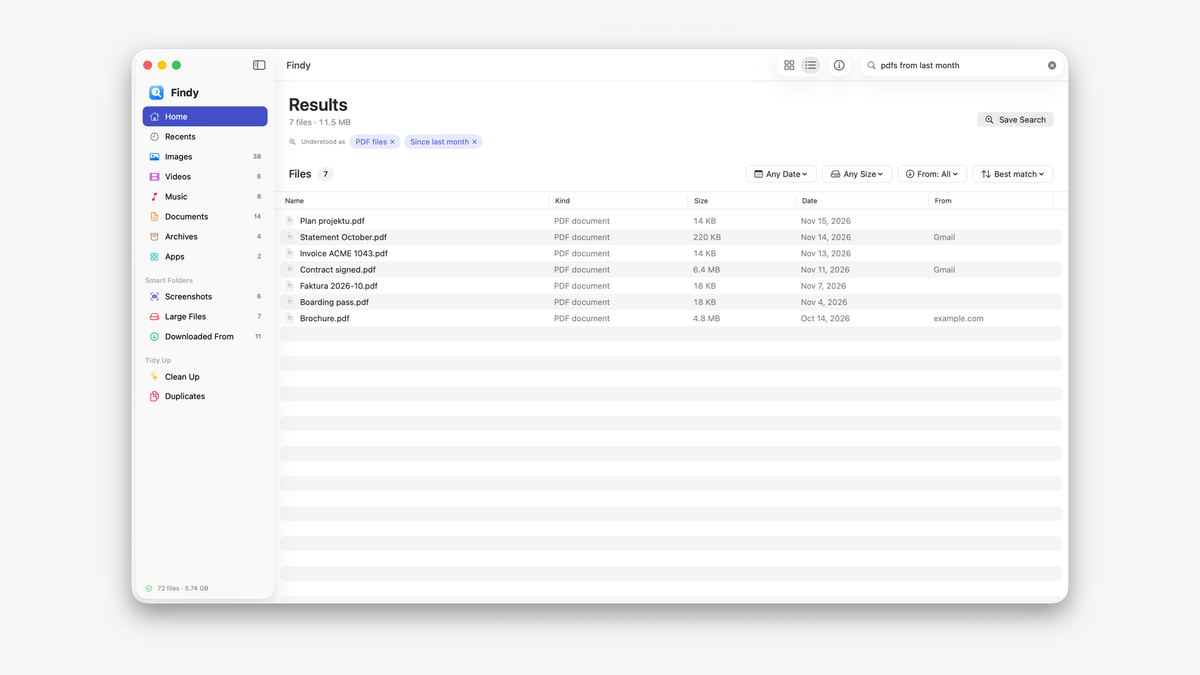
Plain-language search results
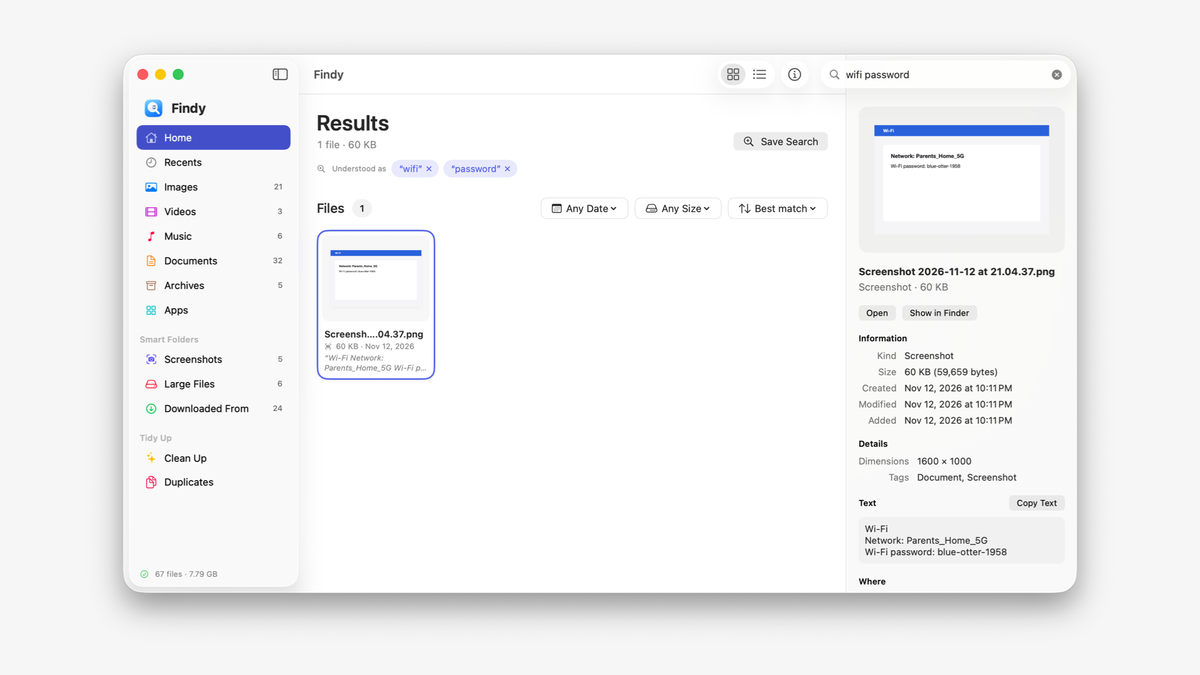
Text found in a screenshot
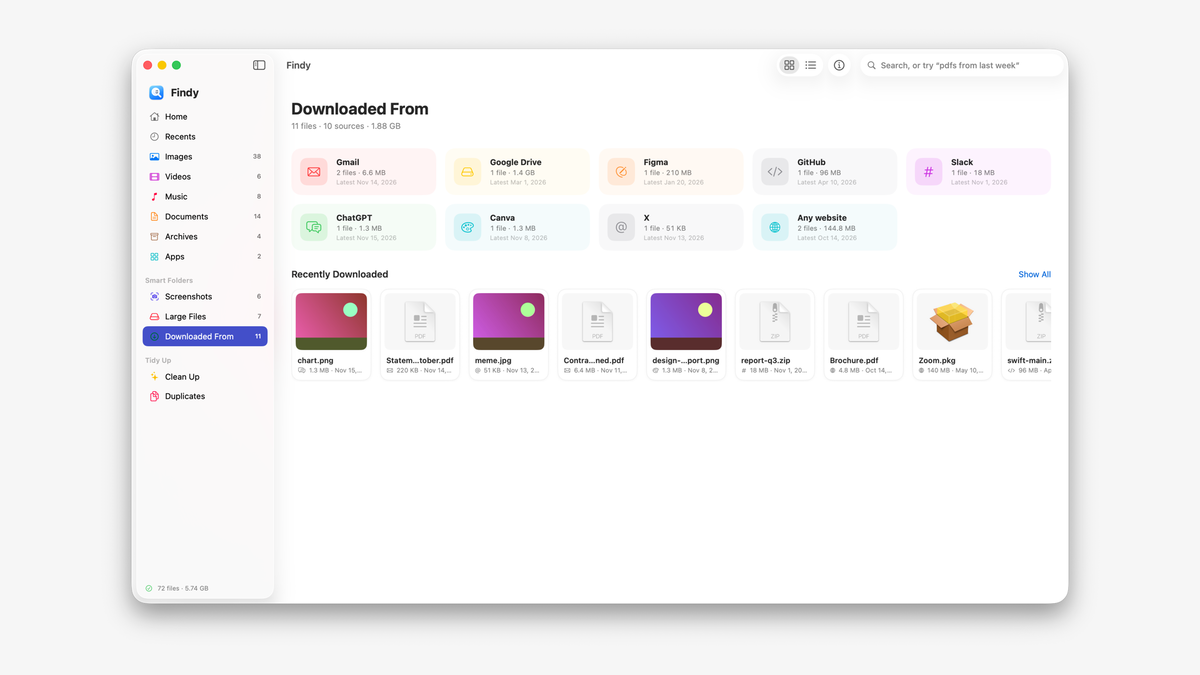
Downloads grouped by source
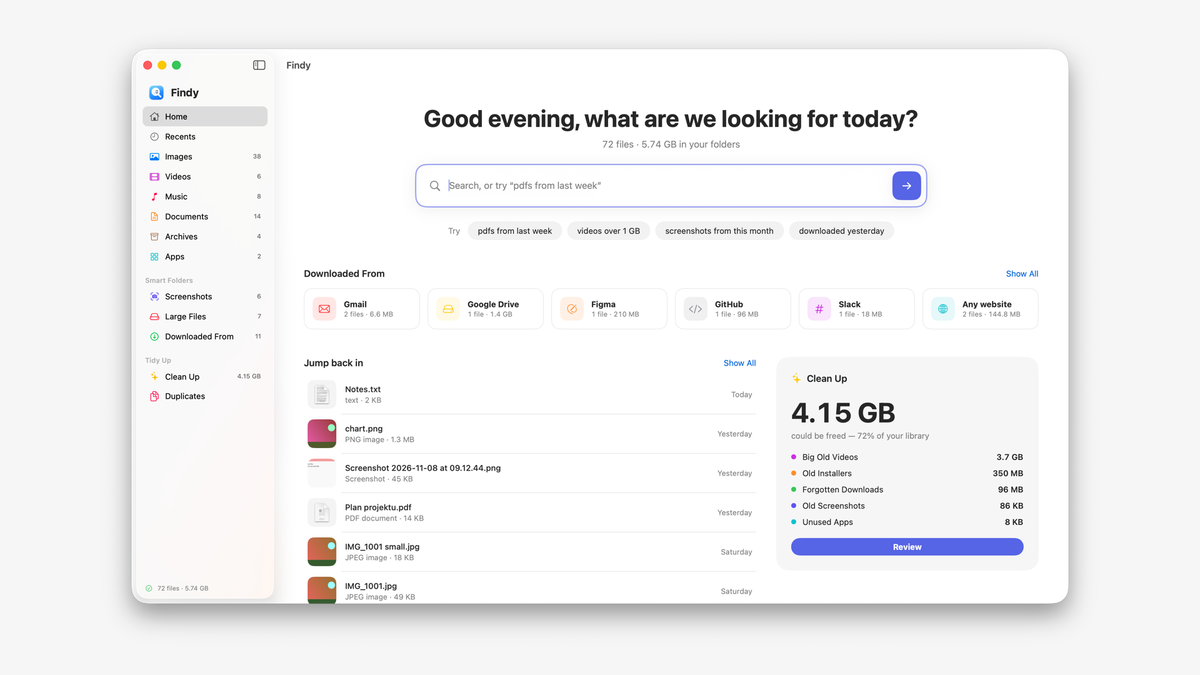
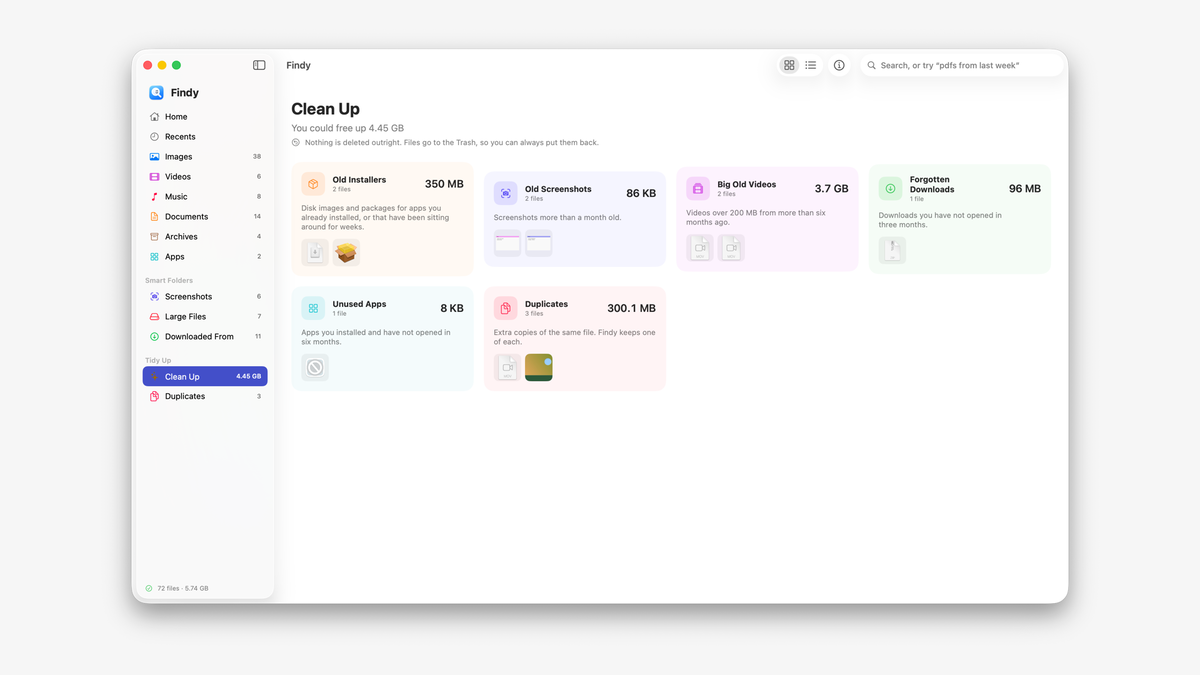
Clean Up overview

Findy

$17.10$19$29once, no subscription
  • Lifetime access
  • Refundable up to 60 days
No "We Got Your Back" guarantee. Radar is a discovery engine — we don't vet these products, so this guarantee doesn't apply.
AppSumo's 60-day refund applies to most deals. AI skills are non-refundable once redeemed.
AppSumo Labs

Early-stage product. Brought to you by the team who built it.

Quick bite

Visit Findy ↗

Best alternative to your Finder on MacBook. Find any file by what you remember.

From $17.10once, forever
  • Type “pdfs from gmail last week” and get exactly those files, in English or 12 more languages
  • Find a screenshot, scan or PDF by the words inside it, with everything kept on your Mac
  • Alternative to RaycastRaycast, Spotlight, AlfredAlfred

What Findy finds for you

Type what you remember and get the file

  • Type a whole sentence like “zips bigger than 1 GB older than 6 months” or "downloaded from Gmail" and Findy picks out the kind, the size and the date
  • See how Findy read your search: each filter shows as a chip you can remove
  • Search in your own language: English, Polish, German, Spanish, Italian, French, Portuguese, Russian, Turkish, Dutch, Swedish, Danish and Norwegian, each with its own words for dates and sizes
  • Press ⇧⌥Space in any app to search without leaving what you are doing, then drag the file straight into an email
Type what you remember and get the file

Find the screenshot by the words in it

  • Search the words in screenshots, photos and scans: “wifi password” brings up the screenshot it is in
  • Search inside PDFs and notes, not only their file names
  • Find photos by what is in them, with tags like receipt or dog made on your Mac
  • Copy the text Findy found in an image straight from the details panel
Find the screenshot by the words in it

Know where every download came from

  • See your downloads grouped by source: Gmail, Slack, WeTransfer, ChatGPT, Figma or any website
  • Search by source in plain words, like “pdfs from gmail”
  • Works on files you already downloaded, using the source address macOS saves with each download
Know where every download came from

Free up space and get anything back in one click

  • Review big old videos, old installers, forgotten downloads, old screenshots and unused apps, each with the space it takes
  • Find identical copies of the same file and keep one of each
  • Move only what you pick to the Trash, and put it back with one click if you change your mind
Free up space and get anything back in one click

Choose the plan that’s right for you

Feel secure in your purchase with AppSumo's 60 day money-back guarantee.

Refundable up to 60 daysNot covered by We Got Your Back. Why?
Deal terms & conditions
Findy
See Findy
Founded October 22, 2026
🇵🇱Poland
1-10
Startup
Bootstrapped

Search should start with what you remember

I’ve used a Mac for more than ten years and I still lose files in Downloads. On a call, someone asked me to pull up a contract they’d emailed me the week before. I had no idea what it was called (it turned out to be scan_20261109.pdf). What I remembered was that it was a PDF, it came from Gmail and it arrived last week. My Mac even knew where it came from, but Finder only lets you ask by building a search by hand, rule by rule. So I built Findy.

In Findy you type what you remember, like “pdfs from gmail last week”, and it shows how it read you: PDF files, since last week, from Gmail. It also reads the words in screenshots and PDFs, so “wifi password” finds the screenshot it’s in. It’s for anyone whose Downloads folder has become the drawer everything gets thrown into, and it keeps everything on the Mac, with no account and no cloud.

I’m never going to name my files properly, and I don’t think most people will. So I keep teaching Findy more of the ways people actually describe files, in English and 12 other languages. If you type something it doesn’t get, write to me: that sentence is what I work on next.

Adrian Topka
Founder & CEO

What “Radar” means for this product

Learn more about AppSumo deals

Radar is home to early-stage products looking to gain traction. Here’s the lowdown of what these deals are and aren’t.

Where it is in its life

Radar products are at the start of their journey. They're fresh on the scene and building a customer base.

How we vouch for it

We've verified the basics and reviewed the listing for safety. Success isn't guaranteed — we haven't fully vetted every claim, feature, or result.

Code & security review

All AI skills are reviewed for security purposes. We do not review software code — partner owns security and what ships.

Refund policy

60-day refund on most deals. AI skills are non-refundable once redeemed.

Pricing

Prices are set by the founder. Simple as that.

Where you'll see it

The Radar section of our site exclusively. These products are in early discovery and not quite ready for the AppSumo limelight yet.

Radar is a discovery engine — because we aren’t vetting these products, our We Got Your Back guarantee doesn’t apply. Should these products show traction, our team will work with theirs to get them ready for the main stage (and protected).

Questions & reviews