AppSumo Radar beta
Radar products are early-stage listings that are managed by the team who built the product.Learn more about Radar

Claude Code for Video Editing

No reviews yet, be the first!
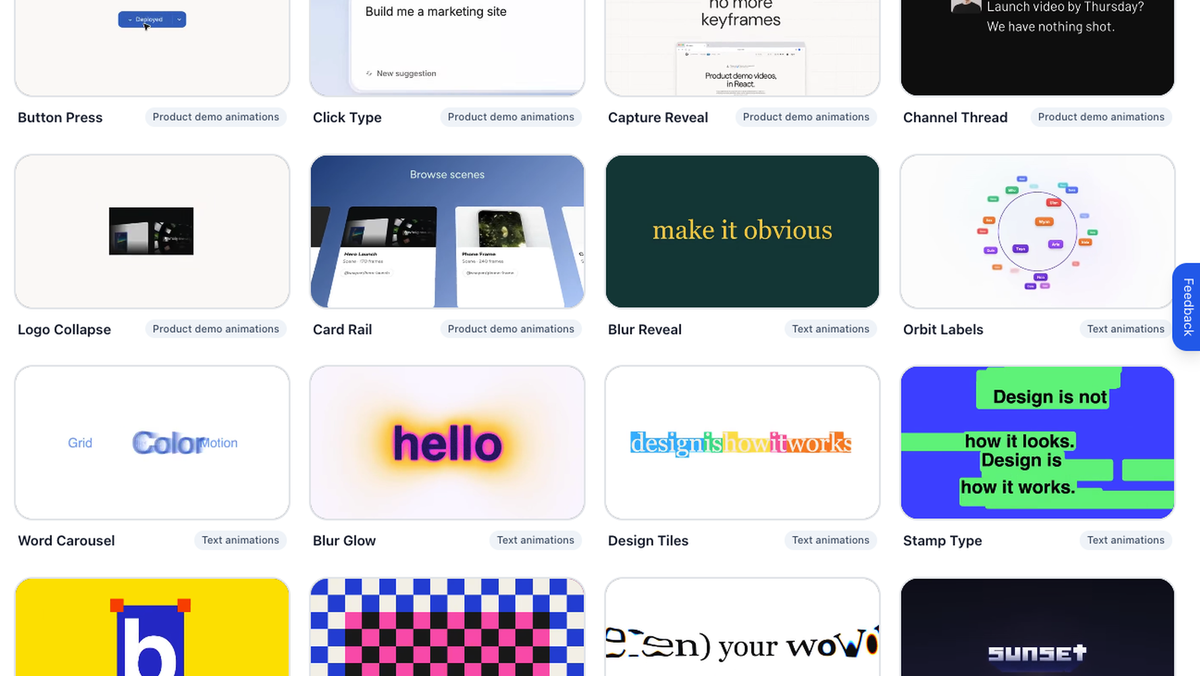
Premade templates for product demos and animated text, with previews of Button Press, Click Type, Capture Reveal, Card Rail, Blur Glow, and Design Tiles.
Subclip’s manual video editor showing a vertical preview, media panel, and layered timeline with audio waveforms.
Subclip caption generator with a vertical video preview and a gallery of cinematic caption styles.
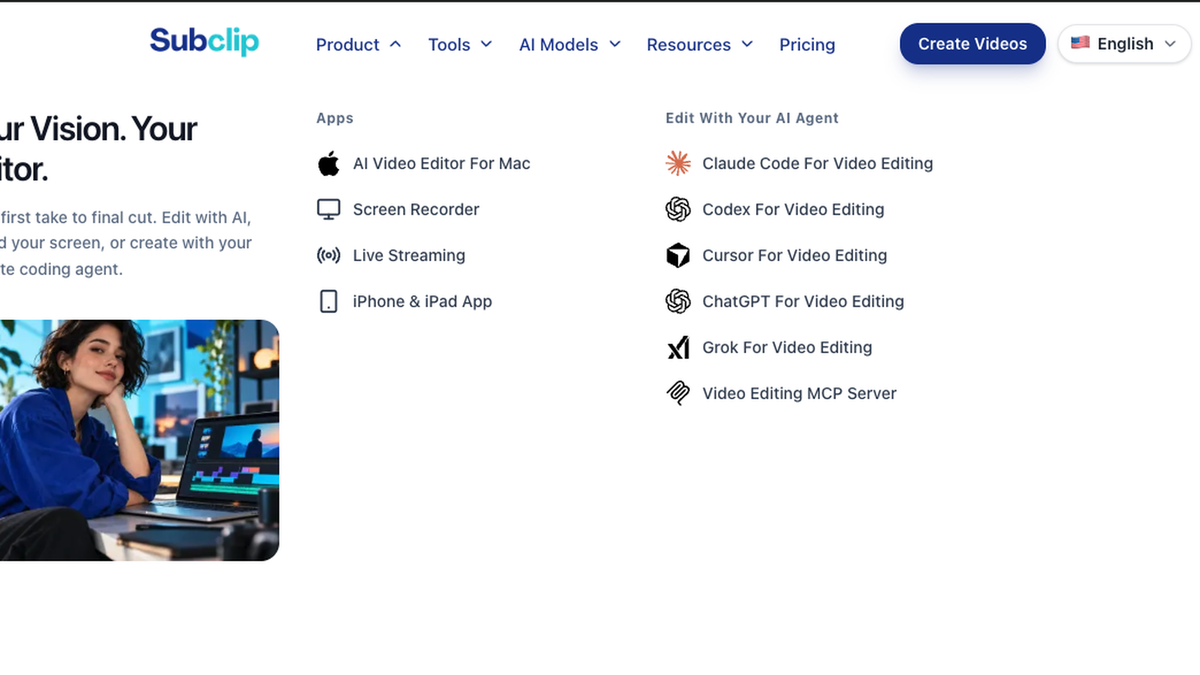
Subclip’s product menu showing Mac, screen recording, live streaming, and iPhone/iPad apps, plus editing with Claude Code, Codex, Cursor, ChatGPT, Grok, and an MCP server.

Cursor for Video Editing: AI Video Editor

$99
  • Lifetime access
  • Refundable up to 60 days
No "We Got Your Back" guarantee. Radar is a discovery engine — we don't vet these products, so this guarantee doesn't apply.
AppSumo's 60-day refund applies to most deals. AI skills are non-refundable once redeemed.
AppSumo Labs

Early-stage product. Brought to you by the team who built it.

Spend less time on repetitive edits. Subclip turns your instructions into video edits on Mac, with a timeline to fine-tune the result, customizable captions, and built-in screen recording.

TL;DR

  • checkmarkDescribe your edit in plain language, then refine clips and captions on the timeline
  • checkmarkRecord your screen and camera, add captions, and finish your video in one Mac workspace

At-a-glance

subclip.app

Alternative to

Adobe Premiere, Descript, CapCut

Integrations

Social media platforms, Cursor, Claude Code, ChatGPT Codex

Best for

Content creators, YouTubers, Small business owners

Cursor for Video Editing: AI Video Editor logo

Cursor for Video Editing: AI Video Editor

From your first recording to a finished video on Mac

Start with a premade template

  • Browse ready-made scenes: explore product demo templates such as Button Press, Click Type, Capture Reveal, and Card Rail.
  • Bring text to life: choose animated styles such as Blur Reveal, Word Carousel, Blur Glow, and Stamp Type.
  • Find a starting point: preview the template gallery and choose a look for your next video.
Start with a premade template

Fine-tune every edit on your timeline

  • Shape your story: arrange clips and adjust the timing in a hands-on video editor.
  • Refine the AI draft: make manual adjustments before exporting your finished video.
  • Create for your channel: work with landscape and vertical video formats.
Fine-tune every edit on your timeline

Give your captions a style of their own

  • Add readable captions: generate captions and review the text before publishing.
  • Match your look: choose caption styles and adjust placement to fit your video.
Give your captions a style of their own

Multiple apps and support for your AI agent

  • Explore the Subclip apps: the product menu brings together the Mac editor, screen recorder, live streaming, and iPhone and iPad apps.
  • Edit with your preferred agent: explore workflows for Claude Code, Codex, Cursor, ChatGPT, Grok, and the video editing MCP server.
  • Choose the right setup: this deal covers the Mac editor. External AI services may require separate accounts or plans; no AI credits are included.
Multiple apps and support for your AI agent

Choose the plan that’s right for you

Feel secure in your purchase with AppSumo's 60 day money-back guarantee.

Refundable up to 60 daysNot covered by We Got Your Back. Why?
Deal terms & conditions
Cursor for Video Editing: AI Video Editor
See Cursor for Video Editing: AI Video Editor
Founded September 1, 2025
🇫🇷France
1-10
Startup
Bootstrapped

Less repetitive editing. More time to your story.

Creating a video often means moving between a recorder, an editor, a caption tool, and separate tools for voiceovers or dubbing. We built Subclip to bring those steps into one workspace, so creators can spend more time shaping their message and less time moving files between apps.

Subclip AI Editor for Mac brings that idea to the desktop. Import footage or record your screen and camera, describe the changes you want, and let the AI assistant help with the edit. Then use the timeline to refine the result, customize captions, and prepare your video for sharing.

Our goal is to make AI useful for the repetitive parts of production while keeping creative decisions with you. Whether you make tutorials, product demos, lessons, or social videos, Subclip gives you a place to go from your first recording to a finished story.

What “Radar” means for this product

Learn more about AppSumo deals

Radar is home to early-stage products looking to gain traction. Here’s the lowdown of what these deals are and aren’t.

Where it is in its life

Radar products are at the start of their journey. They're fresh on the scene and building a customer base.

How we vouch for it

We've verified the basics and reviewed the listing for safety. Success isn't guaranteed — we haven't fully vetted every claim, feature, or result.

Code & security review

All AI skills are reviewed for security purposes. We do not review software code — partner owns security and what ships.

Refund policy

60-day refund on most deals. AI skills are non-refundable once redeemed.

Pricing

Prices are set by the founder. Simple as that.

Where you'll see it

The Radar section of our site exclusively. These products are in early discovery and not quite ready for the AppSumo limelight yet.

Radar is a discovery engine — because we aren’t vetting these products, our We Got Your Back guarantee doesn’t apply. Should these products show traction, our team will work with theirs to get them ready for the main stage (and protected).

Questions & reviews